
Rader: a 3,494-product catalog and an AI assistant that asks like a sales rep.
We designed and built a Next.js website for a supplier of wheels and castors. We brought order to a large technical catalog, gave the team a simple Excel import and export for product data, and launched an AI assistant that asks about the need before it recommends a product.
Figures come from the public website as of 7 October 2026. We do not publish sales results, because we did not measure them.
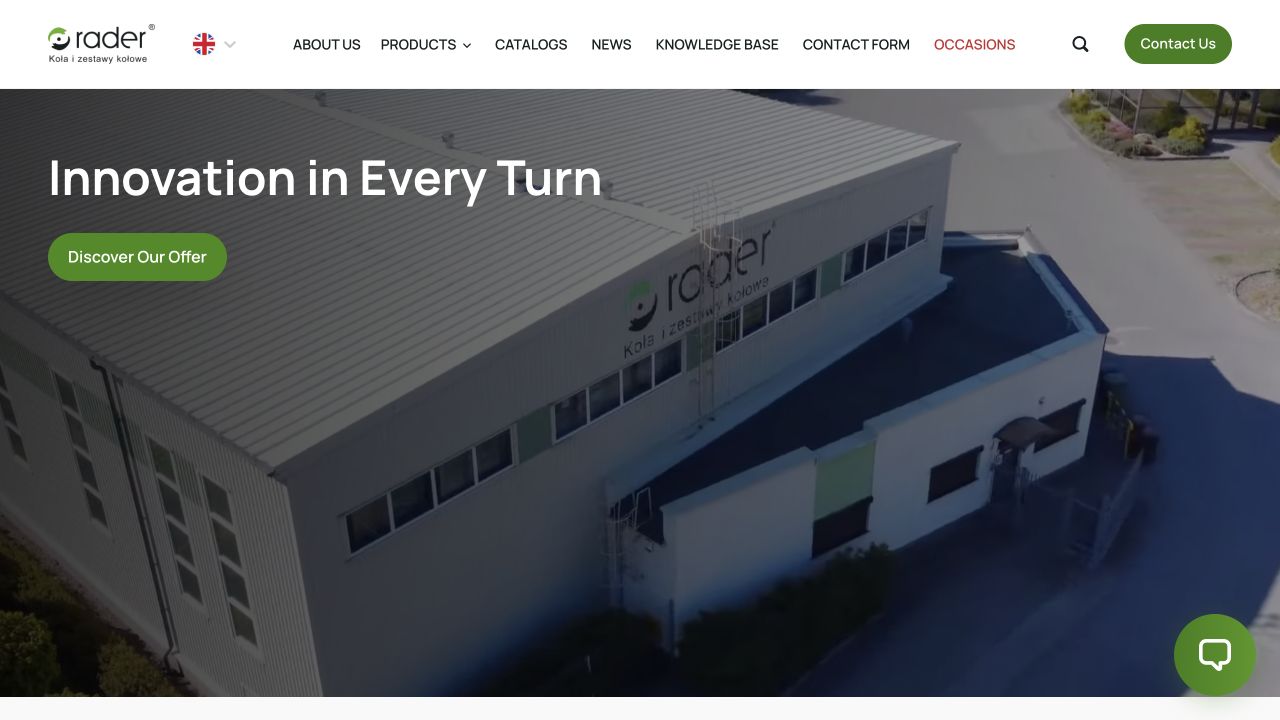
Thousands of similar products and a buyer who knows the use case, not the code.
Starting point
Rader supplies wheels and castors, from pallet truck wheels to sets built for high temperatures. The public catalog holds 3,494 products, and many differ by a single parameter: diameter, load capacity, mounting or wheel material.
Buyers rarely know the product code. They know what has to roll, how much it weighs and what surface it runs on. A sales rep usually closes that gap by asking follow-up questions. The website had to do the same before the customer picks up the phone.
That gave the project three challenges.
- a large catalog where a buyer has to find the right product without knowing the codes
- up-to-date data for thousands of products without building an ERP integration
- an AI assistant that guides product selection step by step, the way a sales rep does
A large catalog brought under control by its data structure.
Challenge 1: the catalog
We started with structure, not screens. Every product is described by the same fields: product group, castor type, mounting, diameter, load capacity, wheel material and bearing type. The same data feeds the filters, the product pages, the configurator and the assistant.
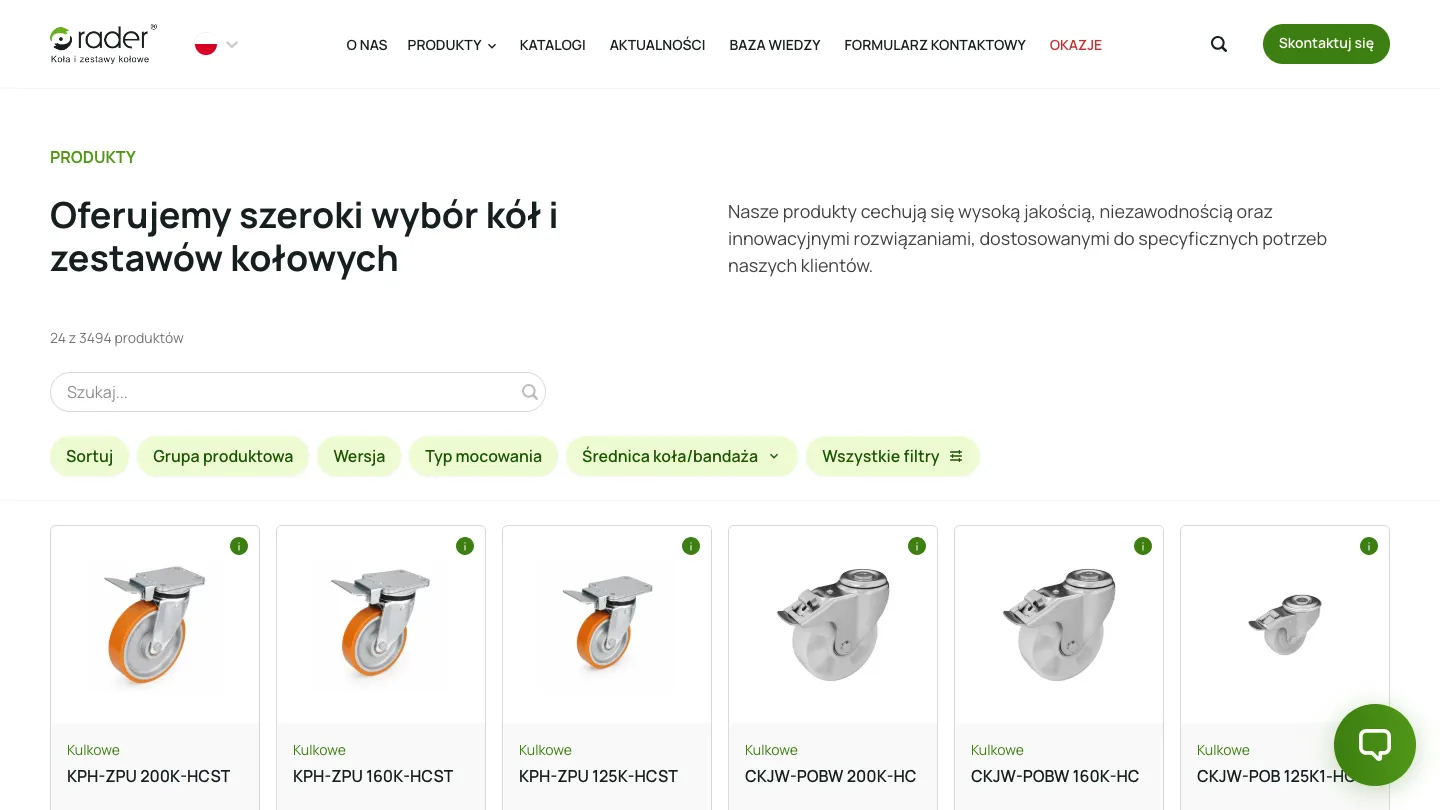
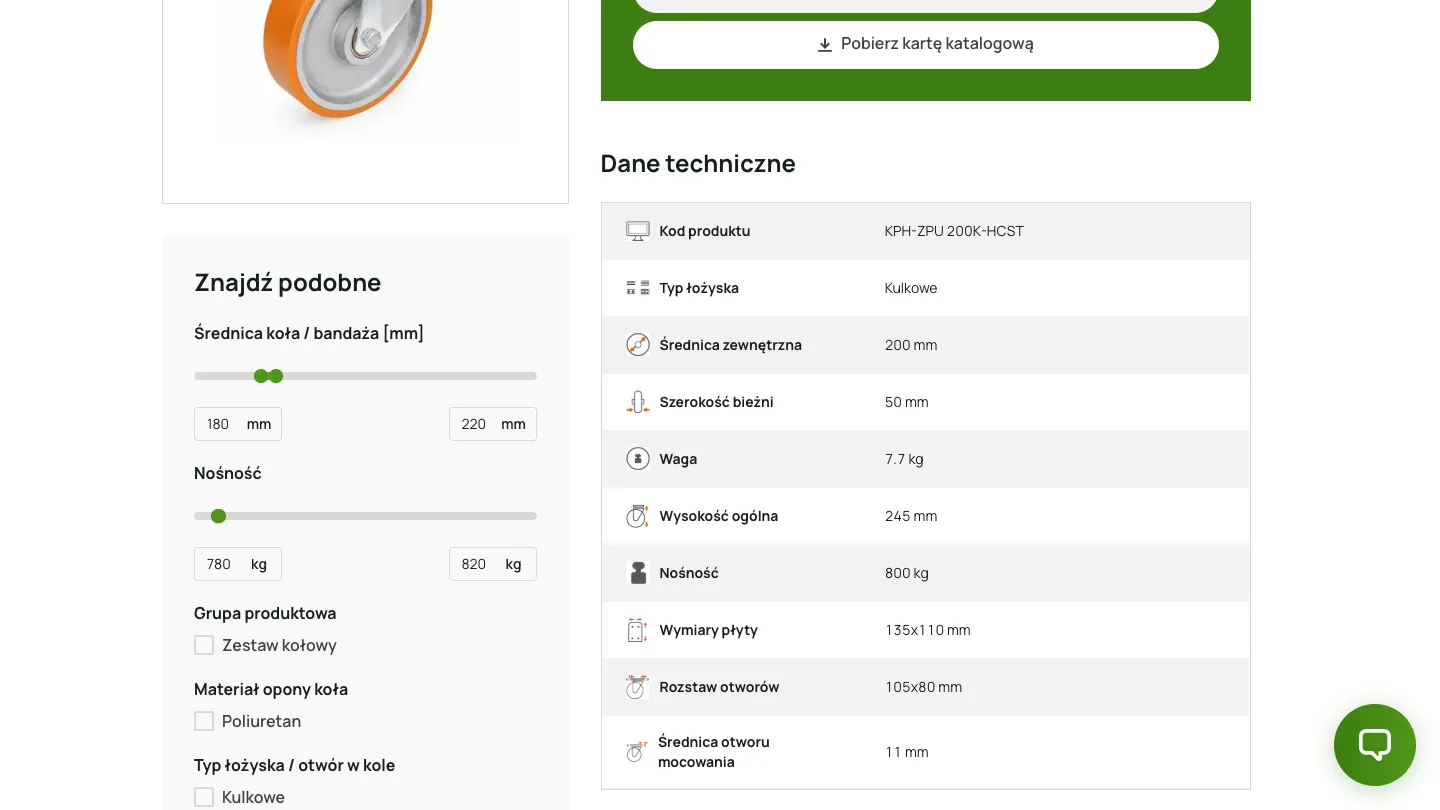
On the product list, buyers filter by technical parameters and see at once how many products remain. A product page gives them a technical data table, a downloadable catalog sheet and a search for similar products by diameter and load capacity.
Excel instead of an ERP integration: a simpler route to a current catalog.
Challenge 2: the data
With thousands of products, the reflex is a direct connection to the ERP. In this project the better route was importing and exporting the whole catalog as an Excel file with an agreed structure.
The Rader team exports the catalog, corrects the data in a spreadsheet they already know and uploads the file again. Staff get a plain view of the entire range in one place, with no new tool to learn.
An ERP integration is a project of its own: field mapping, error handling and maintenance on both sides. It pays off when data has to flow continuously, like stock levels and orders. The Rader website presents the range and its technical parameters, so a file with a well-designed structure did the job more simply.
| Question | ERP integration | Excel import and export |
|---|---|---|
| When it makes sense | Data changes continuously: stock, prices, orders | Data changes in batches: new products, corrected parameters |
| Who updates the data | The system, once the integration is built and tested | The team, in a spreadsheet they know |
| What has to be maintained | The connection, field mapping and error handling on both sides | One file structure |
An AI sales assistant that asks like a rep before it recommends anything.
Challenge 3: the AI assistant
An ordinary chatbot answers what you ask. A sales rep does something else: they ask the questions. The challenge was teaching the assistant that second behaviour.
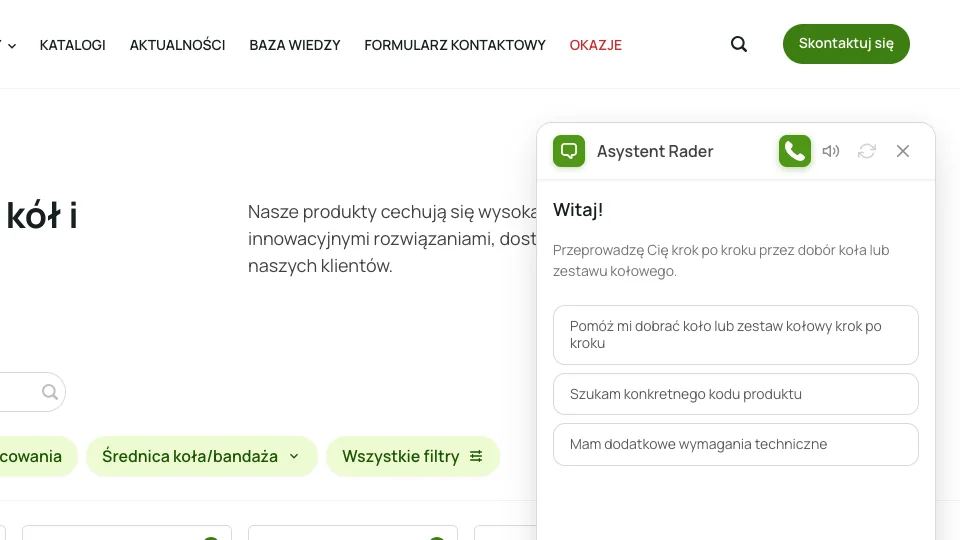
The assistant leads the conversation step by step. It asks for each parameter needed for selection and only recommends a product from the catalog once it has the full picture.
The conversation has three entry points: step-by-step selection, a search for a specific product code, and additional technical requirements. It starts with contact details and the website stores the transcript, so the Rader team can pick up where the assistant stopped.
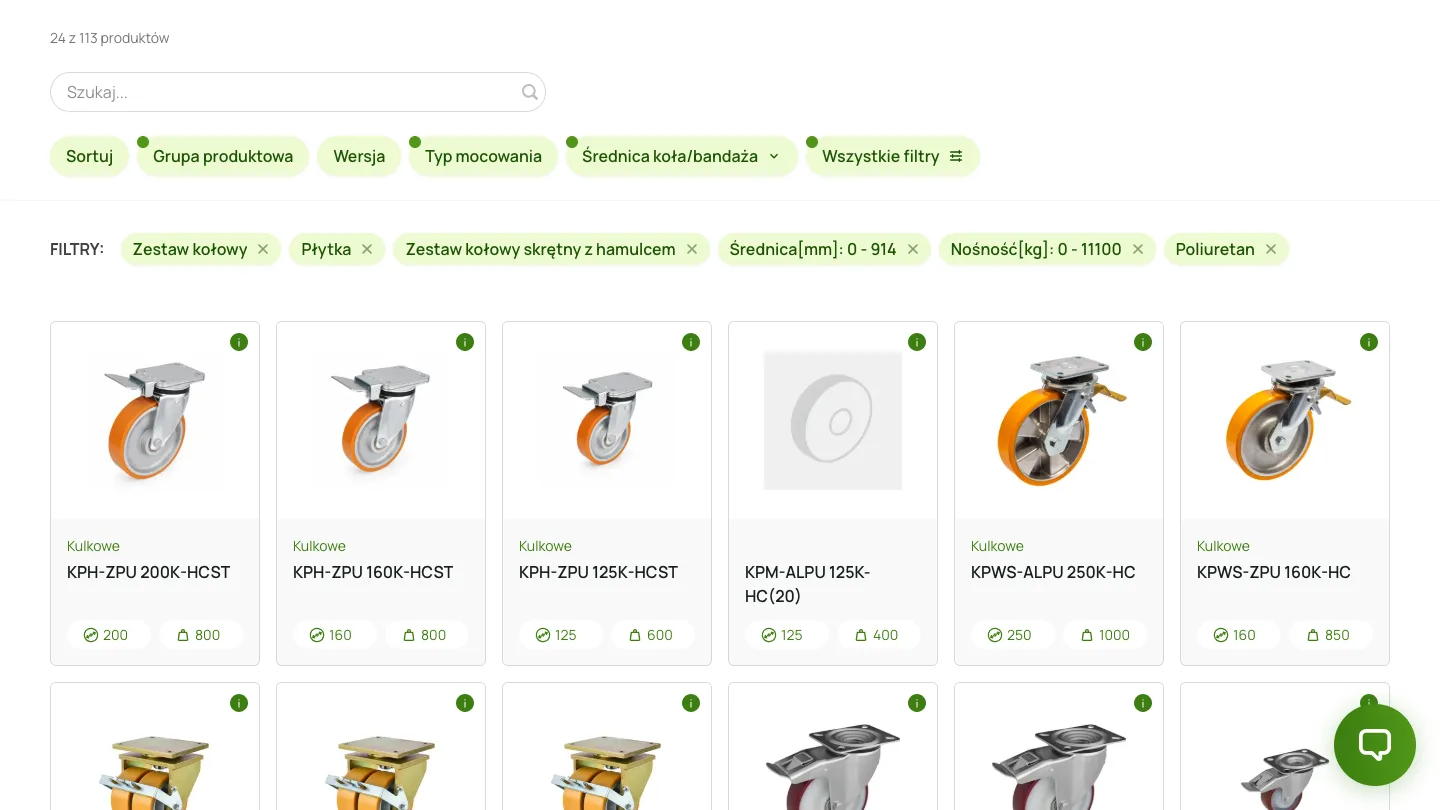
The configurator narrows 3,494 products to 113 in four choices.
Selection without a conversation
Not everyone wants to chat. The same selection logic works as a configurator: the buyer picks the product group, castor type, mounting, diameter, load capacity and wheel material, and a counter shows how many products still match.
In the recording we look for a braked swivel castor with plate mounting and a polyurethane wheel. After four choices, 113 of 3,494 products remain, and the list opens with the filters already applied.
One team from data structure to launch.
Scope and accountability
Evelumo was responsible for the complete design and implementation in Next.js. The catalog structure, the data exchange with the team and the assistant's behaviour were built as one product, not as separate parts from different suppliers.
The website runs in Polish and English. Everything described here can be checked in the public version.
- catalog structure and information architecture
- product list with filters, product pages and catalog sheets
- catalog import and export in Excel
- selection configurator and AI assistant
- 3D previews of selected products
Questions about the Rader project
What did the Rader project include?
The scope covered the structure of a 3,494-product catalog, a filtered product list and product pages with technical data, catalog import and export in Excel, a selection configurator, an AI assistant and 3D previews of selected products. Evelumo handled user experience design and implementation of the public Next.js website in Polish and English.
Why Excel import instead of an ERP integration?
Because it was the better route for this project. An ERP integration needs field mapping, error handling and maintenance on both sides, and it pays off when data has to flow continuously. The Rader catalog presents the range and its technical parameters, so the team updates it with an Excel file in an agreed structure and sees everything in one sheet.
How does the AI assistant on the Rader website work?
The assistant leads the conversation like a sales rep: step by step it asks for the parameters needed for selection and only then recommends a product from the catalog. A buyer can also give a specific product code or describe additional technical requirements. The conversation is stored, so the Rader team can take it over.
Does the Rader case study demonstrate sales growth?
No. The case study does not measure impact on sales, conversion or operational savings, and we do not publish numbers we cannot prove. It shows what you can check yourself on the public website: the size of the catalog, the implemented features and the way a buyer is led to a product.

Do you have a large catalog or an offer that needs explaining to buyers?
Show us how a buyer reaches the right product today. We will assess whether you need a new website, an extension of your current system or a simpler solution.