
An email order reaches your ERP without retyping
A 30-day AI pilot for wholesalers, distributors and manufacturers. AI reads the emails and attachments, matches the customer and the lines to your item master, and your employee only checks and approves. One mailbox, a fixed price, a result in numbers after 30 days.
20 minutes online. You get a straight answer on whether the pilot pays off for you.
Diagram of the pilot. On the left, a customer email with an order and an attachment. On the right, the order recognised by AI: the customer and three lines matched to item codes from the ERP, and a fourth line a person has to choose. Once approved, the order is saved in the ERP as a document.
Email, today 7:42From: Mark, installation company
Hello, for tomorrow please: circulation pump 25-60 x 2, PP pipe 160 in 3 m lengths x 12, 90 degree elbow dia 160 x 8, seals same as last time. We will collect. Mark
site-list.jpgcirculation pump 25-60 x 2
Circulation pump 25-60PO-2560 · 2 pcscertainPP pipe 160 in 3 m lengths x 12
PP pipe 160 mm, 3 mRP-1603 · 12 pcscertain90 degree elbow dia 160 x 8
Elbow 90°, 160 mmKL-1690 · 8 pcscertainseals same as last time
Which seals?to check
- Emailread by AI
- Employeeapproved 4 lines
- ERPdocument created
- Timeline
- 30 days on one mailbox
- Price
- fixed, agreed before kickoff
- Control
- a person approves every order
- Guarantee
- under 80% without corrections: 30 more days at no charge
This is a new service. We have no pilot results yet, so we show none. After 30 days you get the numbers from your own mailbox.
When the pilot makes sense
Orders arrive by email
Customers write the way that suits them: in the email body, in a PDF, in a spreadsheet or as a photo of a handwritten list. Someone on your team retypes it into the ERP.
You have a B2B portal and the emails keep coming
Some customers order in the portal, the rest still write. The pilot takes the orders the portal never captured.
You are about to hire for order entry
Before you hire someone to retype orders, check how much of that work can come off the team you already have.
Mistakes come back as corrections
A wrong item code or quantity means a correction, a return and a call from the customer. In the panel every line sits next to what the customer wrote.
What runs in the pilot
One mailbox, one process and your ERP. The rest of the company works as before.
What the pilot does not cover
- phone orders: a second stage that needs call recording and the callers' consent
- replies sent to customers automatically
- further mailboxes and branches: we add them after the pilot
One order mailbox
We connect the mailbox your orders arrive in today, for example one branch.
Emails and attachments read
The email body, PDFs, spreadsheets and photos of handwritten lists.
Matched to your item master
AI recognises the customer and matches the lines to item codes from the ERP, with quantities. When it is not sure, it asks.
An approval panel
Your employee sees what the customer wrote next to what will go into the ERP, then approves or corrects it.
A document in the ERP
An approved order is saved in the ERP as a document, with no retyping.
A report after 30 days
The number of email orders, the time from email to document, and the share of orders approved without corrections.
How the 30 days run
The pilot measures one thing: how many email orders reach the ERP without retyping and without corrections.
- Before kickoff
A call and an ERP check
In 20 minutes we establish how many orders arrive by email and what they look like. Then we check that your ERP accepts an order from an external service, and we give you a fixed price.
Your part: A few sample order emails and the name of your ERP.
- Week 1
Connection and baseline
We connect the mailbox and the ERP, measure how things stand today and agree the success measures with you.
Your part: Access to the mailbox, a technical ERP account and the person who approves orders.
- Weeks 2 to 4
Work on real emails
Your team approves orders in the panel. Every week we improve the recognition and send a short progress note.
Your part: Approving orders in the panel instead of retyping them.
- Day 30
Report and decision
You get the numbers and decide: a subscription, the next process, or the end of the engagement. There is no commitment after the pilot.
Your part: 30 minutes for the review.
Price, guarantee and what follows
The pilot has a fixed price, agreed before kickoff once we know how your ERP accepts orders from an external service. There is no hourly rate and no paid analysis.
In the pilot price
a fixed price, agreed before kickoff
- one order mailbox
- emails and attachments read: PDF, spreadsheet, photo
- the customer and the lines matched to your ERP item master
- an approval panel for your team
- the order saved in the ERP as a document
- a weekly progress note
- a report with the numbers after 30 days
Guarantee
- if after 30 days fewer than 80% of email orders reach the ERP without an employee's corrections, we extend the pilot by another 30 days at no extra charge
- we count the share in the approval panel and show it in the report
- there is no commitment after the pilot
After the pilot
- a monthly subscription sized to your order volume
- further mailboxes and processes quoted at a fixed price
- you decide after the 30-day report
Prices are net of VAT. Any fees your ERP vendor charges for interface access are not part of our fee.
Get your fixed priceWork out what retyping costs today
Three numbers from your order desk. The result is today's cost of entering orders by hand, not a promised saving.
- Time spent retyping
- 42 hours a month
- Share of a full-time job
- 25% of a full-time job
- Cost of that work
- 840 EUR a month
That is several hours a week. It is worth measuring how much of it remains once an employee only approves.
Let's talk about the pilotWe count 21 working days and 168 working hours a month. The pilot measures the real values on your orders.
Further processes, the same pattern
Email orders are the first pilot because the result shows after 30 days. We run the next ones the same way: one process, 30 days, a fixed price and a person who approves.
Replies to price and availability questions
A customer emails to ask about a price and stock. AI drafts the reply from ERP data, and a sales rep checks and sends it.
A quote from a request for quotation
A list of items in an email or a file becomes a draft quote with the customer's prices from the ERP, for a sales rep to check.
Your process
Do you have another repetitive process around the ERP? Describe it on the call. If it can be measured and closed in 30 days, we quote the pilot at a fixed price.
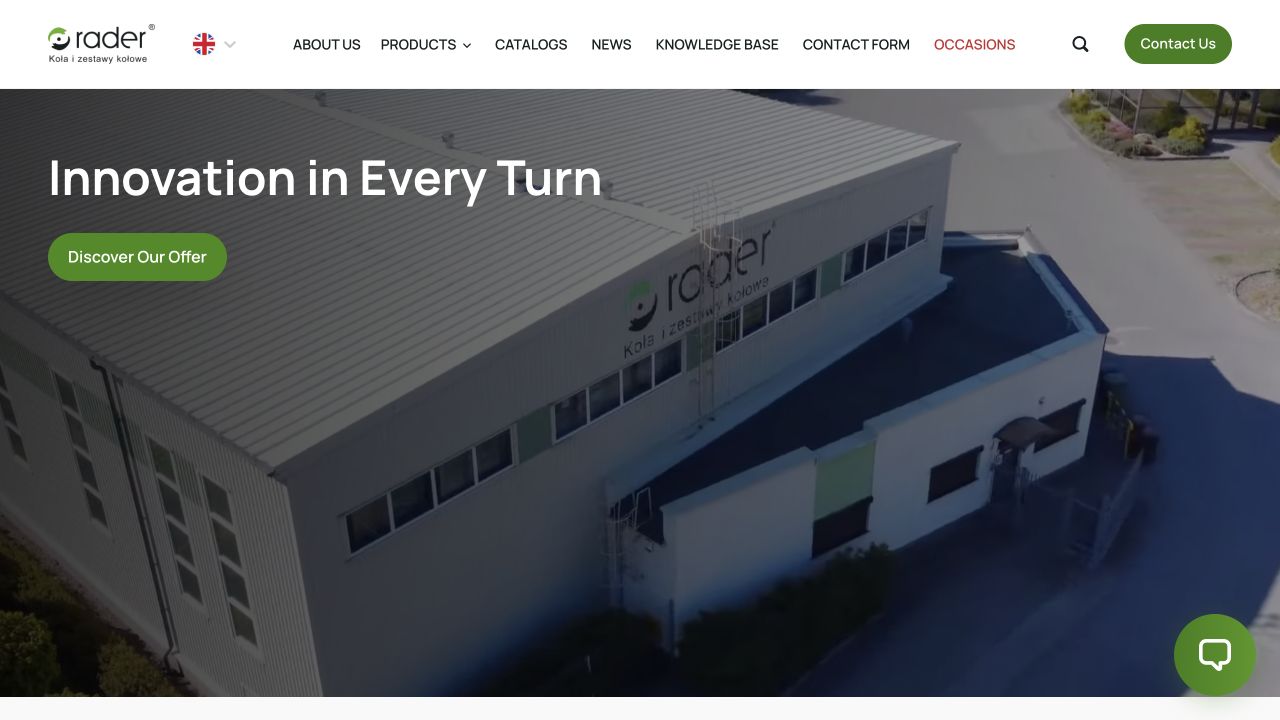
Rader: an AI assistant working on a 3,494-product catalogue
For a supplier of wheels and castors we built a site with a technical catalogue and an AI assistant that asks about the need before it recommends a product. The scope differs from the pilot, but the principle is the same: AI works on the company's data instead of guessing.
Read the case studyPeople stay in control
- No order reaches the ERP without approval from your employee.
- Lines the AI is not sure about are marked for checking, and the employee sees the customer's words next to the item code.
- The ERP remains the source of prices, stock and documents. The pilot changes nothing in it except adding approved orders.
Your data stays under control
- Before kickoff we sign a data processing agreement that lists everyone involved in the processing.
- Access is limited to one mailbox and a technical ERP account.
- When the engagement ends we delete or return the pilot data, as the agreement sets out.
After the pilot you can go further
The pilot ends with a report and a decision. If the numbers hold up, you stay on the subscription and add further mailboxes or processes.
Once email orders are under control, the next step is often a B2B platform where customers order themselves, at their own prices from the ERP.
See how we build a B2B platformQuestions about the pilot
How much does the pilot cost?
The pilot has a fixed price that we confirm before kickoff, once we know how your ERP accepts orders from an external service. There is no hourly rate and no paid analysis. After the pilot you pay a monthly subscription sized to your order volume.
Which ERP systems does the pilot work with?
We are starting with Comarch ERP Optima, an ERP widely used in Poland. For other systems, such as Microsoft Dynamics 365 Business Central, SAP Business One or Oracle NetSuite, we first check two things: that the ERP lets an external service create a sales order, and that it exposes the item and customer master data. Some vendors offer that access only in a higher edition or under a separate licence. If something has to be bought, or saving orders is not possible, you hear it before you sign.
Our ERP already has OCR or an order agent. Why would we need the pilot?
Try it first, because it may be enough. Some built-in tools read a clean PDF that an employee uploads. Others, such as the Sales Order Agent in Business Central, watch a mailbox themselves. If the built-in tool copes with your real emails, you do not need the pilot. It earns its place when orders are written in the email body, arrive as spreadsheets or photos, or use the customer's own names instead of your item codes, and the built-in tool leaves those to your team. On the first call we look at a few of your emails and tell you which route is enough.
What if AI reads an order wrongly?
Your employee approves every order before it is saved in the ERP. In the panel they see what the customer wrote next to what will go into the ERP, and the lines the AI is not sure about are marked for checking. A recognition error does not reach the ERP without a person accepting it.
How does the guarantee work?
If after 30 days fewer than 80% of email orders reach the ERP without an employee's corrections, we extend the pilot by another 30 days at no extra charge and keep improving the recognition. We count the share in the approval panel and show it in the report.
We already have a B2B portal. Why would we need the pilot?
Because some customers write emails anyway. The pilot does not replace the B2B portal or the ERP. It takes the orders someone retypes by hand today and leaves customers the way of ordering they are used to.
Do we have to change anything in the ERP or in how the team works?
No. The ERP remains the source of prices, stock and documents. We need a technical account that can save orders and access to one mailbox. Instead of retyping, your team checks and approves orders in the panel.
What about phone orders?
That is a second stage, outside the pilot. It needs call recording at your switchboard and the callers' consent, so we start with email, where the result shows after 30 days.
What do you need from us to start?
A decision on the pilot and one person who approves orders in the panel. Access to the mailbox your orders arrive in. A technical account in the ERP. 30 minutes for the kickoff and 30 minutes for the review after a month. A signature on the data processing agreement we prepare.
What happens after 30 days?
You get a report: how many orders arrived by email, how long it took from the email to the document in the ERP, and what share went through without corrections. Then you decide: a subscription, the next process, or the end of the engagement. There is no commitment after the pilot.
Have you delivered this pilot before?
Not yet. This is a new service and we are taking on the first pilots now. That is why the scope is narrow, the price is fixed and a person approves every order. What we can show is an AI assistant running on Rader's 3,494-product catalogue, and stores you can open and check: ImpregnatyBC and Alufix.
What about our customers' data?
Before kickoff we sign a data processing agreement that lists everyone involved in the processing. Access is limited to one mailbox and a technical ERP account. When the engagement ends we delete or return the pilot data, as the agreement sets out.

Let's check whether the pilot makes sense for you.
In a 20-minute call we ask about your ERP, how many orders arrive by email and the mailbox to start with. You get a straight answer on whether the pilot pays off and what the fixed price will be.