
Less manual work around your ERP. The first solution is live in a week.
Email orders, quote requests, supplier confirmations, delivery documents: AI reads them and prepares them in your ERP, and your employee approves. We start with Discovery and fit the solution to your process.
20 minutes online. You get a straight answer on whether this pays off for you.
A diagram. The ERP sits in the middle, with four processes around it: customer orders, quote requests, supplier confirmations and delivery documents. The switch shows how this work looks today and how it looks with automation.

ERPthe source of prices, stock and documents
- First deployment
SalesCustomer orders
Retyped from emails by handAI prepares, an employee approves
SalesQuote requests
Quotes built line by lineA draft quote with ERP prices
PurchasingSupplier confirmations
Checked line by lineThe buyer sees only the differences
WarehouseDelivery documents
Compared with the order by handGoods receipt prepared in the ERP
Today each of these documents reaches the ERP through your team's hands.
A diagram. Customer orders are the first deployment, with a defined scope. The scope of the other processes is agreed in Discovery.
- Start
- the first solution live in a week
- Fit
- Discovery: built around your process
- Price
- fixed, agreed after Discovery
- Guarantee
- the success measure in 30 days or a full refund
Orders from email already run at Rader and ImpregnatyBC, but what counts is your own process. That is why we carry the risk: the success measure is agreed before kickoff, and we refund the fee if the solution does not reach it.
What we automate around your ERP
Anywhere someone retypes a document into the system or checks it by hand against what the system already holds. The rule is the same each time: AI reads and prepares, a person approves, and the ERP remains the source of prices, stock and documents. We start with one process and add the next once the first reaches its success measure.
- Sales
Customer orders
An email, a PDF, a spreadsheet or a photo of a list. AI matches the customer and the lines to your item master, an employee approves, and the order is saved in the ERP.
First deployment, fixed price
- Sales
Price and availability questions
A customer emails to ask about a price and stock. AI drafts the reply from ERP data, and a sales rep checks and sends it.
Scope and price after Discovery
- Sales
Quotes from requests for quotation
A list of items in an email or a file becomes a draft quote with the customer's prices from the ERP, for a sales rep to check.
Scope and price after Discovery
- Purchasing
Supplier order confirmations
A supplier confirms a different price, quantity or date than your purchase order. AI compares the confirmation with the order in the ERP and shows the buyer only the differences.
Scope and price after Discovery
- Warehouse
Delivery documents
AI compares the supplier's delivery note with the open purchase order and prepares the goods receipt in the ERP. The warehouse confirms the quantities.
Scope and price after Discovery
- Any team
Your process
Do you have another repetitive process around the ERP? Describe it on the call. In Discovery we check whether it can be measured and what your ERP allows, and give you a fixed price.
Scope and price after Discovery
We say plainly where the service stands. Orders from email have a defined scope and already run at Rader (Comarch ERP XL) and ImpregnatyBC (Comarch ERP Optima). We deploy the other processes on the same terms: Discovery, a fixed price, a success measure and the guarantee. If Discovery shows that your ERP does not let us read or write something, you hear it before you sign.
Discovery: we fit the solution to your process
We do not install a finished product your company has to adapt to. Every company has its own item codes, its own customers and its own exceptions, so before we build anything we learn the process as it really runs. Discovery is free and commits you to nothing.
After Discovery you have in writing
- the scope: which process and which documents
- the success measure and how it is counted
- a fixed price and a go-live date
- a straight answer if your ERP vendor's tool is the cheaper route, or if nothing should change
The process, step by step
We talk to the person who does this work today: where the documents come from, how many there are, what ends up in the ERP and where things most often fail to match.
Your real documents
We take a sample from recent weeks, hard cases included: the customer's own product names, different units, notes like “same as last time”.
Your ERP
We check the system and its edition: what it lets an external service read and write, and whether anything has to be bought from the vendor.
The success measure
We agree one number with you that shows the solution works, for example the share of orders saved in the ERP without an employee's corrections.
When email orders are the right place to start
Orders arrive by email
Customers write the way that suits them: in the email body, in a PDF, in a spreadsheet or as a photo of a handwritten list. Someone on your team retypes it into the ERP.
You have a B2B portal and the emails keep coming
Some customers order in the portal, the rest still write. We take the orders the portal never captured.
You are about to hire for order entry
Before you hire someone to retype orders, check how much of that work can come off the team you already have.
Mistakes come back as corrections
A wrong item code or quantity means a correction, a return and a call from the customer. In the panel every line sits next to what the customer wrote.
What runs after a week
Using email orders as the example: one mailbox, one process and your ERP. It is a working solution on your live documents, not a demo. The rest of the company works as before.
Diagram of the first deployment. On the left, a customer email with an order and an attachment. On the right, the order recognised by AI: the customer and three lines matched to item codes from the ERP, and a fourth line a person has to choose. Once approved, the order is saved in the ERP as a document.
Email, today 7:42From: Mark, installation company
Hello, for tomorrow please: circulation pump 25-60 x 2, PP pipe 160 in 3 m lengths x 12, 90 degree elbow dia 160 x 8, seals same as last time. We will collect. Mark
site-list.jpgcirculation pump 25-60 x 2
Circulation pump 25-60PO-2560 · 2 pcscertainPP pipe 160 in 3 m lengths x 12
PP pipe 160 mm, 3 mRP-1603 · 12 pcscertain90 degree elbow dia 160 x 8
Elbow 90°, 160 mmKL-1690 · 8 pcscertainseals same as last time
Which seals?to check
- Emailread by AI
- Employeeapproved 4 lines
- ERPdocument created
What the first deployment does not cover
- phone orders: a later stage that needs call recording and the callers' consent
- replies sent to customers automatically
- further mailboxes and branches: we add them once the first process reaches its success measure
One order mailbox
We connect the mailbox your orders arrive in today, for example one branch.
Emails and attachments read
The email body, PDFs, spreadsheets and photos of handwritten lists.
Matched to your item master
AI recognises the customer and matches the lines to item codes from the ERP, with quantities, following the rules agreed in Discovery. When it is not sure, it asks.
An approval panel
Your employee sees what the customer wrote next to what will go into the ERP, then approves or corrects it.
A document in the ERP
An approved order is saved in the ERP as a document, with no retyping.
Measured from day one
The number of email orders, the time from email to document, and the share of orders approved without corrections. Weekly, and in the report after 30 days.
From Discovery to a working solution
A week after Discovery the first solution runs on your real documents. It then has 30 days to reach the success measure we agreed together.
- Discovery
Process, documents, ERP and the measure
After a 20-minute call we go through your process and a sample of documents, check the ERP and agree the success measure. You get the scope, a fixed price and a go-live date.
Your part: A conversation with the person who runs the process, a sample of documents and the name of your ERP.
- Week 1
Build and go-live
We connect the mailbox and the ERP, set up your company's rules and test the solution on your documents. After a week it runs in production: the first orders reach the ERP once approved in the panel.
Your part: Access to the mailbox, a technical ERP account and the person who approves orders.
- 30 days after go-live
Work on live documents
Your team approves orders in the panel instead of retyping them. Every week we improve the recognition and show how far the success measure is.
Your part: Approving orders in the panel as they arrive.
- Day 30
The measure and the decision
You get a report with the numbers. Measure reached: you stay on the subscription and can add the next process. Measure missed: we refund the whole implementation fee.
Your part: 30 minutes for the review.
Price, guarantee and what follows
The deployment has a fixed price that we give you after Discovery, once we know which process you start with, how many document sources and types it covers, and what your ERP lets an external service read and write. Discovery is free, and there is no hourly rate and no paid analysis.
In the deployment price
a fixed price, agreed after Discovery
- one document source and your ERP connected
- matching to your item master and your company's rules
- an approval panel for your team
- the document saved in the ERP once approved
- go-live in production after a week
- 30 days of improvements and a weekly report on the success measure
Guarantee
- we agree the success measure with you in Discovery and write it into the contract
- if the solution does not reach it within 30 days of go-live, we refund 100% of the implementation fee
- we count the result in the approval panel and show it in the report
- one condition: for those 30 days your team works with the solution on live documents
After 30 days
- a monthly subscription sized to your order volume
- further mailboxes and processes at a fixed price, each with its own success measure
- no longer commitment: you decide after the report
Prices are net of VAT. Any fees your ERP vendor charges for interface access are not part of our fee.
Get your fixed priceWork out what retyping costs today
Three numbers from your order desk. The result is today's cost of entering orders by hand, not a promised saving.
- Time spent retyping
- 42 hours a month
- Share of a full-time job
- 25% of a full-time job
- Cost of that work
- 840 EUR a month
That is several hours a week. It is worth measuring how much of it remains once an employee only approves.
Let's talk about your processWe count 21 working days and 168 working hours a month. After go-live we measure the real values on your orders.
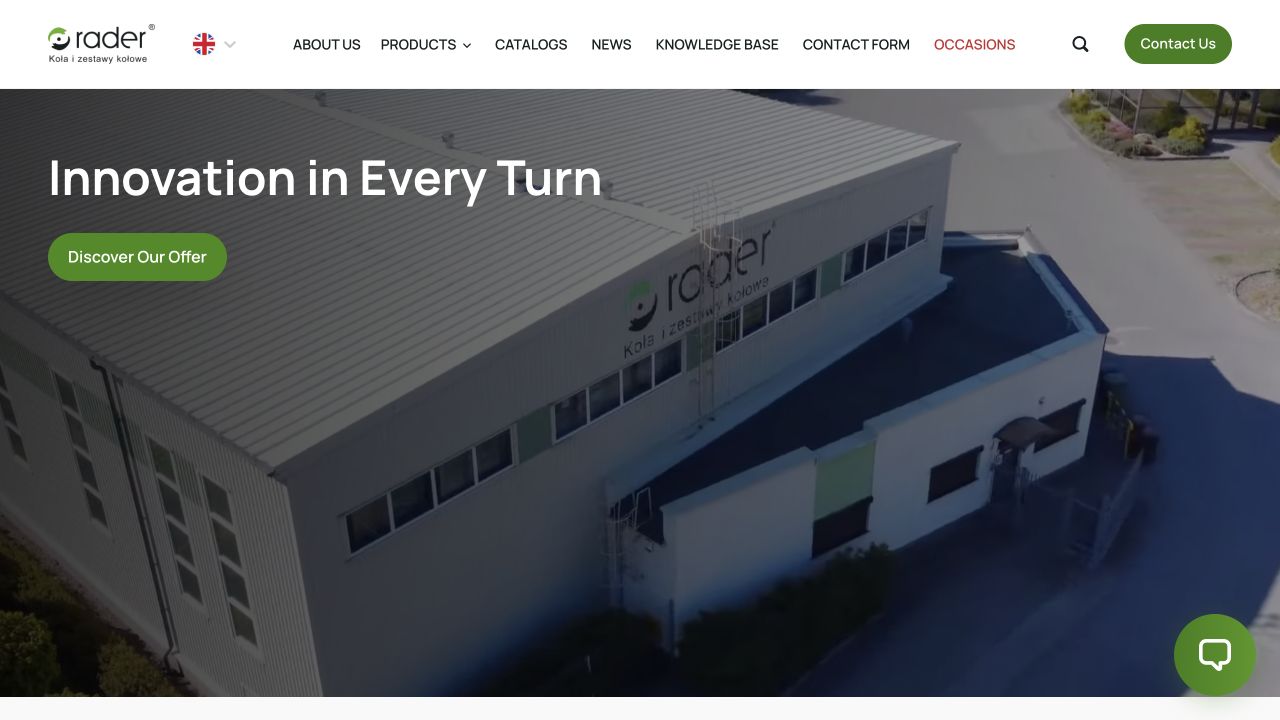
Rader and ImpregnatyBC: orders from email go into Comarch ERP without retyping
At Rader, a supplier of wheels and castors, orders that arrive by email go into Comarch ERP XL. At ImpregnatyBC they go into Comarch ERP Optima. In both companies nobody retypes them from the email into the system. For Rader we also built a site with a 3,494-product catalogue and an AI assistant that asks about the need before it recommends a product.
Read the case study: RaderRead the case study: ImpregnatyBCPeople stay in control
- No document reaches the ERP without approval from your employee.
- Lines the AI is not sure about are marked for checking, and the employee sees the customer's words next to the item code.
- The ERP remains the source of prices, stock and documents. The solution changes nothing in it except adding approved documents.
Your data stays under control
- Before kickoff we sign a data processing agreement that lists everyone involved in the processing.
- Access is limited to one mailbox and a technical ERP account.
- When the engagement ends we delete or return the data, as the agreement sets out.
After the first process you can go further
After 30 days you have a report and a decision. If the numbers hold up, you stay on the subscription and add further mailboxes or processes.
Once email orders are under control, the next step is often a B2B platform where customers order themselves, at their own prices from the ERP.
See how we build a B2B platformQuestions about the deployment
Which processes around the ERP do you automate?
The ones where someone retypes a document into the system or checks it by hand against what the system already holds. In sales: customer orders, price and availability questions, and quotes from requests for quotation. In purchasing: supplier order confirmations. In the warehouse: delivery documents. Orders from email are a good first process, because the result is easy to measure. We deploy every process the same way: Discovery, a fixed price, go-live in production, a person approves, a success measure with a guarantee. Discovery begins with a check of what your ERP lets us read and write.
Is this a pilot or a trial?
No. It is a production deployment: after a week the solution works on your live documents and saves approved documents in your ERP. We do not build a demo on sample data or a separate environment for trials. The first 30 days are there for the solution to reach the success measure agreed in Discovery, not to find out whether it works at all.
What is Discovery?
A free stage before the deployment in which we fit the solution to your process. We talk to the person who does this work today, look at a sample of real documents with the hard cases included, and check what your ERP lets us read and write. At the end you get the scope, the success measure, a fixed price and a go-live date in writing. If it turns out that your ERP vendor's cheaper tool is enough, or that automation will not pay off, we say so.
What exactly runs after a week?
The first working solution for the agreed process. For email orders that means: the mailbox is connected, AI reads the orders and matches them to your item master, an employee approves in the panel, and the order is saved in the ERP. We count the week from the day the scope is signed and we have access to the mailbox and a technical ERP account. If Discovery shows that your process needs more time, you hear a realistic date before you sign.
How much does a deployment cost?
The deployment has a fixed price that we give you after a free Discovery, once we know which process you start with, how many document sources and types it covers, and what your ERP lets an external service read and write. The price covers go-live and the first 30 days of work with improvements. After that you pay a monthly subscription sized to your volume.
How does the guarantee work?
In Discovery we agree a success measure with you, for example the share of orders saved in the ERP without an employee's corrections, and write it into the contract. If the solution does not reach it within 30 days of go-live, we refund 100% of the implementation fee. We count the result in the approval panel and show it in the report. There is one condition: for those 30 days your team works with the solution on live documents, because otherwise there is nothing to measure.
Which ERP systems do you work with?
Orders from email already run for our clients on Comarch ERP Optima and Comarch ERP XL, two ERPs widely used in Poland. For other systems, such as Microsoft Dynamics 365 Business Central, SAP Business One or Oracle NetSuite, Discovery checks two things: that the ERP lets an external service create a document, and that it exposes the item and customer master data. Some vendors offer that access only in a higher edition or under a separate licence. If something has to be bought, or saving documents is not possible, you hear it before you sign.
Our ERP already has OCR or an order agent. Why would we need this?
Try it first, because it may be enough. Some built-in tools read a clean PDF that an employee uploads. Others, such as the Sales Order Agent in Business Central, watch a mailbox themselves. If the built-in tool copes with your real emails, you do not need us. Our solution earns its place when orders are written in the email body, arrive as spreadsheets or photos, or use the customer's own names instead of your item codes, and the built-in tool leaves those to your team. In Discovery we look at your emails and tell you which route is enough.
What if AI reads an order wrongly?
Your employee approves every order before it is saved in the ERP. In the panel they see what the customer wrote next to what will go into the ERP, and the lines the AI is not sure about are marked for checking. A recognition error does not reach the ERP without a person accepting it.
We already have a B2B portal. Why would we need this?
Because some customers write emails anyway. The automation does not replace the B2B portal or the ERP. It takes the orders someone retypes by hand today and leaves customers the way of ordering they are used to.
Do we have to change anything in the ERP or in how the team works?
No. The ERP remains the source of prices, stock and documents. We need a technical account that can save orders and access to one mailbox. Instead of retyping, your team checks and approves orders in the panel.
What about phone orders?
That is a later stage, outside the first deployment. It needs call recording at your switchboard and the callers' consent, so we start with email, where the result shows quickly.
What do you need from us to start?
For Discovery: a conversation with the person who runs the process, and a sample of documents. For the deployment: one person who approves orders in the panel, access to the mailbox your orders arrive in, and a technical account in the ERP. Plus a signature on the data processing agreement we prepare, and 30 minutes for the review after 30 days.
What happens after 30 days?
You get a report: how many orders arrived by email, how long it took from the email to the document in the ERP, and whether the success measure was reached. If it was, the solution keeps running on a subscription and you can add the next process. If it was not, we refund the implementation fee. There is no longer commitment.
Have you delivered deployments like this before?
Yes. Orders from email go into Comarch ERP XL at Rader and into Comarch ERP Optima at ImpregnatyBC without anyone retyping them. Both case studies are on our site, along with the AI assistant running on Rader's 3,494-product catalogue. We still start every process with Discovery, because your inbox and your ERP have their own rules. We carry the risk: a fixed price, a success measure agreed before kickoff and a refund if the solution does not reach it, with a person approving every document.
What about our customers' data?
Before kickoff we sign a data processing agreement that lists everyone involved in the processing. Access is limited to one mailbox and a technical ERP account. When the engagement ends we delete or return the data, as the agreement sets out.

Let's start with your process.
In a 20-minute call we ask about your ERP and the process that takes the most manual work today: how many documents arrive and who enters them. If there is something worth automating, we move to a free Discovery. If not, you hear it straight.