
B2B customer portal for a dealer network: what to launch first and where the data comes from
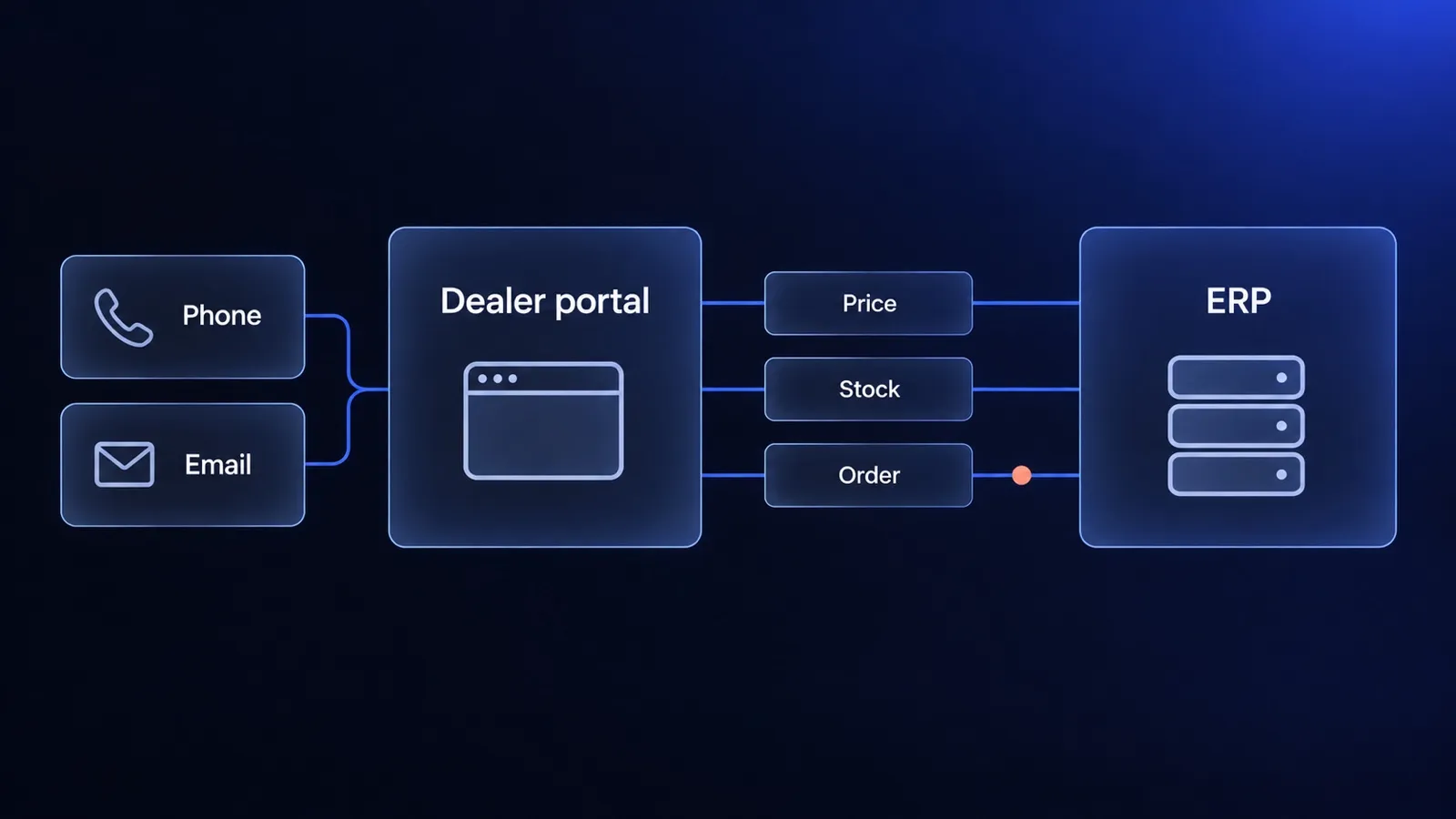
Most dealer portals are planned as a feature list and judged by dealers on three questions: what is my price, is it in stock, where is my order. Here is how to scope a portal around those questions, which data has to come from the ERP, and when the project is not worth starting.

Short answer
A B2B customer portal for a dealer network succeeds when it answers the questions dealers now ask by phone and email: what is my price, is it in stock, where is my order, and where is my invoice. All four answers live in the ERP, so a dealer portal is mostly an ERP data project with an ordering interface on top. Launch it for one process, usually reorders from your most active dealers, and add quotes, approvals and punchout only when named customers need them. If you have a handful of dealers who order a few times a year, a portal is the wrong investment.
What is a B2B customer portal for a dealer network?
A B2B customer portal for a dealer network is a logged-in website where a manufacturer’s dealers, distributors or installers order on their own, with their own prices, terms and order history. The same product page shows a different price to two dealers, and some dealers see products that others do not. That dependence on the logged-in account is what separates a portal from a public online store.
Three similar terms describe different projects:
| Term | What dealers do there | Typical software |
|---|---|---|
| B2B customer portal (dealer portal in the ordering sense) | Check prices and stock, order, reorder, track orders, download invoices | B2B ecommerce platform, ERP portal module or a custom build |
| Partner portal | Get training, marketing assets and price sheets, register leads, claim incentives | Partner relationship management (PRM) software |
| Public B2C store | Buy at list price without an account relationship | Standard ecommerce platform |
This guide covers the first row. If the problem you want to solve is lead registration or co-marketing, you are looking for partner management software, and the ordering questions below matter less.
Which dealer questions should the portal answer first?
The portal should first answer the questions that now reach your sales and customer service team by phone and email, because each answered question is a call that does not happen. In manufacturer and dealer relationships the same six questions tend to come back:
| Dealer question | Data the portal needs | System that usually owns it |
|---|---|---|
| What is my price for this item? | Dealer tier or contract price, discounts, minimum quantities | ERP |
| Is it in stock, and when can I get it? | Available quantity per warehouse, lead time, next delivery | ERP or WMS |
| Where is my order? | Order status, shipment, tracking number | ERP, WMS, carrier |
| Can you send me the invoice again? | Invoices, credit notes, delivery notes | ERP |
| Can I order the same as last month? | Order history across all channels, not only the portal | ERP and portal |
| How much credit do I have left? | Credit limit, open balance, payment terms | ERP |
Before you write a requirements document, count these questions for two weeks. Ask the people who answer the phone and the shared inbox to tag each request with one of the six rows. The count tells you which rows to launch with and gives you a baseline to measure the portal against.
What does a dealer portal need at launch, and what can wait?
A dealer portal needs at launch only what the first dealers use every week: their own prices, availability, fast ordering by product code, reorders and order status. Everything else can follow once dealers are ordering through the portal and you know what they miss.
| At launch | Later, when dealers ask for it |
|---|---|
| Login per dealer company, several users per dealer | Roles and spending limits per user |
| Dealer-specific prices and visible assortment | Quotes and negotiated prices for large orders |
| Availability per warehouse or a clear lead time | Order approvals inside the dealer’s company |
| Quick order by product code and file upload | Punchout to procurement systems |
| Reorder from history, including phone and email orders | Marketing assets, training, warranty claims |
| Order status, invoices and delivery notes | Product configurators for made-to-order items |
| Payment on account within the credit limit | Online card payments for occasional dealers |
Two launch items are easy to underestimate. Order history has to include orders placed outside the portal, otherwise the reorder button shows an empty list to a dealer who has ordered by email for ten years. Payment on account is how dealers who already buy on terms expect to pay, so the checkout has to respect the credit limit and payment terms from the ERP rather than ask for a card.
Where do dealer prices, stock and terms come from?
Dealer prices, stock and payment terms come from the ERP, and the portal should display them, not maintain its own copy that someone edits by hand. When the portal and the ERP disagree, dealers call to check which number is right, and the portal loses its purpose. Our guide to ERP and ecommerce data ownership covers how to assign one owner to each type of data and choose an integration pattern.
Tier price lists or per-dealer contract prices
How you price dealers decides how the portal stores prices, so settle it before you compare software:
- Tier price lists. Dealers belong to a small number of groups (for example, standard, silver and gold), and each group has one price list. This is the simpler model to set up. In Medusa, for example, price lists set prices for customer groups, either as a sale or as an override of the default price.
- Per-dealer contract prices. Each dealer has negotiated prices or discounts on specific items, often calculated by the ERP from several rules. Copying thousands of such prices into the portal is fragile. The more reliable route is to ask the ERP for the dealer’s price when the page or cart needs it, or to sync calculated prices per dealer on a schedule.
Many manufacturers run a mix: tier lists for the catalog and contract prices for a few large dealers. That mix is the hardest part to judge from a feature list, so test it with your own price rules during any demo.
Which data has to be real time
Only data that goes wrong within minutes has to move immediately. Orders should reach the ERP as soon as they are placed, and stock for fast-moving items should be current enough that dealers do not order what is gone. Price lists, assortment rules and credit limits can sync when they change. Choosing the timing per data type keeps the integration cheaper and the load on the ERP’s interface lower. Before you build, check how well the ERP and your current store agree today: two exports and the ERP and store sync check show stock and price gaps by product code.
What is punchout, and do your dealers need it?
Punchout connects a buyer’s procurement system to a supplier’s catalog: the buyer starts in their own purchasing software, opens the supplier’s catalog, fills a cart at their contract prices and sends the cart back as a requisition that goes through their internal approval. The common protocols are cXML, a protocol for business documents between procurement applications that includes the punchout feature, and SAP’s Open Catalog Interface (OCI).
Most dealers do not need punchout. A dealer that resells your products usually orders directly, by the person who owns the stock decision. Punchout matters for a different customer: a large company that buys your products for its own use and requires every purchase to go through procurement software. If you have such customers, they will tell you, often during contract negotiations. Build punchout when a named customer requires it and the order volume justifies the work, not as a launch feature for the whole dealer network.
Should you buy portal software, extend your ERP or build your own?
The right route depends on how standard your dealer process is and how much of it lives in the ERP. There are three routes, and each is the best choice for some manufacturers.
| Route | Fits when | Watch out for |
|---|---|---|
| Portal module from your ERP vendor | Your ERP already holds prices and terms the way you sell, dealers order standard catalog items, and the module covers your languages and markets | Dealer experience limited to what the vendor ships; customization through the ERP partner |
| B2B ecommerce platform (SaaS) | Tier price lists, standard checkout on account, a connector to your ERP exists and is maintained | Contract pricing logic, made-to-order products and ERP exceptions can need apps or workarounds; costs per seat or order volume |
| Custom portal on an open-source engine | Your pricing, assortment rules or ordering process is your advantage, or you need B2B and B2C on one catalog | You own the roadmap and need a partner or team to maintain it |
On the custom route, an open-source engine provides the commerce base so you do not write a cart and checkout from scratch. Medusa, the engine we build on, provides customer groups, price lists and sales channels for B2B according to its B2B recipe, and the same recipe suggests building companies, employees and their roles as a custom module. Medusa’s open-source B2B starter adds company management, spending limits, approval workflows, quote management and bulk add-to-cart as a starting point.
If you are unsure which route fits, our comparison of custom and off-the-shelf software gives a way to decide on a 24-month cost rather than on a feature list.
When is a dealer portal the wrong project?
A dealer portal is the wrong project when dealers would not change how they order, or when the data the portal depends on is not ready. Four situations come up most often:
- Few dealers ordering rarely. With 20 dealers placing a few large orders a year, a good order form and a fast reply from sales beat a portal that dealers forget how to log into.
- Every order is a negotiation. If prices are set per order after a call, the portal can only collect requests. A quote request form is cheaper until a share of orders runs at known prices.
- The ERP data is not ready. Missing product codes, prices kept in spreadsheets outside the ERP or stock that is wrong in the ERP will show up in the portal in front of dealers. Fix the data first.
- Nobody owns dealer adoption. Dealers keep ordering by email unless someone invites them, shows them the portal and stops retyping their emails into the ERP after a transition period. Without an owner on your side, the portal stays empty.
In each case the better first step is cheaper than a portal: an order form, a quote process, a data cleanup or a pilot with a few dealers who already ask for self-service.
How do you launch a dealer portal without a big-bang project?
Launch a dealer portal in stages, starting with one process for a group of active dealers, and widen it only when those dealers use it. A staged launch shows within weeks whether the portal changes ordering behavior, before most of the budget is spent.
- Count the requests. Tag two weeks of dealer calls and emails by question type to find the first process and set a baseline.
- Pick 10 to 20 active dealers. Choose dealers who order often and have asked for self-service, across your price tiers.
- Settle data ownership for the first process. For reorders that means dealer prices, stock, order history and the order handoff to the ERP.
- Build the first process end to end. A dealer logs in, sees their price and stock, reorders, and the order arrives in the ERP without retyping.
- Onboard the pilot dealers personally. Show each dealer the portal, agree that new orders go through it, and collect what they miss.
- Measure and widen. Track the share of pilot orders placed in the portal, the calls and emails per dealer, and order errors, then add the next process and the next group of dealers.
We build B2B customer portals on Medusa as a B2B ecommerce platform connected to your ERP through ecommerce integrations, and we can run B2B and B2C on one catalog when dealers and end customers buy the same products. The first working version goes live in 30 days from the start of work, from €10,000 net, with our live e-commerce in 30 days offer.
Frequently asked questions
What is a B2B customer portal?
A B2B customer portal is a logged-in website where a supplier's business customers order on their own and manage their account: they see their own prices and terms, check availability, reorder from history, track orders and download invoices. Unlike a public store, every page depends on who is logged in. For a manufacturer, the customers are usually dealers, distributors or installers.
What is the difference between a dealer portal and a partner portal?
A dealer portal in the ordering sense lets dealers buy: prices, stock, orders and documents. A partner portal, often run on partner relationship management software, supports the relationship: training, marketing materials, lead registration and incentive programs. Many manufacturers need the first and already have some version of the second. Decide which problem you are solving before you choose software, because the two rarely come from the same product.
Does a B2B customer portal need ERP integration?
In practice, yes. Dealer prices, stock, credit limits and invoices live in the ERP, and a portal that shows different numbers from the ERP generates more calls than it saves. The integration does not have to be real time for everything: orders and stock for fast-moving items usually do, while price lists and customer terms can sync when they change.
What is punchout in B2B ecommerce?
Punchout lets a buyer start in their own procurement system, open the supplier's catalog, fill a cart at their contract prices and send the cart back to the procurement system as a requisition for approval. It runs on protocols such as cXML or SAP's OCI. It matters for large customers that require purchasing through procurement software. Most dealers order directly and do not need it.
How long does it take to launch a dealer portal?
A first version for one process, such as reorders for a group of active dealers, can go live in weeks when the ERP data is clean and one flow is integrated. Our own offer delivers a working store or portal in 30 days from the start of work. Full scope with quotes, approvals and several ERP flows takes longer and is best added in stages after the first dealers use the portal.
Keep reading
ERP and ecommerce: who owns which data, and how to connect the two
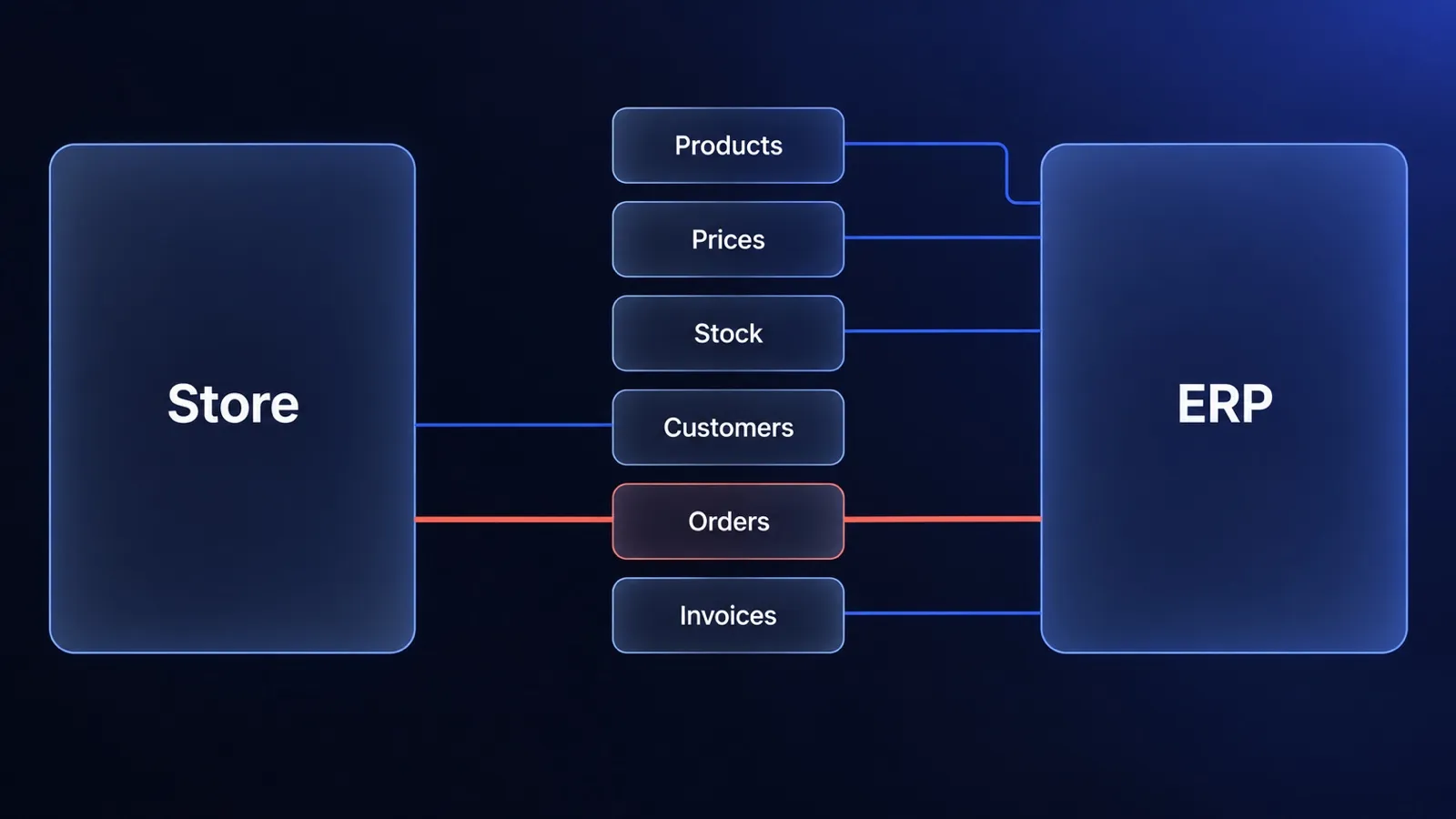
ERP ecommerce guide for decision makers: which system owns products, prices, stock and orders, three integration patterns, cost drivers and when to wait.
Custom or off-the-shelf software? Calculate the cost of the whole operating model.
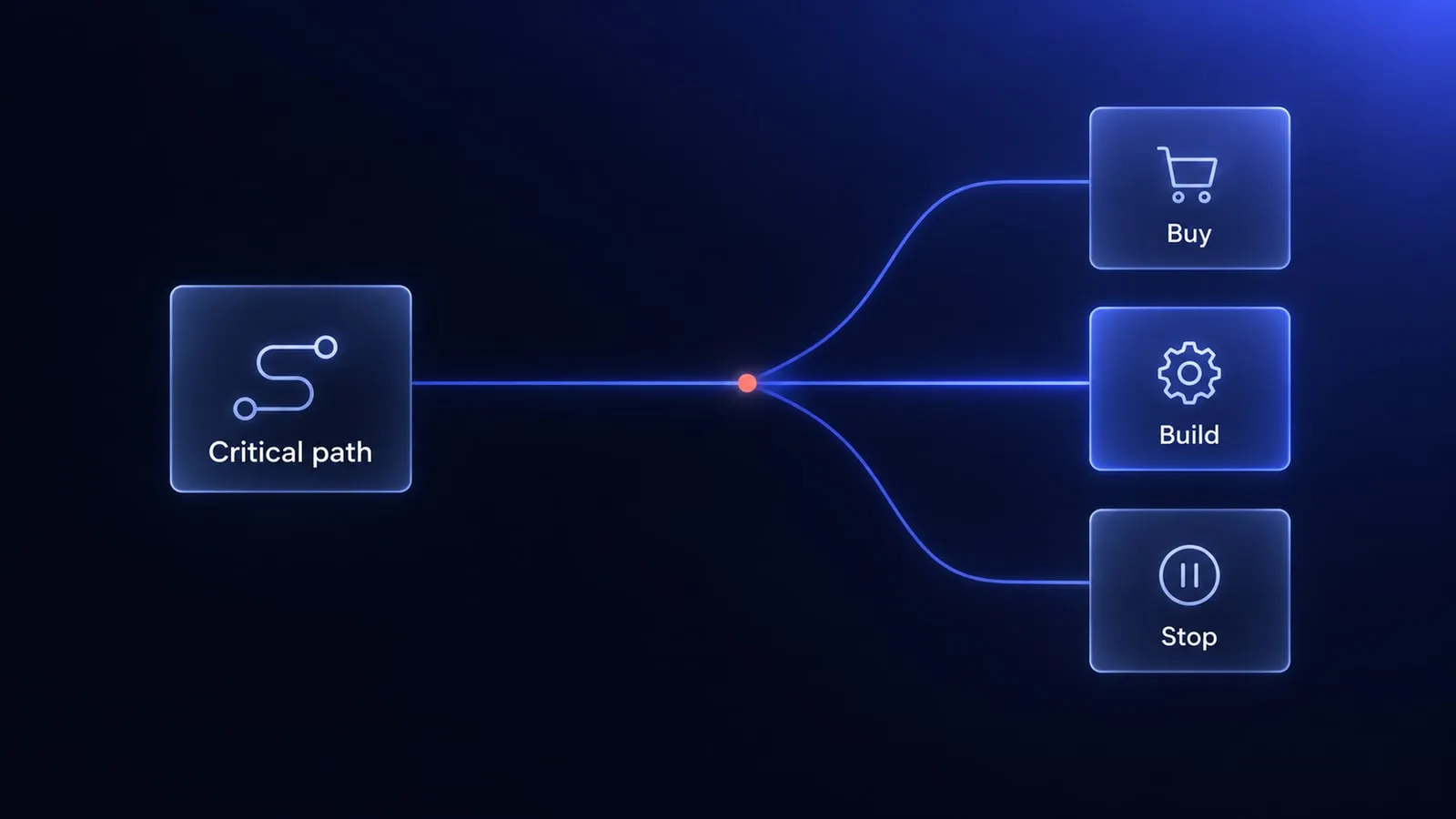
A practical custom versus off-the-shelf framework covering 24-month cost, process fit, integrations, risk and product advantage.
What is Medusa.js? A guide for decision makers (v2, hosting, cost)
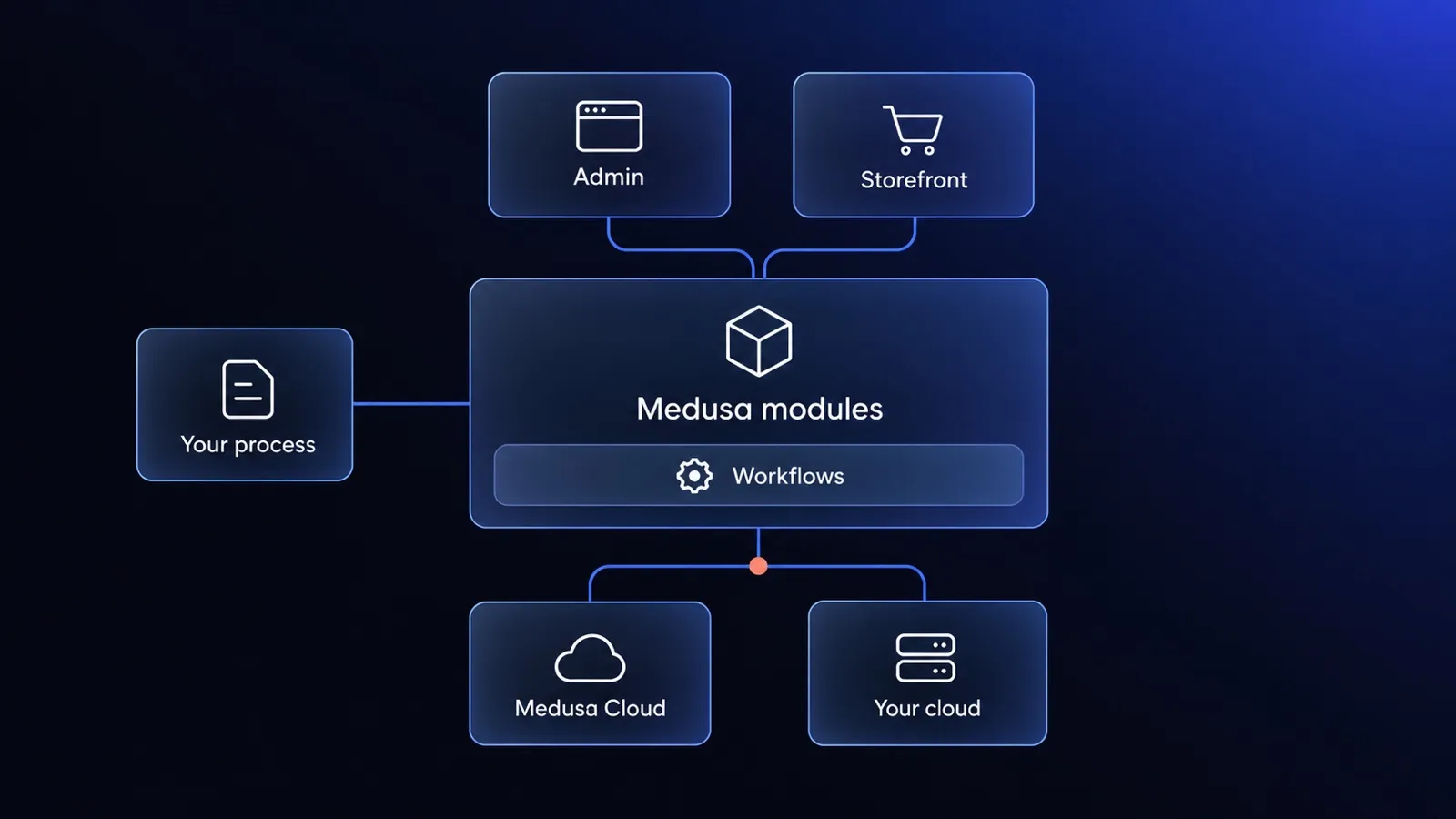
Medusa.js is an open-source commerce engine you build your store on. What v2 is, Medusa Cloud vs your own hosting, what it costs and when to skip it.


Questions after reading?
Tell us what the article leaves open for your company. We reply within one working day and prepare a hypothesis before any call.
A question about the article Something does not match your situation, or you want to check an assumption behind a number.
Your own problem Describe the sales process and where your current platform stops being enough.
The next step You are weighing custom, off-the-shelf or a migration and want a second opinion before you commit.