
What is Medusa.js? A guide for decision makers (v2, hosting, cost)
Medusa.js is not a store you rent but an engine your team builds on. Here is what that means for your process, your hosting bill and your next 24 months, and when Shopify Plus or commercetools is the better choice.
Short answer
Medusa.js is an open-source commerce engine: a Node.js backend with ready-made modules for products, carts, orders, pricing and inventory, plus an admin panel, on which a team builds the store your process needs. The MIT-licensed core has no licence fee and no revenue share, but you pay for the build, hosting and maintenance, and role-based permissions and single sign-on now sit in a paid Enterprise Edition. Choose Medusa when your B2B or B2C process does not fit a SaaS template and you want to own the code; choose Shopify Plus when your process fits and you would rather rent a platform than run one.
What is Medusa.js?
Medusa.js is an open-source commerce engine written in Node.js and TypeScript and developed by MedusaJS, Inc. It provides the backend of an online store, meaning the data and rules behind products, carts, orders, prices, inventory and customers, together with an admin panel and a framework for adding your own logic. The company describes Medusa as “Open-Source Agentic Commerce”.
Medusa does not include a ready storefront that you switch on. The pages customers see are a separate application that your team or partner builds and connects to Medusa through its API. That split is the main difference between Medusa ecommerce and a hosted platform such as Shopify, where store, hosting and admin come as one subscription.
The Medusa homepage lists brands such as Heineken, Mitsubishi Motors, Spar and Eight Sleep among its users, without saying how much of their commerce runs on Medusa. Treat the list as a signal, not as proof that Medusa fits your scale.
You will also see the name written as MedusaJS or Medusa commerce. If you are already comparing partners, our Medusa development services page describes how we build stores on it.
How Medusa v2 works, in plain terms
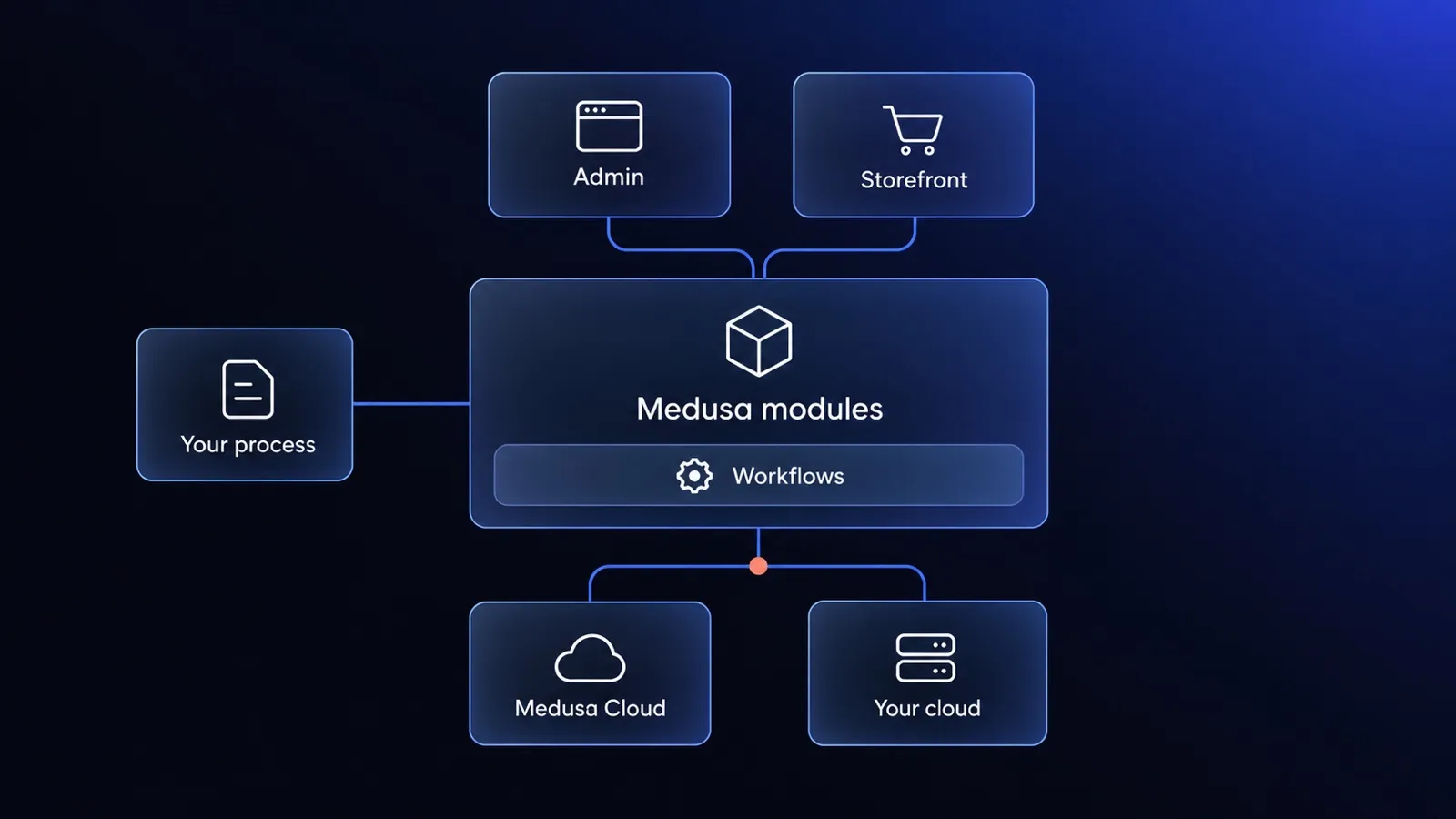
Medusa v2 has three layers that matter to a decision maker: commerce modules that hold the data, workflows that run business processes, and a separate admin and storefront that people use.
Commerce modules are the building blocks
A commerce module in Medusa is a self-contained part of the store, such as products, cart, orders, pricing, inventory or customers. Each module owns its data and rules, and a developer can extend it, replace it or add a new module next to it.
For a business, the modular design means contract pricing rules can change in the pricing module without touching orders or inventory, and a missing feature, such as product reviews, becomes a new module. Our article on what Medusa gives you as a skeleton and what a store needs on top shows that gap on one feature.
Workflows run your business processes
A workflow in Medusa is a multi-step business process written as code, for example: accept an order, reserve stock, send the order to the ERP, confirm to the customer. Each step can define how to undo its own changes, so when a later step fails, the workflow rolls back the steps that already ran and the store does not hold stock for an order the ERP never received.
Medusa workflows matter most for integrations: when a B2B store exchanges orders, prices and credit limits with an ERP, each failure gets a defined recovery path instead of a manual fix in two systems.
The admin and the storefront are separate
Medusa is headless: the backend exposes an API, the admin panel can be extended with your own screens, and the storefront is a separate application, for example in Next.js. The Medusa deployment guide deploys the storefront separately from the backend.
A headless Medusa store is not bound to a theme system, but the storefront is a second application to design, build, host and maintain, so budget for it from the start.
What changed from v1 to v2
Medusa v2.0.0 was released on 23 October 2024, the last v1 release (v1.20.11) came out on 20 January 2025, and the current version is v2.21.2 from 28 September 2026, according to the Medusa releases page. Medusa v2 reorganised the platform around modules and workflows, so it is a different architecture, not a larger version number.
For a decision maker, the v2 rewrite means that tutorials, courses and agency articles written before October 2024 often describe v1. If a partner proposes Medusa, ask which version they build on. If you already run a v1 store, treat the move to v2 as a project with its own scope and budget, not as a routine update.
What Medusa gives you and what you still have to build
Medusa gives you the core of a store and the admin out of the box, while your team or partner builds the storefront and the parts that make your process different.
| Out of the box | You build or add |
|---|---|
| Product catalogue | The storefront customers use |
| Cart and checkout | Company accounts and employees |
| Orders | Quotes and order approval for B2B |
| Prices and price lists | Payment terms |
| Inventory | ERP integration |
| Customer groups and sales channels | Transactional emails and product reviews |
| Admin panel | Admin screens specific to your team |
For B2B, the Medusa B2B recipe lists customer groups, price lists and sales channels as native features and describes companies and their employees as a custom module. Modelling the buyer’s company, who may order and who approves is work on top, which our B2B e-commerce development page covers.
The parts you build or add on Medusa are where your process differs from everyone else’s, and they are why a Medusa project costs more upfront than a SaaS subscription.
Where a Medusa store runs: Medusa Cloud or your own cloud
A Medusa store runs either on Medusa Cloud, the managed hosting sold by MedusaJS, Inc., or on infrastructure that you or your partner operate in your own cloud account.
Medusa Cloud
Medusa Cloud is managed hosting from the company behind Medusa, priced as a monthly plan plus usage. The Medusa pricing page lists these plans:
| Plan | Starting price | What stands out |
|---|---|---|
| Develop | $29 a month (source, as of 2026-10) | One shared server, one long-lived environment |
| Launch | $99 a month (source, as of 2026-10) | Two shared servers with autoscaling, automatic backups |
| Scale | $299 a month (source, as of 2026-10) | Autoscaling with two servers and a worker |
| Enterprise | Custom quote | 99.99% uptime guarantee, RBAC, SSO, audit logs |
Usage comes on top of every Medusa Cloud plan. On Launch and Scale, compute beyond the included hours costs $0.16 an hour (source, as of 2026-10), while on Develop compute hours are capped. On every plan, database storage beyond the included amount costs $0.50 per GB a month (source, as of 2026-10), with further charges for data transfer, emails, edge requests and extra environments. Ask for an estimate based on your expected order volume, not the plan price alone.
Your own cloud
Running Medusa in your own cloud means operating several components. According to the Medusa deployment guide, a production setup includes:
- a Medusa server, which also serves the admin panel
- a separate Medusa worker for background jobs
- a PostgreSQL database and Redis
- file storage for product images and documents, for which Medusa’s File Module documentation recommends a provider such as S3 in production
- hosting for the storefront, deployed separately
Medusa’s deployment guide states that the hosting plan for the Medusa server and admin must offer at least 2 GB of RAM. Each self-hosted component has its own monthly price, which depends on the provider, region and size, so we do not quote a figure here.
The larger self-hosting cost is responsibility: updates, backups, monitoring and incident response. Agree in writing who does each before launch.
How to choose
Choose between Medusa Cloud and your own cloud on four criteria:
- Data location: where customer and order data must be stored.
- Existing infrastructure: whether your company already runs a cloud account with its own security rules.
- Responsibility: who handles updates, backups and incidents.
- Predictability: usage charges, or resources you size yourself.
Evelumo does not put Medusa projects on Medusa Cloud by default. We choose hosting to fit each project’s data, security and budget requirements, and use Medusa Cloud only when a project needs it.
What Medusa costs, and what is free
The Medusa core is free under the MIT licence, with no licence fee and no revenue share, but a Medusa store still costs money to build, host and maintain, and two enterprise features need a paid licence.
The licence changed on 11 August 2026, when MedusaJS, Inc. merged pull request #16110. The repository’s LICENSE file now says the code is MIT-licensed except for Enterprise Edition materials, and ENTERPRISE-LICENSE.md names them: RBAC (role-based access control) and SSO (single sign-on). Using them requires a commercial agreement with MedusaJS, Inc., and the Medusa Cloud Enterprise plan includes both. Rights already granted under MIT for earlier versions are not withdrawn.
The Medusa Enterprise licence matters when many people work in the admin with different permissions, for example warehouse staff who must not edit prices (RBAC), or when staff must log in through a corporate identity provider (SSO). A small team with shared admin roles may never need either.
Over 24 months, the cost of a Medusa store is the sum of six lines:
- Implementation: backend customisation, storefront and admin extensions.
- Hosting: a Medusa Cloud plan and usage, or your own cloud resources.
- Payment fees: charged by your payment provider, not by Medusa.
- Integrations: building and running connections to ERP, PIM, shipping and accounting.
- Maintenance and development: updates, fixes and new features.
- Enterprise licence: only if you need RBAC or SSO.
We do not quote market price ranges for a Medusa implementation, because we have not found any with a reliable source. Evelumo’s own numbers: a live store in 30 days starts from €10,000 net, and hosting and maintenance for a store we built start from €100 net a month, with integrations on top. To weigh these lines against a SaaS platform, compare the whole operating model over 24 months.
What Medusa is good at, and where it is weak
Medusa is strong where a process does not fit a SaaS template, and weak where a business needs a large ecosystem of ready-made add-ons and has no engineering partner.
Where Medusa is strong:
- Processes that SaaS bends: B2B pricing, B2B and B2C in one store, several channels on one catalogue.
- Ownership: the code can belong to you, so changing partner does not mean changing platform.
- No revenue-based fee: growing sales do not raise a platform fee.
- Integrations as workflows: ERP connections with defined recovery when a step fails.
- TypeScript: a widely used language with a large pool of developers.
Where Medusa is weak:
- No app store on Shopify’s scale: an app install on Shopify is often development work on Medusa.
- A long-term partner: someone has to know the store’s code after launch.
- Operations: updates, security and hosting sit with you or your partner.
- Young v2 track record: v2 has existed only since October 2024, so an agency’s Medusa experience may be v1 only; ask for v2 references.
- Paid enterprise features: RBAC and SSO.
When Medusa is the wrong choice
Medusa is the wrong choice when a ready-made platform runs your process without workarounds, because you would pay to build what you could rent.
Do not choose Medusa when:
- your process fits Shopify or Shopify Plus without conflicting apps or manual work outside the system
- there is no budget or partner for maintenance, because a store nobody updates becomes a risk
- you need dozens of marketing integrations on day one without development
- your business model is unproven: test demand on a ready-made platform first and build once you know what to build
When any of these applies, Evelumo recommends an off-the-shelf platform, not Medusa, and says so in the first conversation.
Medusa vs Shopify Plus vs commercetools at a glance
Shopify Plus is a platform you rent, commercetools is a vendor-run headless platform bought on a negotiated contract, and Medusa is an open-source engine you build on and run yourself or through a partner.
| Medusa | Shopify Plus | commercetools | |
|---|---|---|---|
| Licence model | MIT core; paid Enterprise Edition for RBAC and SSO | Subscription | Commercial contract |
| Public pricing | Core free; Medusa Cloud plans published | $2,300 a month (source, as of 2026-10) on a three-year term, $2,500 a month (source, as of 2026-10) on a one-year term | Not published; based on order volume, quoted by sales |
| Who hosts | Medusa Cloud or your own cloud | Shopify | commercetools |
| Who maintains the platform | You or your partner | Shopify | commercetools; you or a partner maintain storefront and integrations |
| Freedom to change the process | Full, in code | Within Shopify’s model and apps | High, through APIs and your own code |
| Time to start | Depends on scope | Fast with a theme and apps | Depends on scope; 60-day trial |
| Best for | Processes that do not fit SaaS | Processes that fit Shopify’s model | Vendor-run headless on an enterprise contract |
Shopify Plus also adds 0.20% per transaction (source, as of 2026-10) on orders paid through a third-party payment provider, and Shopify confirms a variable, revenue-based platform fee for higher-volume businesses without publishing its rate. Our breakdown of Shopify Plus pricing and the real total cost for B2B covers every line.
commercetools does not publish prices. Its pricing page describes a model based on order volume and asks you to contact sales, so any contract figure you see comes from someone else’s negotiation.
Shopify Plus wins when your process fits its model and you want a subscription instead of a platform team. commercetools wins when you want a vendor-run headless platform and the contract fits your budget. Medusa wins when your process needs rules neither template covers and you would rather pay for building and running your own store than a fee that grows with revenue.
What a Medusa implementation involves
A Medusa store implementation runs in eight steps, from naming the critical process to maintaining the store after launch:
- Critical process and scope: the one sales process the first release must handle.
- Data model and modules: what Medusa provides and what needs a custom module.
- Integrations: ERP integrations with systems such as SAP, Microsoft Dynamics 365, Oracle NetSuite, Comarch ERP or JTL-Wawi.
- Storefront: the pages customers use.
- Admin extensions: the screens your team needs.
- Testing and independent review of the critical paths before every release.
- Launch: production deployment and monitoring.
- Maintenance and development after launch.
Before you sign with a Medusa partner, ask:
- Which Medusa version do you build on, and when did you last ship a v2 store?
- What comes from Medusa, what from your own base and what will you write for us?
- Who hosts the store, updates it and responds to incidents?
- Will we need RBAC or SSO, and who arranges the Enterprise licence?
- Who owns the code and the cloud accounts after launch?
We build stores on Medusa. Alufix is a complete e-commerce solution our team built on Medusa.js, and you can open the store and check the purchase journey yourself. Rader is a company website with an AI chatbot and 3D previews that our team built in Next.js; it does not run on Medusa. Both case studies describe verifiable scope, not promised results.
A Medusa store does not have to start as a long project. We launch a live store in 30 days on our Medusa foundation, B2B and B2C, from €10,000 net, and stay on to maintain and develop it.
Frequently asked questions
Is Medusa.js free?
Yes for the core: Medusa.js is MIT-licensed open source, so MedusaJS, Inc. charges neither a licence fee nor a share of your sales. You still pay for the build, hosting and maintenance of the store. Since August 2026, role-based access control (RBAC) and single sign-on (SSO) are Enterprise Edition features that need a commercial agreement with MedusaJS, Inc. or the Enterprise plan on Medusa Cloud.
Do I need Medusa Cloud to run Medusa?
No. Medusa Cloud is the managed hosting sold by MedusaJS, Inc., priced as a monthly plan plus usage. A Medusa store can also run in your own cloud account, where you or your partner operate the Medusa server with the admin, a separate worker, PostgreSQL, Redis, file storage and the storefront. The choice depends on data location, existing infrastructure and who handles updates and incidents.
What is the difference between Medusa v1 and v2?
Medusa v2, released on 23 October 2024, rebuilt the platform around commerce modules and workflows. Upgrading a v1 store is therefore closer to a rebuild than to a version bump. The last v1 release, v1.20.11, came out in January 2025, and tutorials written before October 2024 often describe v1. Budget the move from v1 to v2 as a separate project.
Is Medusa.js good for B2B?
Medusa.js covers part of B2B natively: customer groups, price lists and sales channels. Company accounts with employees are a custom module in Medusa's own B2B recipe, and quotes, order approval and payment terms are also work on top. That makes Medusa a good fit when your B2B rules do not fit a SaaS platform, and unnecessary work when they do.
Is Medusa better than Shopify Plus?
It depends on your process. Shopify Plus is better when your B2B and B2C process fits Shopify's model and you prefer paying a subscription to running a platform. Medusa is better when your process needs workarounds on Shopify, you want to own the code and you want no revenue-based platform fee, accepting that you pay for the build, hosting and maintenance.
Keep reading

Medusa gives you a product reviews skeleton. We built what a real store needs on top.
Medusa has no product reviews out of the box. See the module we built: verified purchase, review request emails, moderation, Google ratings and EU rules.
Shopify Plus pricing in 2026: the real total cost for B2B
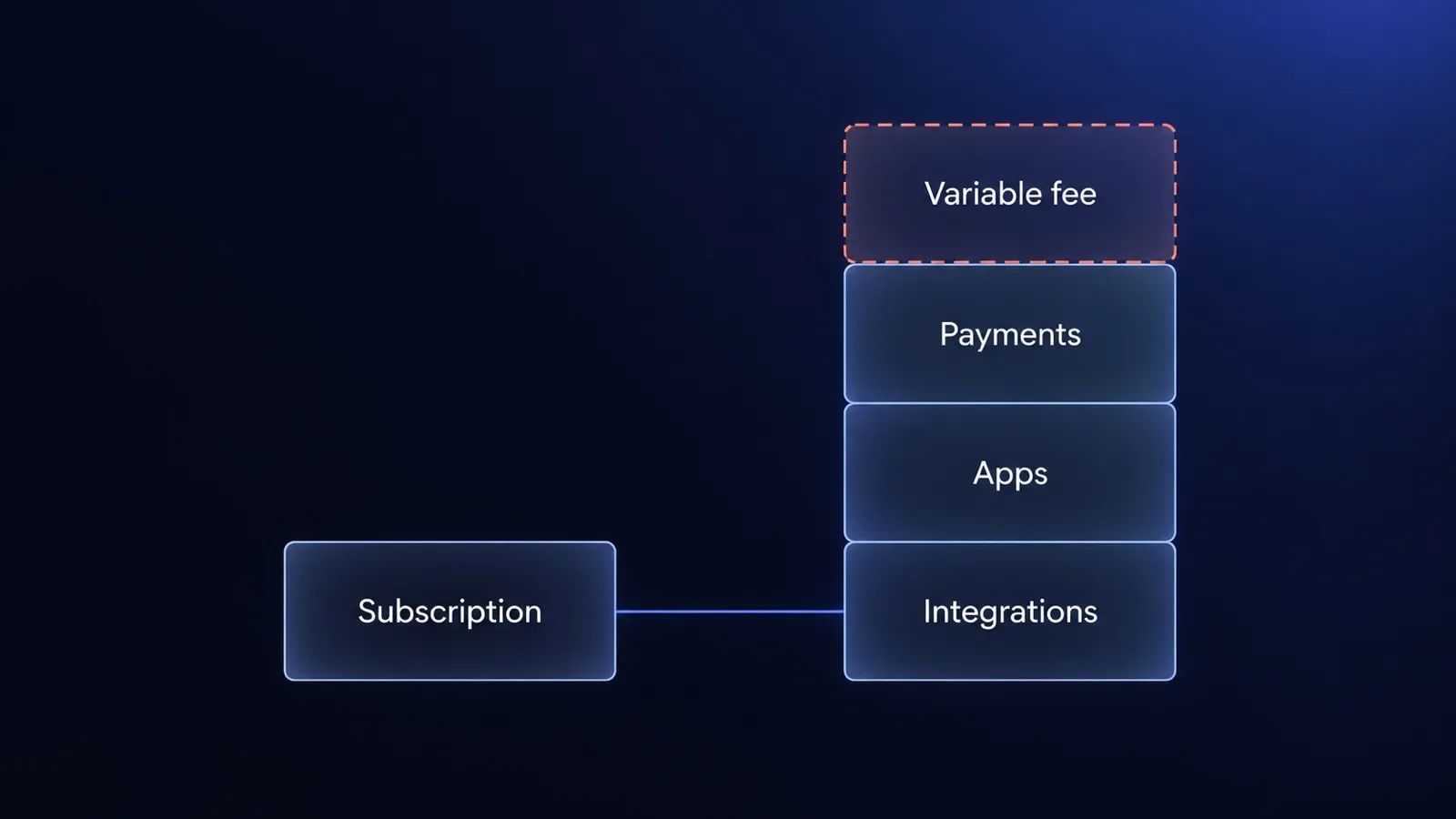
Shopify Plus pricing starts at $2,300 a month. For B2B, the real cost sits in the variable fee, payments, apps and integrations. What to count before you sign.
Custom or off-the-shelf software? Calculate the cost of the whole operating model.
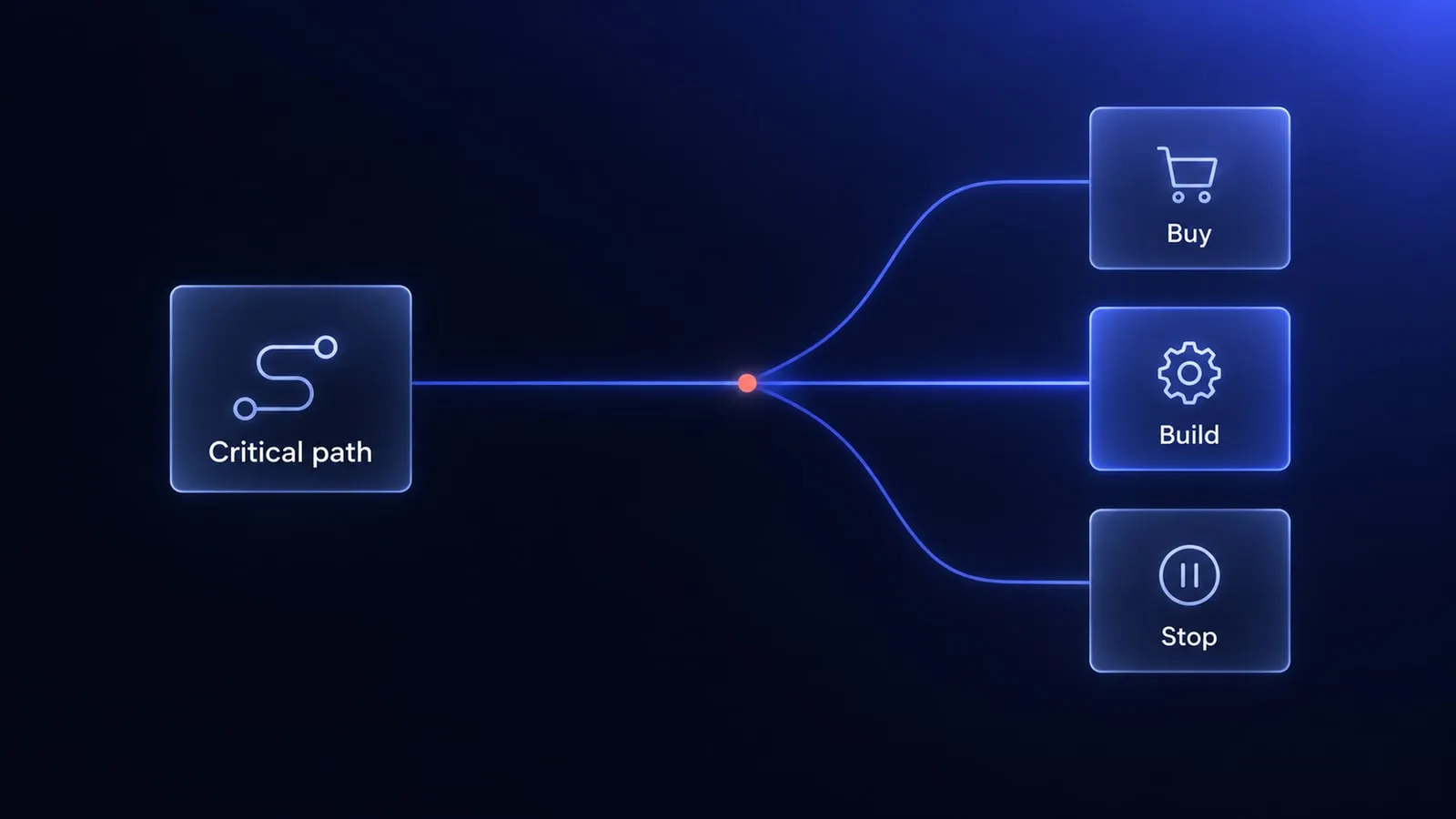
A practical custom versus off-the-shelf framework covering 24-month cost, process fit, integrations, risk and product advantage.


Questions after reading?
Tell us what the article leaves open for your company. We reply within one working day and prepare a hypothesis before any call.
A question about the article Something does not match your situation, or you want to check an assumption behind a number.
Your own problem Describe the sales process and where your current platform stops being enough.
The next step You are weighing custom, off-the-shelf or a migration and want a second opinion before you commit.