
B2B e-invoicing: XRechnung, Factur-X and Peppol for online shops
E-invoicing mandates land on the finance team, but the data an e-invoice needs is collected at checkout. Here is what a B2B shop has to capture and pass to the ERP, how XRechnung, Factur-X and Peppol fit in, and the mistakes that get invoices rejected.

Short answer
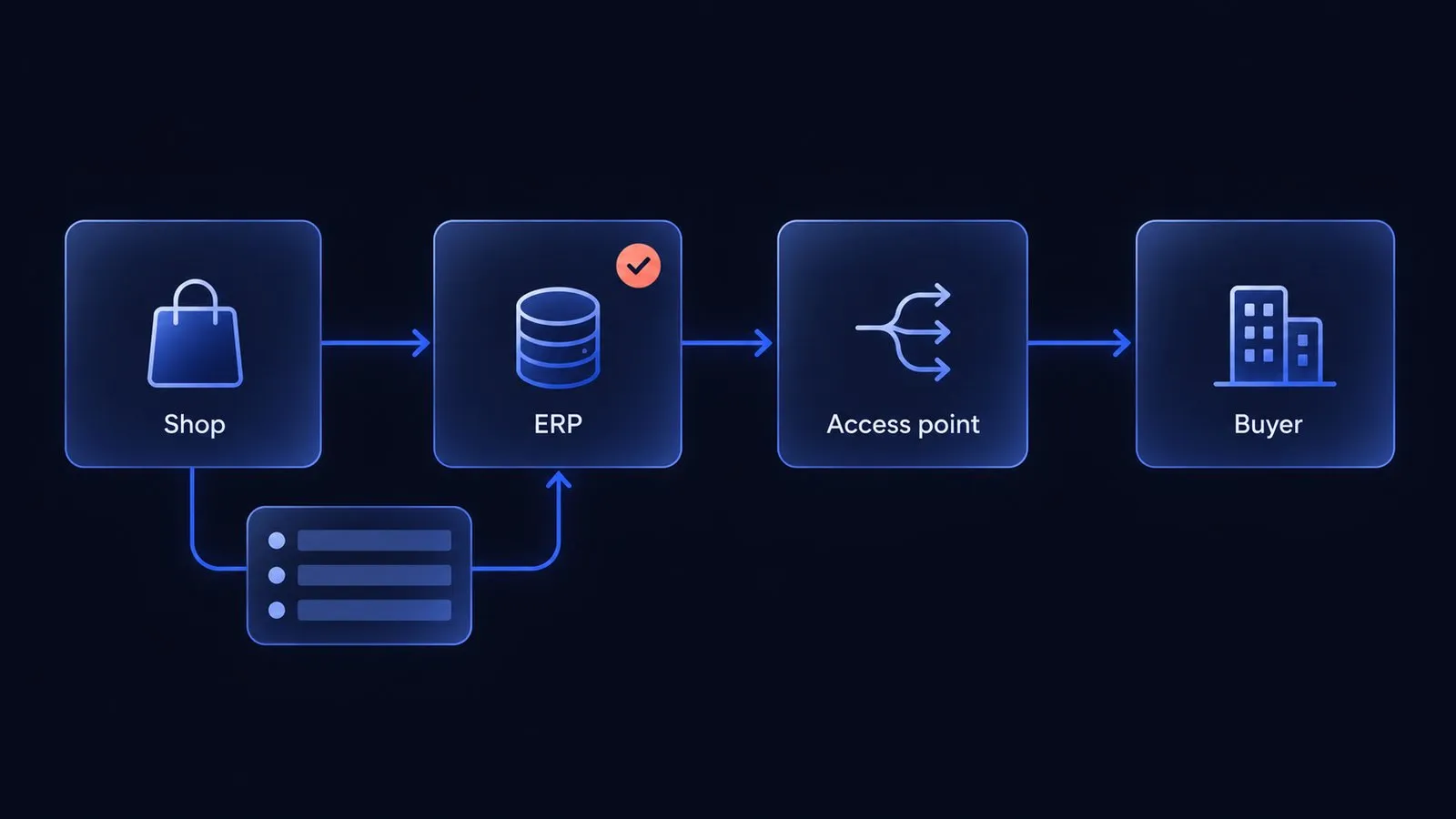
In a B2B shop, the e-invoice is usually issued by the ERP or an invoicing service, not by the shop. The shop’s job is to capture every field the invoice needs at checkout, such as the buyer’s VAT ID, purchase order number, buyer reference and electronic address, and to pass them to the ERP with the order. Missing fields need to be completed and validated before invoice export. Map the required fields first, then decide which system sends the invoice and through which network.
Which countries require B2B e-invoicing, and from when?
Domestic B2B mandates now apply in Belgium and, for larger issuers, France. Germany has required receipt since 2025 and phases in issuance through 2028. Scope depends on where the businesses are established, tax status and transaction type; selling to a customer in a country does not by itself bring every foreign seller into its domestic mandate.
| Country | Receive | Issue | Format and channel |
|---|---|---|---|
| Germany | Domestic businesses since 1 January 2025 | Prior-year turnover above 800,000 EUR from 1 January 2027, other covered issuers from 1 January 2028 | Formats based on EN 16931, such as XRechnung or ZUGFeRD; no central network |
| France | Businesses in scope since 1 September 2026 | Large and mid-sized companies since 1 September 2026, SMEs and micro-enterprises from 1 September 2027 | Through an accredited platform (plateforme agréée); UBL, CII or Factur-X |
| Belgium | Since 1 January 2026 | Since 1 January 2026 | Peppol BIS by default; an agreed EN 16931-compliant alternative is possible |
| EU, covered intra-EU B2B transactions | Reform from 1 July 2030 | E-invoicing and digital reporting from 1 July 2030 | VAT in the Digital Age package |
Sources: the German Federal Ministry of Finance FAQ on mandatory e-invoicing, the French Ministry of Economy guide tout savoir sur la facturation électronique, the Belgian FPS Finance page from when is e-invoicing mandatory and the European Commission note ViDA formally adopted. Sources reviewed on 28 October 2026. The 800,000 EUR threshold refers to the issuer’s total turnover in the previous year, not to online sales.
Germany has exceptions, including small-business issuers, invoices up to EUR 250, tickets and certain exempt transactions. During the transition, paper remains possible and a plain PDF can be used with recipient consent through 2026; issuers at or below EUR 800,000 prior-year turnover have this option through 2027. Certain EDI exchanges also have a transition through 2027. France separately requires e-reporting for covered B2C and international transactions.
This article covers the order and data flow, not tax advice. Your tax adviser decides which of your invoices fall under each mandate.
Who issues the e-invoice: the shop, the ERP or a service?
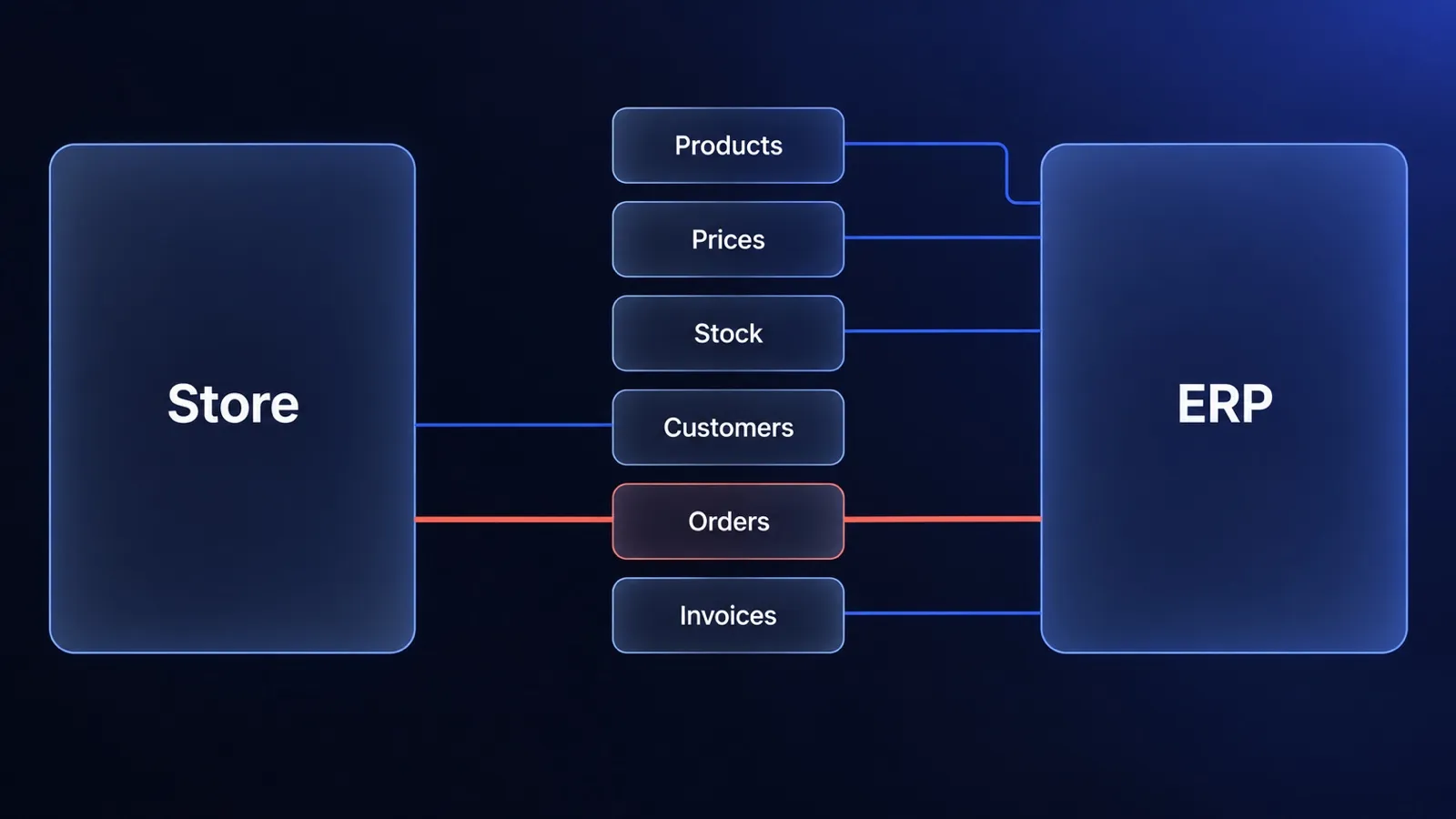
In most B2B setups the ERP issues the e-invoice, because the ERP owns the invoice numbering, VAT, credit notes and the accounts receivable ledger. The shop sends the order to the ERP, the ERP creates the invoice and a Peppol access point or an accredited platform delivers it. We describe the general rule, one owner per data type, in our guide to ERP and ecommerce data ownership.
| Setup | Who issues the invoice | When it fits | Risk |
|---|---|---|---|
| ERP with built-in e-invoicing | ERP | The ERP vendor supports the formats and networks you need | The shop sends incomplete order data |
| ERP plus an e-invoicing service | ERP, the service converts and delivers | The ERP produces invoices but not the required formats | One more integration to monitor |
| Invoicing in the shop | Shop or a shop plugin | No ERP, simple catalog, few B2B customers | Second numbering sequence once an ERP arrives |
The shop should not issue invoices when an ERP already does. Two systems that both number invoices can produce duplicate invoices and mismatched credit notes unless responsibilities are explicitly separated.
What does a B2B shop need to capture at checkout?
A B2B shop needs to capture every invoice field that only the buyer knows, because the ERP cannot invent it later. The European standard EN 16931 defines the invoice data model, and the Peppol BIS Billing 3.0 specification lists each business term with its code (BT-number).
| Field | EN 16931 term | Where the shop gets it | Why invoices fail without it |
|---|---|---|---|
| Buyer’s VAT identifier | BT-48 | Company account, checked at registration | Wrong VAT treatment, invoice rejected |
| Purchase order reference | BT-13 | Checkout field, required per customer | The buyer’s accounts payable cannot match the invoice |
| Buyer reference | BT-10 | Company account or checkout field | Rejected by the buyer, mandatory in XRechnung |
| Buyer’s electronic address | BT-49 | Company account (for example a Peppol ID) | The invoice cannot be routed |
| Invoicing address and legal name | Buyer party group | Company account, synced with the ERP | Mismatch with the buyer’s master data |
| Unit of measure per line | BT-130 | Product data from the ERP | Lines the buyer’s system cannot read |
Requirements depend on the format, tax treatment and buyer. Peppol BIS requires a buyer reference or purchase order reference, not necessarily both; the buyer electronic address and its scheme identifier are required. VAT identifiers are conditional on the transaction. See the reference rule and endpoint specification.
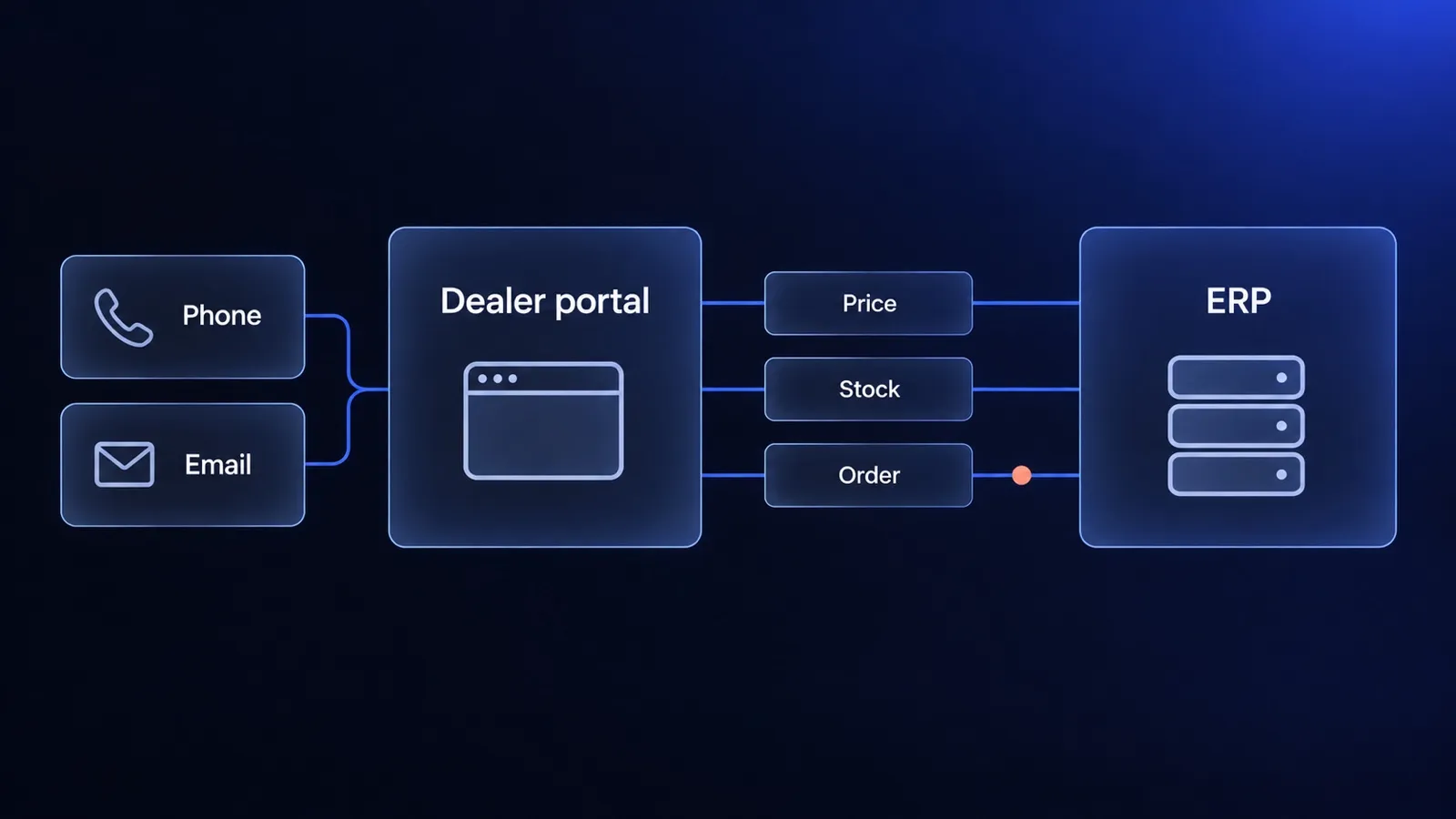
Keep stable legal and routing data on the company account, with an explicit owner and change permissions. Capture order-specific purchase order numbers at checkout. Snapshot validated invoice metadata onto each order so later account edits do not silently change its meaning. Company accounts and approvals are covered in our guide to a B2B customer portal.
How to set up the shop-to-ERP flow, step by step
Set up the flow in five steps, starting from the fields the buyer’s invoice needs and ending with a test invoice that the buyer accepts.
- List your B2B customers by country and channel. Note which ones are in Belgium, France and Germany, and which ones already sent you a Peppol ID or a buyer reference.
- Decide who issues the invoice. ERP, ERP plus service, or the shop, using the table above. Write it down as one sentence.
- Add the missing fields to the company account and checkout. Make the purchase order number required for customers who need it, not for everyone.
- Pass the fields with the order. The order the shop sends to the ERP must carry them, so the invoice inherits them without retyping.
- Send a test invoice to one real customer. Validate the schema and applicable business rules first, then confirm routing and matching with the buyer’s accounts payable team.
Example: validating the ERP handover in Medusa
Medusa subscribers run asynchronously and do not block the original order flow. A warning in an order.placed subscriber does not hold an order or stop another integration from exporting it. The Medusa event documentation explains this distinction.
Use checkout validation for fields the buyer must supply, then repeat validation inside the workflow that owns ERP export. For a Peppol invoice, this simplified check illustrates the reference rule:
function hasInvoiceReference(metadata: Record<string, unknown>): boolean {
  return [metadata.buyer_reference, metadata.po_number].some(
    (value) => typeof value === "string" && value.trim().length > 0
  )
}
This is one data check, not a complete invoice validator or Medusa integration. The export workflow must persist a hold reason when validation fails, allow a corrected order to retry and use an idempotency key to prevent duplicate exports. Validate tax, totals, endpoint scheme and the target format separately. How we build the surrounding flow is described on our ecommerce ERP integration page.
XRechnung, Factur-X or Peppol: what do you actually need?
You need the format your buyer’s country and system accept, delivered through the channel that country prescribes. XRechnung and Factur-X answer “what does the file look like”, and Peppol answers “how does the file travel”.
- XRechnung is the German XML format based on EN 16931. It is common in Germany and widely used for invoices to German public bodies; accepted alternatives depend on the applicable rules and recipient.
- Factur-X and ZUGFeRD are the same hybrid format under French and German names: a readable PDF with the structured XML embedded. Germany accepts compliant ZUGFeRD versions from 2.0.1, excluding the MINIMUM and BASIC-WL profiles, as an e-invoice, France lists Factur-X next to UBL and CII.
- Peppol is a network of certified service providers. The sender’s access point finds the receiver’s access point through Peppol service discovery and delivers the invoice, usually as Peppol BIS Billing 3.0. OpenPeppol describes this as the four-corner model.
For transactions covered by Belgium’s domestic mandate, Peppol is the default route. The European Commission country profile explains the option of a mutually agreed compliant alternative. For Germany, a correct XRechnung or ZUGFeRD file sent by email is allowed, and Peppol is one option among several. For France, the invoice goes through an accredited platform. If you sell into all three, choose an ERP or service that covers all of them with one connection.
Common mistakes that get e-invoices rejected
Missing buyer data, invalid XML and inconsistent totals can all cause rejection. These are the mistakes worth testing before the first real invoice:
- A customer-required purchase order number is optional at checkout. The buyer’s system cannot match the invoice and sends it back.
- VAT IDs are free text. A typo on the company account ends up on every invoice. Check the format at registration and compare it with the ERP.
- Prices are rounded differently in the shop and the ERP. The invoice total differs from the order total by a cent, and automated matching fails.
- Units of measure do not map. “pcs” in the shop and “C62” (the UN/ECE code for one unit) in the invoice need an explicit mapping per product.
- The shop plugin and the ERP both issue invoices. Two numbering sequences, duplicates and credit notes against the wrong document.
- Credit notes are forgotten. Returns and partial deliveries need corrective invoices in the same format and channel.
If your stock, prices or orders already drift between the shop and the ERP, fix that first: the free ERP and store sync check shows where.
When is e-invoicing not a shop project?
Shop changes may be unnecessary when orders are entered directly into the ERP or when the existing shop already sends every required field. Confirm that with a sample order and invoice before buying an add-on.
A later issuance deadline does not remove current receipt obligations. Selling only B2C may avoid a domestic B2B invoicing mandate, but reporting obligations can still apply, including in France. An upcoming ERP replacement is a reason to coordinate the work, not to postpone a legal deadline.
If B2B buyers do order in your shop, the fields from the checkout table are cheap to add now and expensive to backfill later. When the shop cannot carry them, it is usually a sign that it was built for B2C. A B2B shop with company accounts, customer price lists and an ERP handover is what we launch in our live e-commerce in 30 days offer, and you can see the approach in the ImpregnatyBC case study.
How to scope the work with your ERP vendor and accountant
Scope the work with one table that lists each invoice field, its owner and where it is captured, and send it to your ERP vendor and accountant before anyone writes code.
- Ask the ERP vendor which formats (XRechnung, ZUGFeRD, Factur-X, Peppol BIS) and channels (Peppol, French accredited platforms) the ERP supports, and from which version.
- Ask your accountant which of your invoices fall under which mandate and from which date.
- Ask your three largest B2B customers whether they require a buyer reference, a purchase order number or a specific channel.
- Fill the field table from the checkout section with an owner per row.
- Plan one test invoice per country before the deadline, not on it.
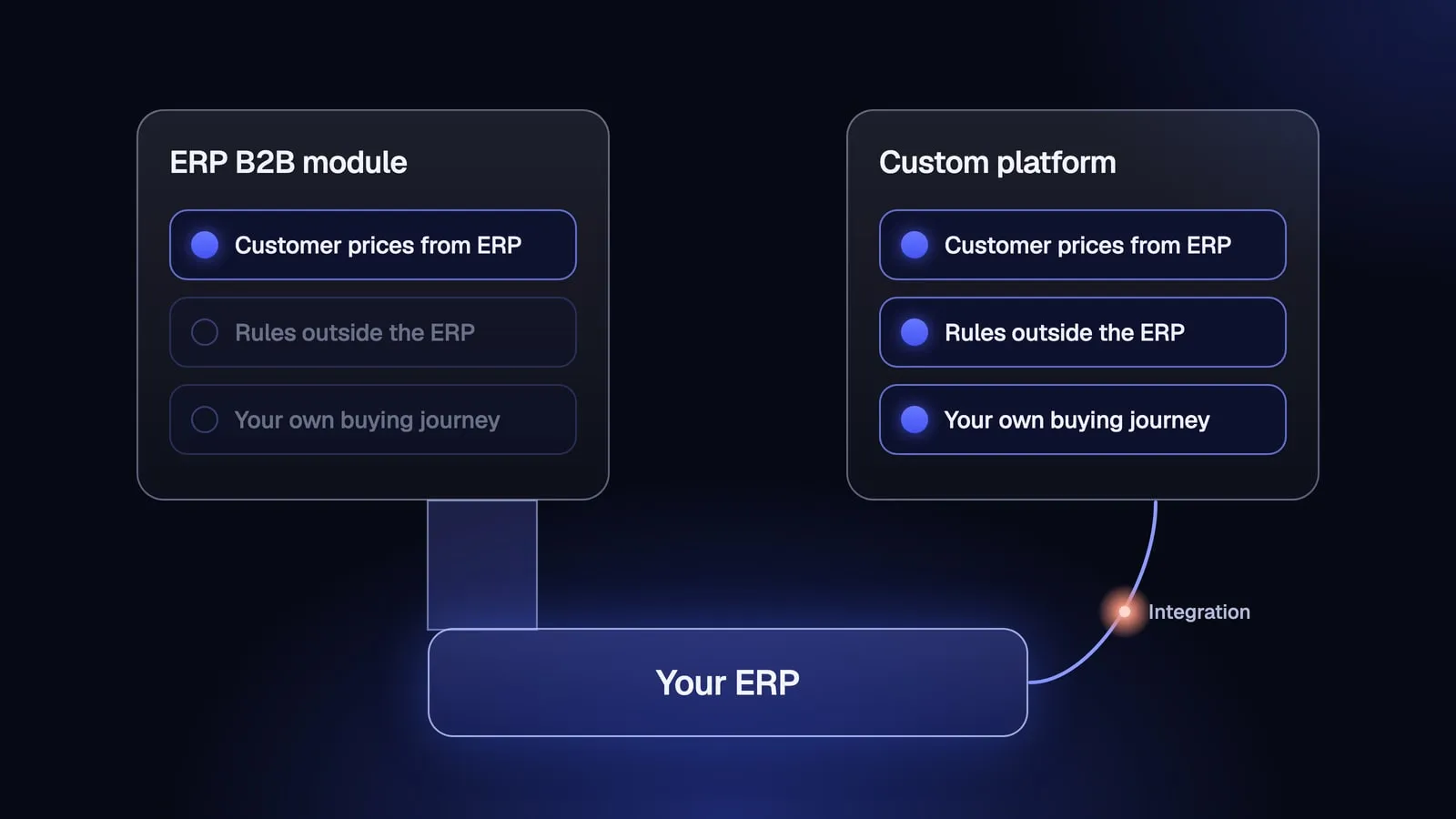
If the ERP cannot hold the B2B terms your customers need, compare the ERP’s own B2B module with a separate platform in ERP B2B module vs custom platform.
Frequently asked questions
Does my online shop have to send e-invoices?
Your company may need to, depending on establishment, tax status and the transaction. Domestic mandates include: Belgium since 1 January 2026, France for large and mid-sized companies since 1 September 2026, and Germany for companies above 800,000 EUR prior-year turnover from 1 January 2027. The shop itself rarely issues the invoice. In most B2B setups the ERP or invoicing system issues it, and the shop has to supply complete order data.
What is the difference between XRechnung, Factur-X and Peppol?
XRechnung is a German XML format for e-invoices based on the European standard EN 16931. Factur-X, called ZUGFeRD in Germany, is a hybrid format: a PDF with the structured XML embedded. Peppol is not a format but a delivery network: invoices travel between certified access points, usually in the Peppol BIS Billing 3.0 format, which also follows EN 16931.
Is a PDF invoice still valid for B2B sales?
A plain PDF is not a structured e-invoice, but it can still be permitted under transition rules or exceptions. Germany allows PDFs with recipient consent through 2026, and through 2027 for issuers at or below EUR 800,000 prior-year turnover. For Belgian domestic B2B transactions in scope, use a structured invoice. Check the rules for your transaction.
Do I need a Peppol access point?
For Belgian transactions in scope, Peppol is the default route. Mutually agreed alternatives compliant with EN 16931 are possible. An ERP may include access through its provider. Germany has no central network, so e-invoices can also be exchanged by email or other channels. France routes invoices through accredited platforms. One provider that covers all your markets is usually simpler than one per country.
Keep reading
ERP and ecommerce: who owns which data, and how to connect the two
ERP ecommerce guide for decision makers: which system owns products, prices, stock and orders, three integration patterns, cost drivers and when to wait.
B2B customer portal for a dealer network: what to launch first and where the data comes from
B2B customer portal for a dealer network: the questions it must answer, the data the ERP owns, when punchout matters and how to launch in stages.
Your ERP vendor's B2B module or a custom B2B platform: which one fits?
Odoo, Dynamics 365 Commerce, Comarch or a custom B2B platform? Compare ERP vendors' B2B modules on price, limits and 24-month cost, and see when custom pays off.


Questions after reading?
Tell us what the article leaves open for your company. We reply within one working day and prepare a hypothesis before any call.
A question about the article Something does not match your situation, or you want to check an assumption behind a number.
Your own problem Describe the sales process and where your current platform stops being enough.
The next step You are weighing custom, off-the-shelf or a migration and want a second opinion before you commit.