
Ecommerce platform migration: a step-by-step checklist for B2B companies
Most guides to ecommerce platform migration start with choosing a platform. This one starts with an inventory of what your store really does, then covers SEO protection, trial migrations and cutover, and says when simplifying the current store is the better project.
Short answer
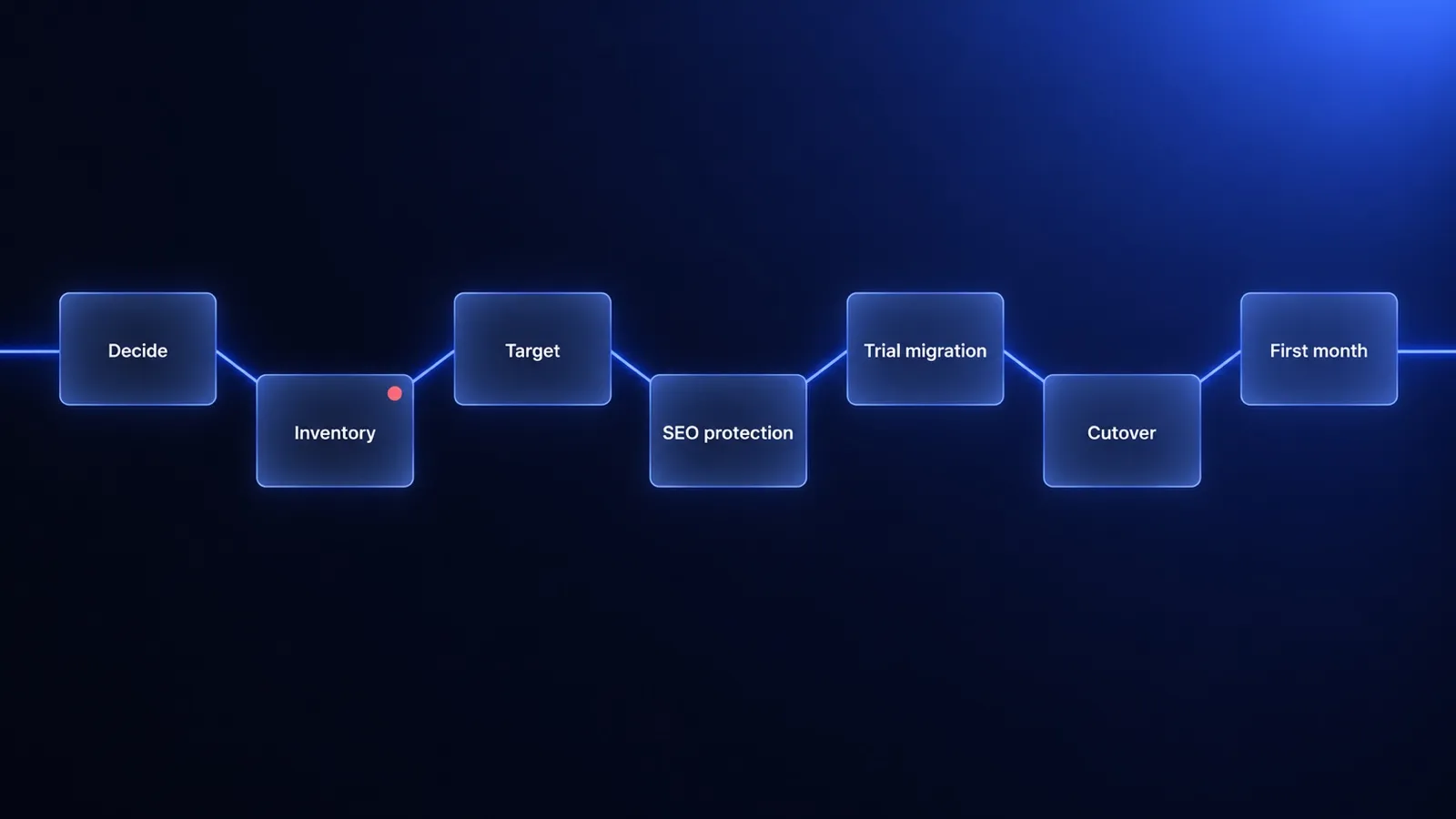
To run an ecommerce platform migration, work through seven gates in order: decide whether to move at all, inventory what the current store does, choose the target against that inventory, protect SEO with a one-to-one redirect map, rehearse on a copy of real data, cut over with a rollback plan, and watch the first 30 days. The order is what protects revenue: the inventory of data, integrations, URLs, checkout flows and B2B price lists comes before the platform choice, not after the contract is signed. Record organic traffic, indexed pages, conversion rate and order errors before launch, so you can show what the move changed. If a configuration change, a single app or one integration removes the blocker, do not migrate: simplify the store you have.
What is an ecommerce platform migration, and what actually moves?
An ecommerce platform migration is the move of a live online store from one commerce platform to another, together with the five things the store depends on: its data, its integrations, its URLs, its checkout and payment flows and, for B2B sellers, its pricing rules. The same project is often called ecommerce replatforming.
The seven steps below cover the order of work in a migration, not the choice of software. For that choice, read custom or off-the-shelf and what a new store costs to build and run.
Step 1. Decide: whether to migrate at all, and when not to migrate
Do not migrate your ecommerce platform if a configuration change, a single app or one integration removes the blocker. A migration puts data, search traffic and customer logins at risk in the same project, so it has to buy something a smaller project cannot. Write the blocker down in one sentence, then compare it with the signals below.
| Signal | Stay and simplify | Migrate |
|---|---|---|
| What blocks you | The price of the plan or of overlapping apps | A process, channel or pricing model that needs workarounds nobody can maintain |
| Apps and extensions | A long list that can be cut | App costs and dependencies grow faster than sales |
| Technology | Supported and updated | Upgrades or rewrites cost more every year |
| Channels | One store serves B2B and B2C | B2B and B2C run on separate systems, so every change is made twice |
| Team and timing | No decision owner, or peak season before the launch date | A named owner and a launch window outside peak sales |
| Data | So untidy that the real project is cleaning it | Clean enough to export, count and map |
If the only problem is cost, count before you move: our guide to when Shopify stops paying off shows a 24-month method that works for any platform. When the stay-and-simplify signals describe your store, the cheaper project is to simplify the store you already have. Staying on the current platform is a full result of Step 1, not a failure of it.
Step 2. Inventory: what your current store really does
The inventory for an ecommerce platform migration has five lists, and every line on them gets one decision: keep, simplify or drop. The inventory describes what the store does today, including undocumented workarounds, and it comes before the platform choice because the target is judged against it.
Data: products, variants, customers, orders and content
Export every data set of the current store and count it: products, variants, images, categories, customers, orders and content pages. For each data set, name the system that owns it. When the ERP owns prices and stock and the store only displays them, that data is an integration to rebuild, not a data set to migrate. Treat data quality, such as duplicates and missing attributes, as its own line of scope.
Integrations: ERP, payments, shipping, tax, email and analytics
List integration flows, not app names. An integration flow has a direction, a trigger and a frequency, for example “paid orders go from the store to the ERP”. For every flow, note what happens when it fails and who notices. The flow list is the scope of the ERP integration work on the new platform.
URLs: every address that earns traffic or links
Collect every URL of the current store into one file before anyone designs the new URL structure. Google’s site move documentation tells site owners to prepare a mapping from current URLs to new ones and names the sources: sitemaps, server logs or analytics, and the links report in Search Console. The same documentation says image and file URLs have to be moved like any other content.
Checkout and payment flows
Write every way an order gets placed and paid as a test scenario: payment and shipping methods, tax rules, payment on invoice with terms, repeat orders, discount codes and quote requests. A checkout scenario names the customer type, the cart and the expected result, and it becomes an acceptance test of the trial migration in Step 5.
B2B price lists, customer groups and terms
List every price list, customer group, volume discount, payment term, credit limit and approval rule, and note where each one is maintained. Customer-specific price lists are data to migrate and reconcile, not settings to retype by hand. Company accounts with several buyers go on the same list.
Customer logins need a decision in the inventory too. Shopify’s customer CSV file has no password column, and Shopify states that passwords from another online store cannot be migrated with a CSV, so imported customers are invited to create new ones. Password portability differs by platform, so check both platforms’ documentation in the audit.
Step 3. Target: choose the platform against the inventory, not a feature list
Score every inventory line against each candidate platform with one of four marks: native, configuration, extension or impossible. A feature list says what a platform can do in general. The scored inventory says what a platform costs for your store, because every “extension” is build or subscription money and every “impossible” is a process you have to change.
A SaaS platform is the better migration target when your sales process fits its standard model: mostly B2C, one price list and few integrations. Before choosing an enterprise SaaS plan, read what Shopify Plus costs a B2B company. A store you own is the better target when price lists, approvals or ERP rules score “impossible” or pile up as extensions.
Licences belong in the target budget. Medusa is one example: its core is open source under the MIT licence, while role-based access control (RBAC) and single sign-on (SSO) have been Enterprise Edition features since 11 August 2026. Our guide covers what Medusa.js is and what its licence covers.
Step 4. SEO protection: redirect map, URL parity and a baseline
SEO protection in an ecommerce platform migration means three deliverables finished before launch: a one-to-one redirect map, a parity check and a dated baseline. All three depend on the URL inventory from Step 2, which is why SEO work cannot start in the last week.
Build the redirect map from the URL inventory
A redirect map pairs every old URL with the one new URL that replaces it. Google’s site move documentation recommends server-side permanent redirects (301 or 308), advises against redirect chains, and warns against sending many old URLs to one irrelevant page such as the home page, which Google may treat as a soft 404. Google also advises keeping redirects for as long as possible, generally at least 1 year.
A permanent redirect signals to Google that the new URL should be the canonical one, and a temporary redirect does not, according to Google’s redirect documentation. Pages dropped on purpose should return a 404 or 410 response, not a redirect to an unrelated page.
Shopify stores have an extra redirect decision. Shopify serves products and collections under the fixed paths /products and /collections, so a store leaving Shopify either keeps those paths on the new platform or redirects every one of them. A store moving onto Shopify can redirect only from URLs that no longer load a page, up to 100,000 URL redirects, or 20,000,000 on the Plus plan (source, as of 2026-10).
Keep URL parity where you can
URL parity means the new store keeps the paths, titles, meta descriptions, canonical tags, structured data, hreflang annotations, content and internal links of the old store wherever nothing forces a change. Google’s guidance for site moves is to change one thing at a time. A migration that changes platform, URLs, content and design in one release leaves no way to tell which change cost the traffic.
What to measure before and after the migration
Export a migration baseline before launch and read the same reports after it. A baseline is a dated export, not a memory of how the store used to perform.
| Metric | Where to read it | Baseline before launch | Check after launch |
|---|---|---|---|
| Organic clicks and impressions | Search Console | Export per group of URLs | Weekly |
| Indexed pages | Search Console | Count per sitemap | Old URLs fall as new URLs rise |
| Not-found errors and redirect hits | Server logs | Error rate on the old store | Daily in the first week |
| Conversion rate and revenue per channel | Analytics | Comparable weeks | Weekly |
| Checkout completion | Analytics and order data | Rate per payment method | Daily in the first week |
| Orders corrected by hand | Order records and the ERP | Count per week | Weekly |
Expect movement in search after an ecommerce platform migration. Google’s site move documentation says visibility may fluctuate temporarily during a move, and that a small to medium-sized site can take a few weeks for most pages to move to their new URLs, with larger sites taking longer. A baseline does not prevent a drop in traffic, but it shows whether the drop is normal fluctuation or a broken redirect.
Step 5. Trial migration: rehearse on a copy of real data
A trial migration is a full run of the data move on a copy of production data, repeated until the results match the source. A trial migration has six parts:
- Map fields from the old data model to the new one, and clean the data that Step 2 flagged.
- Run the full migration on a copy, with production volumes.
- Reconcile counts of products, variants, customers, orders and price list lines.
- Replay real orders on the new store and compare totals, tax and shipping.
- Check prices as B2B customers: log in as sample accounts from each customer group.
- Test integrations in the ERP’s and the payment provider’s test environments, including the paths where something fails.
Stop rehearsing when a trial migration finishes with no open differences. Each run also shows how long the final run takes, which sets the length of the change freeze in Step 6.
Step 6. Cutover: big bang, phased or a parallel run
A cutover has three options, and the right one depends on how much risk a single launch day carries for your sales.
| Option | How it works | Fits when | Main risk |
|---|---|---|---|
| Big bang | The whole store switches in one planned window | Small or medium store, one channel | Every problem appears on the same day |
| Phased | One channel, market or customer group moves first, for example the B2B portal | Separate channels or markets | Two systems to keep in sync between phases |
| Parallel run | A closed group of customers orders on the new store while the old one stays live | B2B with known accounts | Orders and stock reconciled across both stores |
For search, Google recommends moving all URLs of a small or medium site at the same time and allows large sites to move one section at a time, according to its site move documentation. Google also suggests timing a move for a period of lower traffic.
Every cutover runbook needs four things. A change freeze stops edits to products, prices and content on the old store. A final delta migration moves the orders and customers created since the last trial run. A rollback plan names the trigger, for example failed payments or a broken ERP sync, and the person who decides. The old store stays read-only until the rollback window closes.
Step 7. Day 1 to day 30: watch the first month after launch
The first 30 days after a migration launch are an observation window in which someone compares the new store with the baseline on a schedule. The 30 days are our convention, not an external rule: they cover the few weeks that, according to Google, most pages of a small or medium site need to move, and one monthly B2B invoicing cycle.
In the first week after a migration launch, check four things every day: orders in the store against orders in the ERP, not-found errors in the server logs, checkout completion per payment method, and customer messages about prices or logins. From the second week, compare indexing, organic traffic and conversion with the baseline weekly. The same Google documentation notes that Google crawls a site more heavily than usual after a move, so watch server capacity as well.
What goes wrong in an ecommerce migration?
Ecommerce migrations go wrong in a few repeatable ways, and each has an early signal you can look for before launch.
- Old workarounds rebuilt one to one. Signal: nothing in the inventory is marked “drop” or “simplify”.
- The redirect map made in the last week. Signal: the new URL structure is approved before the old URL list exists.
- A B2B customer sees a different price than yesterday. Signal: prices were tested as an administrator, never as a logged-in customer.
- Integrations tested only on the path without errors. Signal: nobody knows what happens to an order when the ERP is unavailable.
- Customers cannot log in. Signal: the account activation email was never sent to a test group.
- Order history is missing. Signal: customer service was not asked before it was cut from scope.
- Analytics change together with the platform. Signal: no baseline export exists.
- No rollback plan. Signal: the old store’s subscription or hosting ends on launch day.
- Migration, redesign and a new ERP in one project. Signal: three projects share one launch date.
Ecommerce migration checklist: seven gates from decision to day 30
The ecommerce migration checklist below, which some teams call an ecommerce replatforming checklist, has seven gates, and a gate is closed only when its evidence exists as a file, a report or a recorded decision. Owners are roles, not names.
| Gate | Check | Evidence it is done | Owner by role |
|---|---|---|---|
| 1. Decide | The blocker is named in one sentence | Written statement of what the platform prevents | Ecommerce lead |
| 1. Decide | A setting, a single app or one integration was tested as the fix | Note on what was tried and why it failed | Ecommerce lead |
| 1. Decide | Staying and moving are costed over the same period | One sheet with both totals | Finance or ERP owner |
| 1. Decide | One person owns the decision | Recorded decision: stay and simplify, or migrate | Decision owner |
| 2. Inventory | Data sets are exported and counted | Export files with record counts and owning systems | Ecommerce lead |
| 2. Inventory | Integration flows are listed with direction, trigger and frequency | Flow list with the failure case for each flow | Finance or ERP owner |
| 2. Inventory | The full URL list is collected | One file from sitemaps, Search Console, analytics and backlinks | SEO owner |
| 2. Inventory | Checkout and payment flows are written as test scenarios | Scenario list with expected results | Ecommerce lead |
| 2. Inventory | B2B price lists, customer groups and terms are listed | List with the source of truth for each rule | Finance or ERP owner |
| 2. Inventory | Every line has a decision | Inventory marked keep, simplify or drop | Decision owner |
| 3. Target | Every inventory line is scored for each candidate platform | Fit matrix: native, configuration, extension or impossible | Delivery team |
| 3. Target | Licence, hosting and maintenance costs are listed | Cost sheet for the target platform | Finance or ERP owner |
| 3. Target | Scope, dropped scope, price and timeline are agreed | Signed scope with a fixed price and a list of what will not be rebuilt | Decision owner |
| 4. SEO protection | The redirect map is built from the URL inventory | Map file with one new URL for every old URL | SEO owner |
| 4. SEO protection | Titles, descriptions, canonicals, structured data and hreflang are compared | Parity report from staging | SEO owner |
| 4. SEO protection | The baseline is exported | Dated export of traffic, indexed pages, conversion and order errors | SEO owner |
| 4. SEO protection | Redirects are tested before launch | Test report with no chains and no errors | Delivery team |
| 5. Trial migration | A full run on a copy of production data is completed and reconciled | Reconciliation report with no open differences | Delivery team |
| 5. Trial migration | Prices are checked for sample B2B customers | Side-by-side price check signed by finance | Finance or ERP owner |
| 5. Trial migration | Real orders are replayed on the new store | Totals, tax and shipping match the originals | Ecommerce lead |
| 5. Trial migration | Integrations and account activation are tested, including error paths | Test results from the ERP and payment sandboxes | Delivery team |
| 6. Cutover | The cutover option is chosen | Decision note: big bang, phased or parallel run | Decision owner |
| 6. Cutover | The change freeze is agreed and announced | Freeze dates sent to staff and B2B customers | Ecommerce lead |
| 6. Cutover | The final delta migration is run, redirects are live and critical paths are tested in production | Reconciliation since the last trial and a test order for every payment method | Delivery team |
| 6. Cutover | The rollback trigger and owner are written down | Runbook with the threshold and the decision maker | Decision owner |
| 7. Day 1 to day 30 | Orders in the store match the ERP | Reconciliation log, daily at first and then weekly | Finance or ERP owner |
| 7. Day 1 to day 30 | Not-found errors and redirect hits are reviewed | Log review with fixes added to the redirect map | SEO owner |
| 7. Day 1 to day 30 | Indexing, traffic and conversion are compared with the baseline | Post-launch report against the baseline | Ecommerce lead |
| 7. Day 1 to day 30 | The old store stays read-only and redirects stay for at least 1 year | Closing date for the old store and a named redirect owner | SEO owner |
The redirect period in the last row comes from Google’s site move documentation.
How we run a platform migration at Evelumo
Evelumo has not published a migration case study yet, so here are the principles we work by, not results. Our ecommerce migration services move stores to Medusa.js, and the first conversation is about whether a migration is needed at all. A trial migration on a copy of your data comes before anything touches production, the redirect map is built together with the data model, and ERP, payments and shipping are tested on the new store before cutover day.
The store we can point to on Medusa is Alufix, a store built on Medusa.js with a Next.js storefront: a catalog, product variants, a cart and a checkout for consumers and companies. Alufix shows the scope of a Medusa store our team designed and built. Alufix is not a migration case study.
A new store on our foundation launches in 30 days, from €10,000 net, with our live e-commerce in 30 days offer. The 30 days and the price cover the new store. Moving data, redirects and integrations from an existing store is scoped and quoted separately, at a fixed price, after an audit of that store. Hosting and maintenance start from €100 net a month.
Frequently asked questions
How long does an ecommerce platform migration take?
There is no honest standard figure, because the time depends on the quality of your data, the number of integrations and the number of URLs to redirect. Ask for the timeline together with a fixed quote after an audit of the current store. One sourced figure concerns search, not the project: Google says a small to medium-sized site can take a few weeks before most pages move to their new URLs.
Will I lose SEO rankings when I migrate my ecommerce platform?
Some movement is normal: Google's site move documentation says visibility may fluctuate temporarily and settle over time. What protects rankings is a complete list of old URLs, one permanent redirect from each to its closest new page, redirects kept for at least a year, unchanged content and metadata where possible, and a baseline exported before launch, so a real problem can be told apart from normal fluctuation.
Should I migrate everything at once or in phases?
It depends on size and risk. For search, Google recommends moving all URLs of a small or medium site at the same time and allows large sites to move section by section. For operations, a B2B company can phase by sales channel or customer group, for example the B2B portal first. Phasing lowers the risk of each step, but two systems must stay in sync until the last phase ends.
Do customers need new passwords after a migration?
That depends on the platforms involved, so check it in the audit. Shopify is a documented case: its customer CSV file has no password field, and Shopify's help centre says passwords from another store cannot be migrated with a CSV, so customers are invited to set a new one. Where passwords cannot move safely, plan an account activation email, test it, and tell B2B buyers before launch day.
When is replatforming not worth it?
Replatforming is not worth it when a smaller project removes the blocker: a configuration change, one app, one integration or a different plan. It is also the wrong moment when nobody in the company owns the decision, when peak season falls before the launch date, or when the data is so untidy that cleaning it is the real project. In those cases, simplify the current store first.
Keep reading
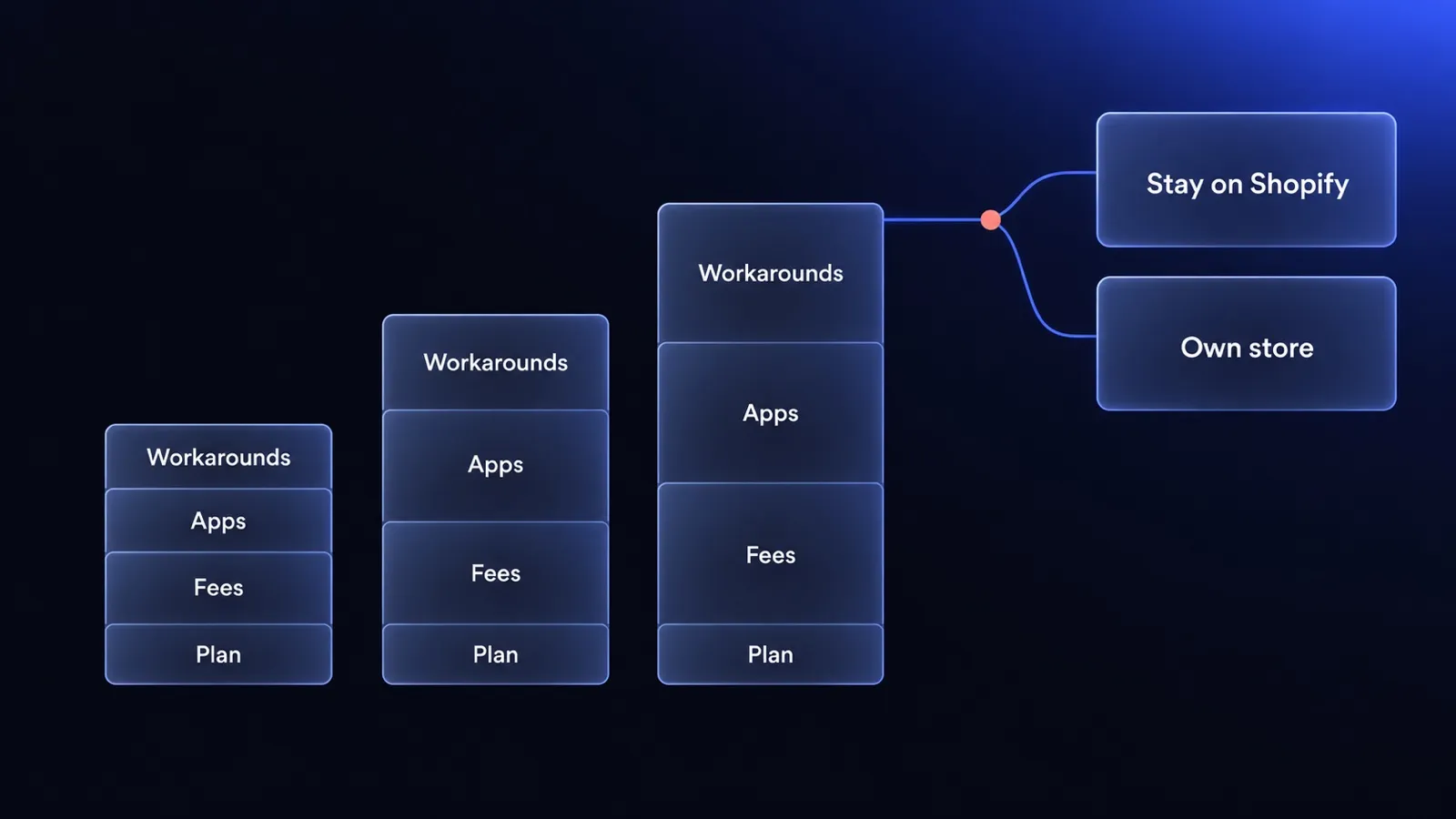
Is Shopify worth it in 2026? When Shopify stops paying off for a growing store
Is Shopify worth it in 2026? For most US stores, yes. See when revenue-based fees, apps and workarounds make it stop paying off, counted over 24 months.
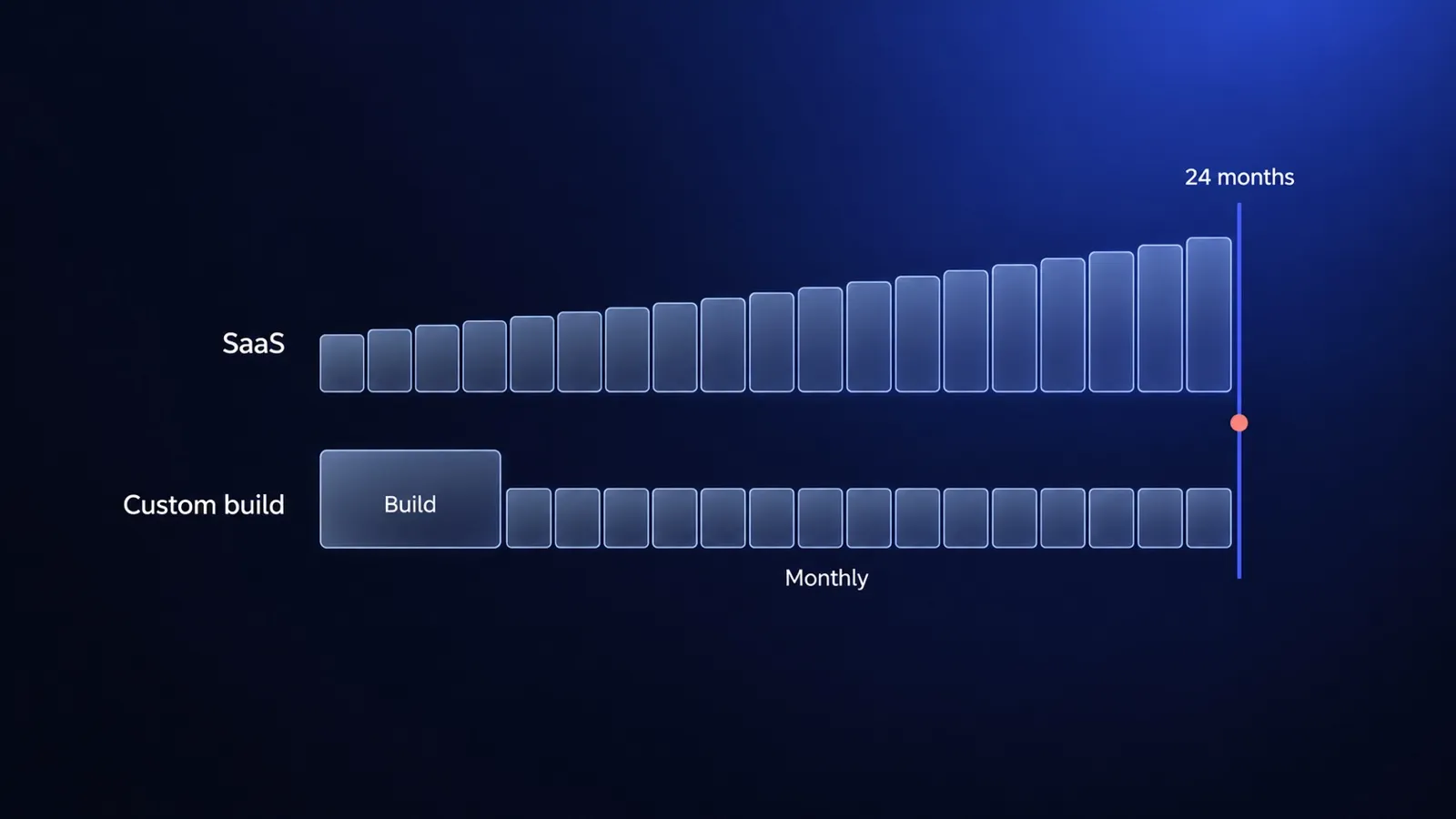
Ecommerce website cost in 2026: SaaS vs custom build, with real numbers
Ecommerce website cost in 2026, using published prices only: Shopify, BigCommerce and a custom build on Medusa compared over 24 months on the same scope.
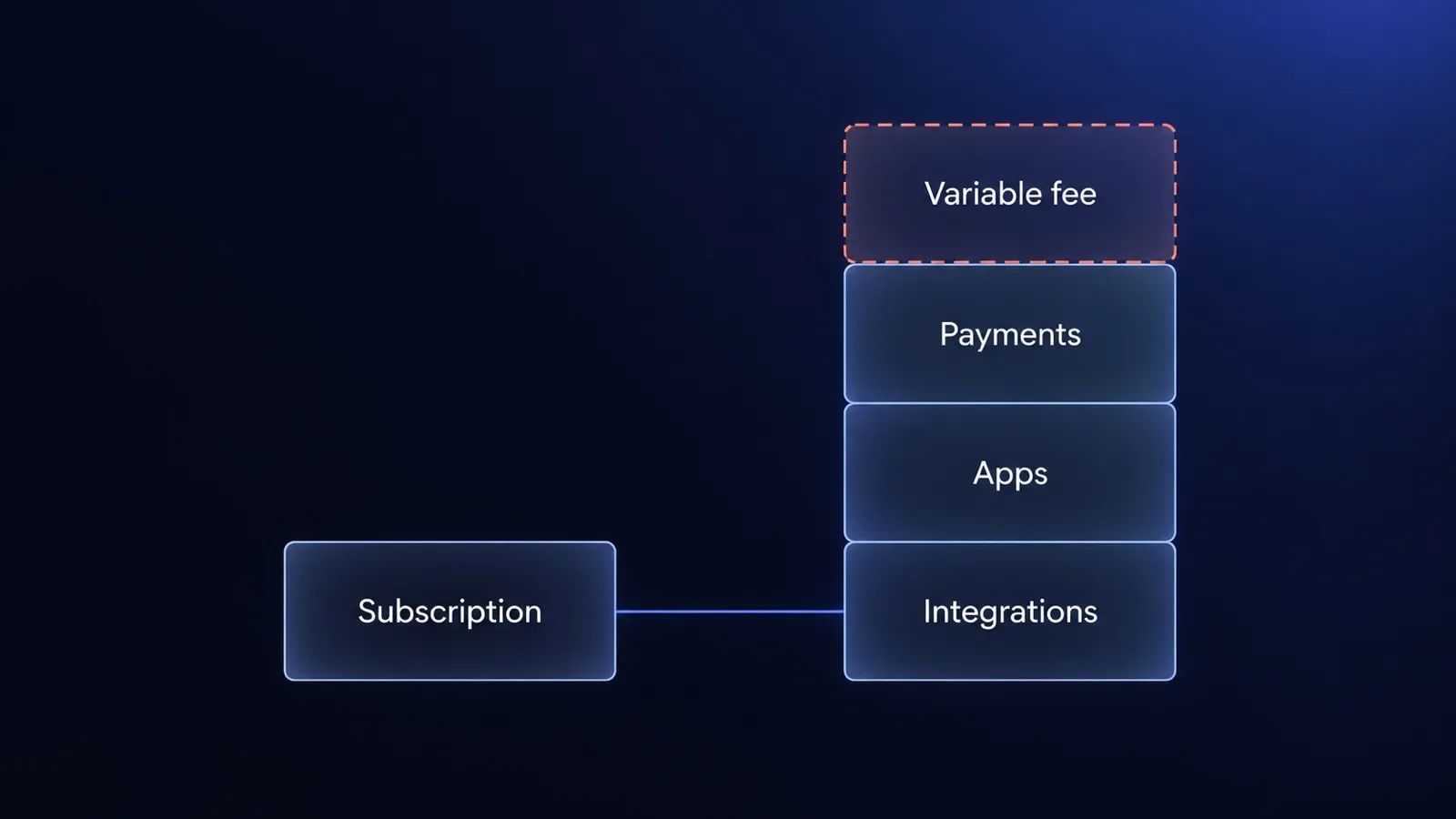
Shopify Plus pricing in 2026: the real total cost for B2B
Shopify Plus pricing starts at $2,300 a month. For B2B, the real cost sits in the variable fee, payments, apps and integrations. What to count before you sign.


Questions after reading?
Tell us what the article leaves open for your company. We reply within one working day and prepare a hypothesis before any call.
A question about the article Something does not match your situation, or you want to check an assumption behind a number.
Your own problem Describe the sales process and where your current platform stops being enough.
The next step You are weighing custom, off-the-shelf or a migration and want a second opinion before you commit.