
B2B pricing in ecommerce: customer price lists and contract prices from ERP to checkout
In a B2B store, every logged-in buyer expects the price from their own agreement, and the same price on the invoice. Here is how to map your pricing rules, decide where they live and test a store on one real order before you commit.

Short answer
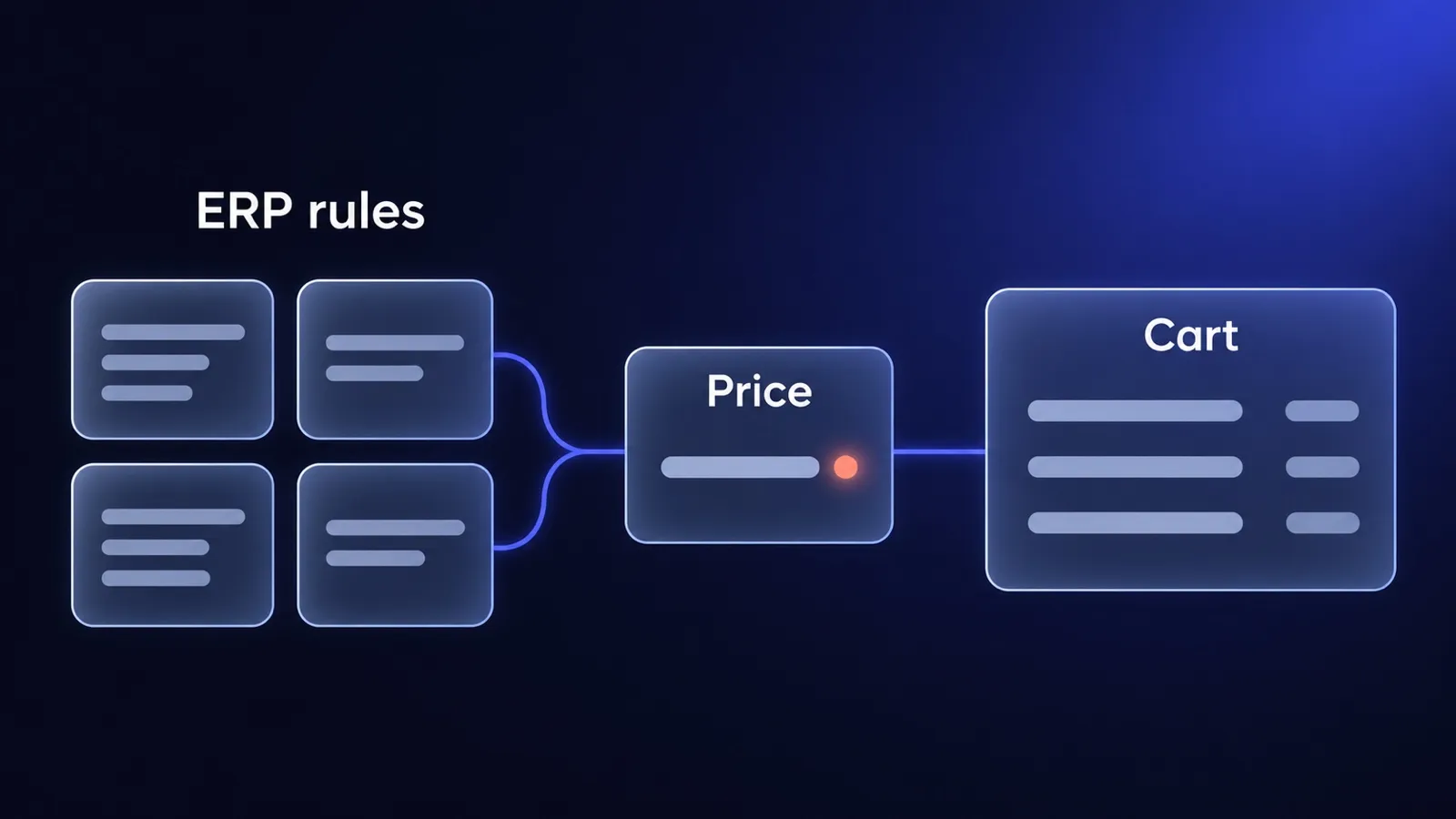
B2B pricing in ecommerce means every logged-in buyer sees the price from their own agreement, and the same price reaches the invoice. Start by writing down the rules that produce that price (base list, customer group, customer discount, contract price, quantity breaks, validity dates) and which system owns them, which is usually the ERP. With a handful of price groups, a platform’s built-in price lists are enough. With hundreds of customers on individual terms, the store should take the final price from the ERP instead of rebuilding the rules by hand. Test any option on one real order from your largest customer.
What is B2B pricing in ecommerce?
B2B pricing in ecommerce is the set of rules that decides what each business customer pays online: their price list, their discounts, their contract prices and the quantity breaks they qualify for. In a B2C store everyone sees the same price, and a promotion changes it for everyone. In a B2B store, two buyers looking at the same product at the same moment can see different prices, and both are correct.
That is why a B2B store hides prices until a buyer logs in, or shows a list price with a note that account prices apply after login. The login tells the store which company is buying, and the company tells it which rules apply.
The rest of this guide is about those rules: what they are made of, which one wins, where they should live and how the store gets them. It does not rank platforms. If you are still choosing the type of store, start with our guide to B2B customer portals.
What makes up a B2B price?
A B2B price is usually built from several layers, and most companies use three or four of them at once. The table lists the common layers and the system that usually owns each one.
| Layer | What it does | Usually owned by |
|---|---|---|
| Base or list price | The starting price for every product | ERP |
| Group price list | One price list per customer group, such as dealers or distributors | ERP or the store |
| Customer discount | A percentage for one customer, on everything or on a product group | ERP |
| Contract price | A fixed price for one customer and one product, often with start and end dates | ERP |
| Quantity breaks | A lower unit price from a set quantity on the order line | ERP or the store |
| Promotion | A time-limited discount, sometimes only for some groups | The store or the ERP |
| Currency and market | Separate price lists per currency or country | ERP |
Two details cause most of the trouble later. The first is validity: contract prices end, and a store that keeps showing last year’s contract will quote prices the ERP will not invoice. The second is units: if the ERP prices a box of 12 and the store sells single pieces, every price has to be converted the same way in both systems.
Which price wins when pricing rules overlap?
When several rules apply to the same order line, the store needs a written precedence rule, because each platform resolves conflicts differently. There are two common models:
- The most specific rule wins. A contract price for this customer and this product beats a group price list, which beats the base price. Virto Commerce, a B2B commerce vendor, calls this the typical precedence order in its guide to contract pricing: product-level contract terms first, then category terms, then customer-group terms, with the list price as fallback.
- The lowest price wins, among equals. In Shopify B2B, a catalog assigned directly to a company location takes precedence over market catalogs, and only when the applicable catalogs are equally specific does the lower price apply, according to Shopify’s documentation on B2B catalogs.
ERPs have their own rules, and they are often more detailed than either model. Comarch ERP Optima, a common ERP in Poland, gives a fixed customer price the highest priority and ignores the other discounts for that product, according to its help article on customer prices (in Polish). When both a customer discount and a product discount exist, a company setting decides whether the customer discount wins, the product discount wins, or the two are added or multiplied (discount documentation, in Polish). Write your current ERP behaviour down as the specification, because “lowest price wins” and “most specific wins” give different results for the same customer.
The question to settle with your sales team: if a customer’s contract price is higher than this month’s promotion, which one do they pay? Either answer is fine. Two systems giving two different answers is not.
Where should contract prices live: in the ERP or in the store?
Contract prices should live in the system that prices the invoice, which in most B2B companies is the ERP. The real decision is how the store gets them. There are three models, and they fail in different ways.
| Model | How it works | Fits when | Fails when |
|---|---|---|---|
| Copy price lists into the store | The ERP exports finished prices per group or customer, and the store imports them | A few groups, prices change on a schedule | Hundreds of customers, frequent changes, manual edits in the store |
| Sync the rules | The store holds the ERP’s rules (lists, discounts, contracts) and calculates the same price | Rules are stable and the store’s pricing engine can express them | The ERP has rules the store cannot express, so the two calculations drift |
| Ask the ERP at the cart | The store requests the price for this customer and these lines from the ERP | Many individual contracts, complex rules, the ERP has a fast API | The ERP is slow or offline, or limits API calls |
Many companies combine models: a synced copy of prices for browsing the catalog, and a check against the ERP when the cart turns into an order. That combination keeps product pages fast and still catches a contract that changed this morning.
Whichever model you choose, the store should treat prices as read-only. A price corrected by hand in the store is the start of a buyer seeing one price online and another on the invoice. Our guide to ERP and ecommerce covers ownership of the other data types and the integration patterns behind these models.
What do Shopify and Medusa give you for B2B pricing?
Most B2B platforms support group price lists out of the box, and the differences appear with individual contracts. Two examples show the range.
Shopify B2B stores prices in catalogs. According to Shopify’s B2B features by plan, the Basic, Grow and Advanced plans allow up to three active catalog assignments across B2B markets, while Shopify Plus allows unlimited catalogs and direct assignment to companies and locations. Plus starts at $2,300 a month (source, as of 2026-10) on a three-year term. Catalogs support fixed prices, quantity rules and volume pricing. With customer prices in the ERP, an integration has to keep each catalog in step with the ERP. The full cost picture is in our Shopify Plus pricing breakdown.
Medusa, the open-source commerce engine we build on, has price lists that apply to customer groups, either as a sale or as an override of the default price. Its ERP recipe describes reading custom prices from the ERP, which is the “ask the ERP at the cart” model. Medusa does not ship a connector for your ERP: the price logic is code that someone writes and maintains.
In the ImpregnatyBC store we built on Medusa, trade prices are price lists for customer groups. Once the seller approves a company account, the buyer sees trade prices on product pages and in the cart, net amounts next to gross, and quantity breaks that the cart calculates separately for each variant.
The ERP vendor’s own B2B module is a third route. It reads prices directly from the ERP, so the precedence problem disappears, at the cost of a store limited to what the module ships. We compared that route in ERP B2B module or custom platform.
Five B2B pricing failures that reach customers
Five pricing failures show up in B2B stores again and again, and each one traces back to a decision about ownership or precedence.
- The invoice price differs from the store price. The store calculated the price with its own rules, or someone edited a price there. The fix: one owner for rules, and a read-only price in the store.
- An expired contract still shows. The store imported a price without its end date. The fix: carry validity dates with every contract price, or ask the ERP at the cart.
- A discount is applied twice. The ERP sent a net price, and the store applied the customer discount on top. The fix: agree whether the store receives a final price or a base price plus rules, and never both.
- Pages slow down after login. Every product page calculates prices for the logged-in customer. Litium, a B2B commerce vendor, names customer-specific pricing as a common reason B2B sites get slower after login in its article on the topic. The fix: cache prices per customer or per price list, and clear the cache when a contract changes.
- One buyer sees another buyer’s price. A page cache stored a logged-in page and served it to someone else. The fix: never cache priced pages without the customer or price list in the cache key.
The first two failures are visible in your data today. Export prices for one customer from the ERP and from your current store, and compare them by product code in our free ERP and store sync check, which runs in your browser.
How to scope B2B pricing for a new store
Scope B2B pricing from one real order, not from a feature list. Six steps:
- Pick one recent order from your largest customer. It should include a contract price, a discount and a quantity that triggers a break, if you use breaks.
- Write down how the ERP priced each line, rule by rule, in the order it applied them.
- List every rule type you use across all customers, using the layers table above, and count customers per rule type.
- Name the owner of each rule and where it is edited.
- Choose the model (copy, sync or ask the ERP) by the number of customers with individual terms and how often terms change.
- Ask every vendor to reproduce the order from step 1 in a demo, with the customer logged in, and to show what happens when the ERP does not answer.
Step 6 separates platforms faster than any comparison table. If a vendor needs a custom app or a manual workaround to get that one order right, you know where the project’s cost will be. Our B2B ecommerce development work starts from the same exercise, and the ERP side of it is scoped as ecommerce integration.
When is customer-specific pricing the wrong choice?
Customer-specific pricing in the store is the wrong choice when it adds an integration without adding value for buyers. Skip it, or postpone it, when:
- two or three price groups cover every customer. Group price lists are simpler to run and any platform handles them.
- prices are negotiated per order. That is a quote process, not a price list. A request-for-quote flow fits better than a contract price that changes every week.
- your largest customers buy through procurement software. They see prices in their own system, so a punchout catalog may matter more than prices in your store.
- the ERP has no usable API or export. Fix the data source first, or start with group prices and a manual price check on large orders.
- the same products sell to consumers and businesses and the business share is small. A public price with a trade discount at checkout can be enough. When both sides matter, see B2B and B2C on one catalog.
Frequently asked questions
What is contract pricing in B2B ecommerce?
Contract pricing means a business customer buys at the prices agreed in their own contract instead of the public list price. In ecommerce, the buyer logs in and the store shows those prices in the catalog, the cart and the order confirmation. The contract usually lives in the ERP with a start and end date, so the store has to know which contract applies on the day of the order.
Should B2B prices be calculated in the ERP or in the ecommerce platform?
The ERP should own the rules when it already calculates the price on the invoice, because two systems that each calculate prices will drift apart. The store can then hold a synced copy of the resulting prices for speed, or ask the ERP for the price of a cart. Calculate prices in the store only when the rules are simple, such as a few group price lists, and the ERP is not the source of them.
Can Shopify handle customer-specific B2B pricing?
Partly. Shopify B2B prices come from catalogs. On the Basic, Grow and Advanced plans you can have up to three active catalog assignments across B2B markets, while Shopify Plus removes that limit and lets you assign catalogs directly to companies and locations. When several equally specific catalogs price one product, Shopify shows the lowest price. Hundreds of individual contracts mean an integration that keeps those catalogs in sync with the ERP.
What is the difference between tiered pricing and volume pricing?
Both words are used loosely, so define them before you compare platforms. In most B2B stores, tiered pricing means customer tiers: groups such as standard, silver and gold, each with its own price list. Volume pricing means quantity breaks: a lower unit price once an order line reaches a set quantity. A customer can have both, so write down which one wins when they overlap.
Keep reading
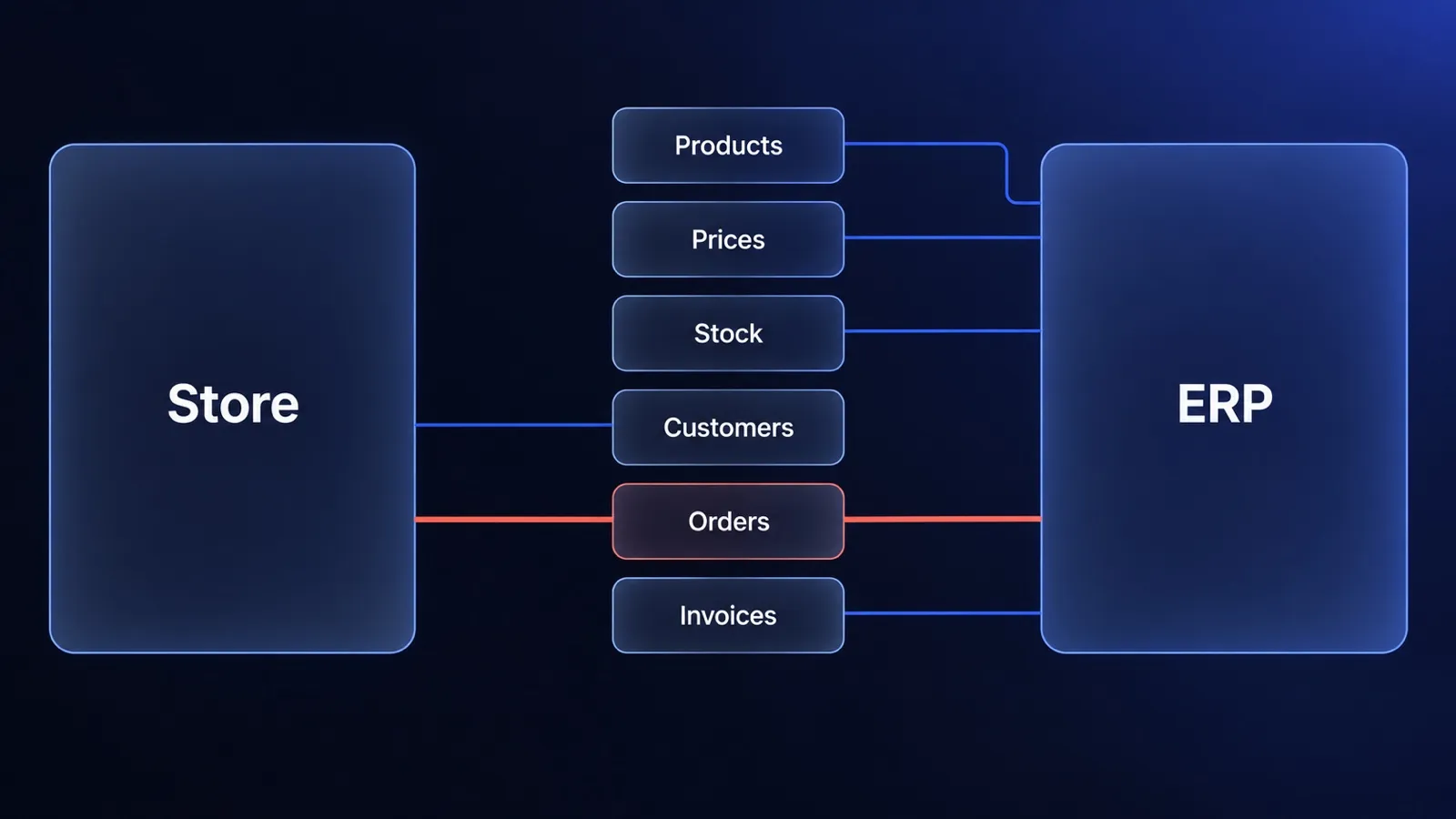
ERP and ecommerce: who owns which data, and how to connect the two
ERP ecommerce guide for decision makers: which system owns products, prices, stock and orders, three integration patterns, cost drivers and when to wait.
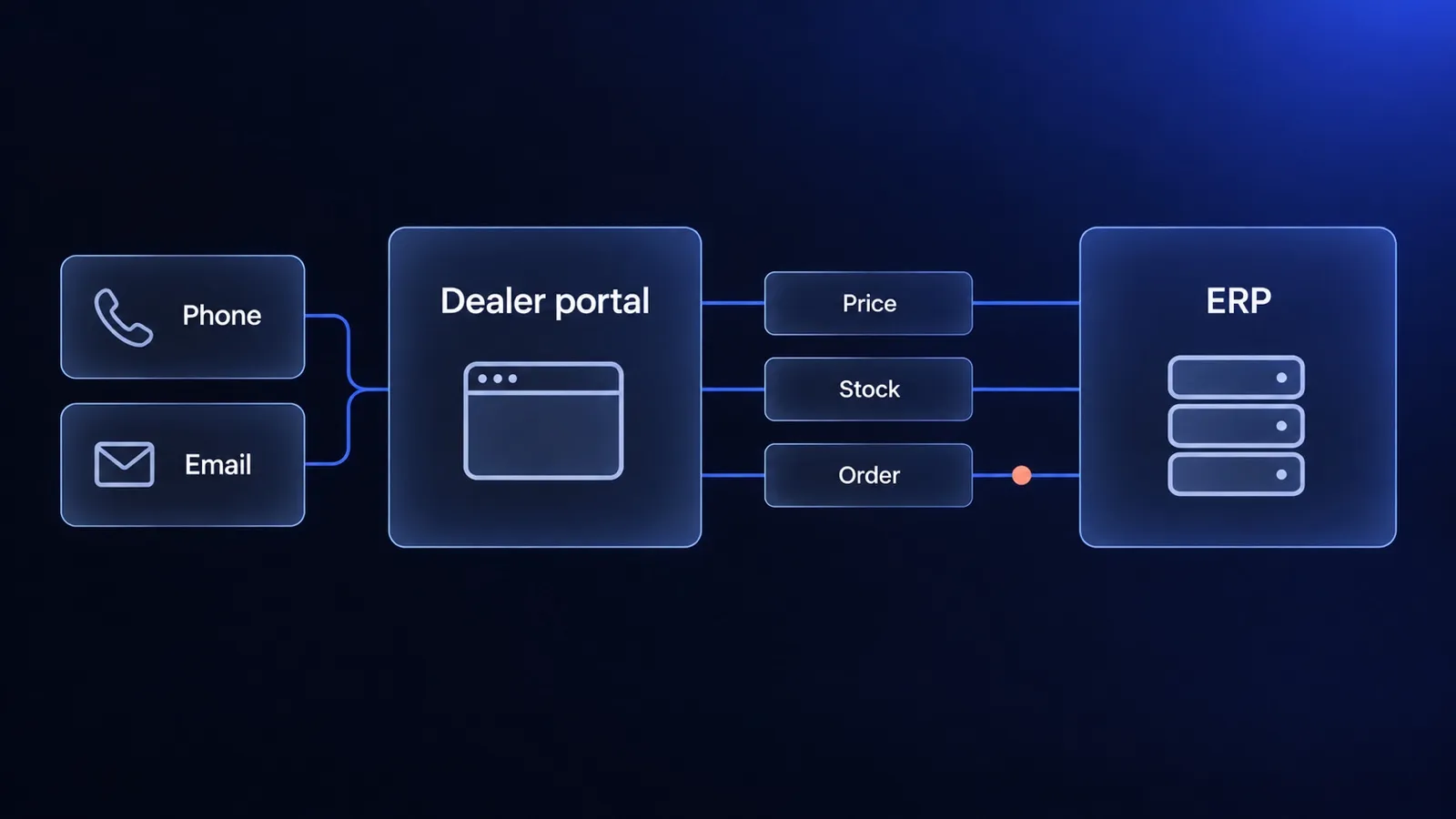
B2B customer portal for a dealer network: what to launch first and where the data comes from
B2B customer portal for a dealer network: the questions it must answer, the data the ERP owns, when punchout matters and how to launch in stages.
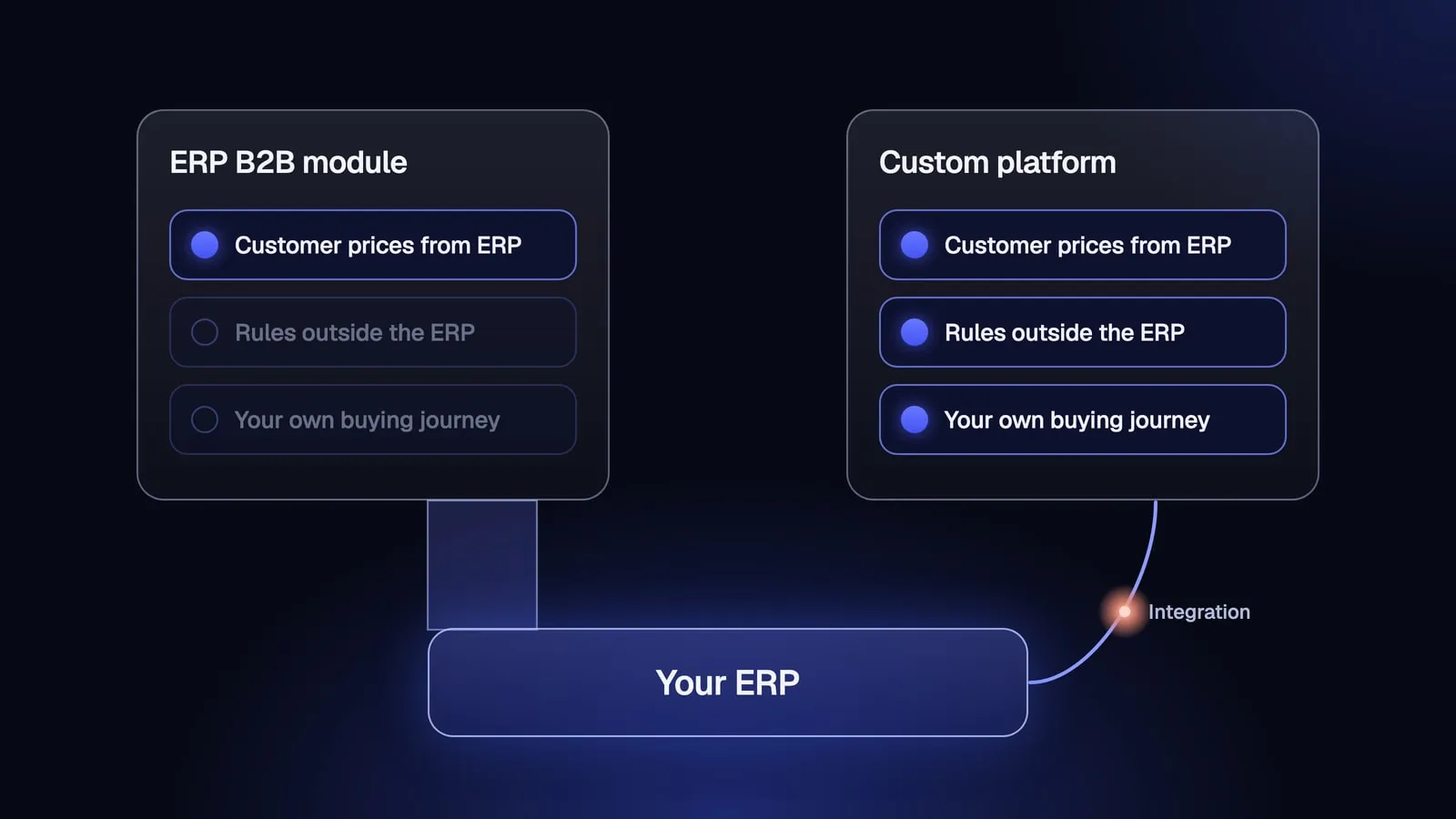
Your ERP vendor's B2B module or a custom B2B platform: which one fits?
Odoo, Dynamics 365 Commerce, Comarch or a custom B2B platform? Compare ERP vendors' B2B modules on price, limits and 24-month cost, and see when custom pays off.


Questions after reading?
Tell us what the article leaves open for your company. We reply within one working day and prepare a hypothesis before any call.
A question about the article Something does not match your situation, or you want to check an assumption behind a number.
Your own problem Describe the sales process and where your current platform stops being enough.
The next step You are weighing custom, off-the-shelf or a migration and want a second opinion before you commit.