
Medusa vs Shopify Plus for B2B: which fits a growing wholesale business?
Shopify B2B no longer needs Plus, so the real question has changed. This comparison shows what each option gives a wholesaler or manufacturer, where each one stops fitting, and how to decide on one real customer order.

Short answer
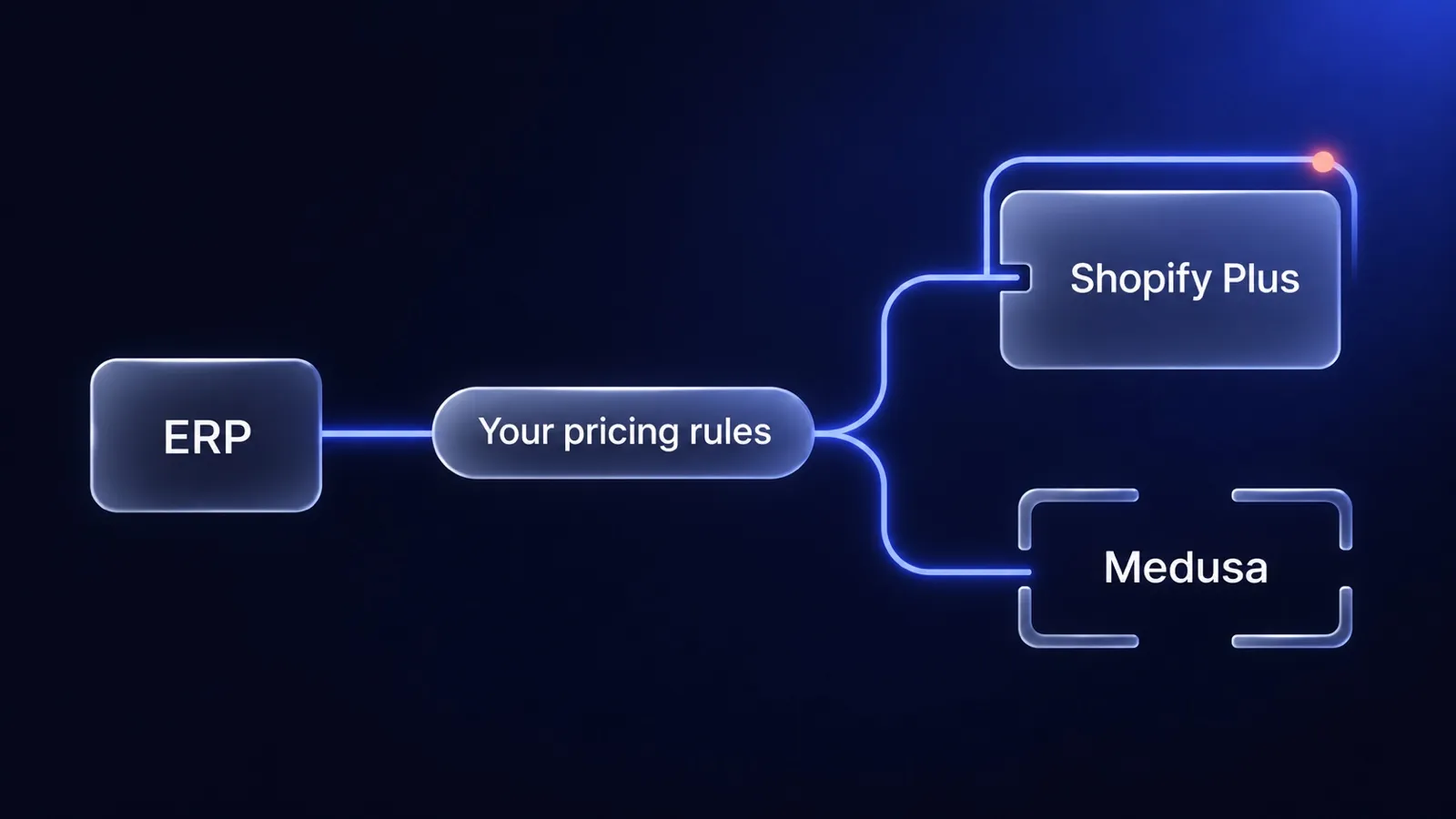
Choose Shopify Plus when your B2B process fits Shopify’s model of companies, catalogs and payment terms, you need more than three catalog assignments or deposits, and you would rather rent a platform than own one. Before that, check Advanced: since April 2026 Shopify B2B runs on every plan from Basic up. Choose a custom store on Medusa when every key account has its own price list in the ERP, prices follow rules Shopify does not model, or buyers need approvals and spending limits on their side. Decide on one real customer order and on 24 months of cost, not on a feature list.
What is the difference between Medusa and Shopify Plus?
Shopify Plus is a rented platform: you pay a monthly fee and fit your process into Shopify’s model. Medusa is an open-source commerce engine under the MIT licence: a team builds the store your process needs on top of it, and you own the code. With Shopify you adapt the process to the platform. With Medusa you adapt the platform to the process, and you pay for the build and the upkeep.
That difference only matters when your B2B process is not standard. If you sell to a few customer tiers with one set of payment terms, both options will work. If each large account has its own price list, minimums and an internal approver, the comparison starts to matter. For an overview of the engine itself, read what is Medusa.js.
What Shopify B2B covers since April 2026
Shopify B2B runs on the Basic, Grow, Advanced and Plus plans (not on Starter or Retail). According to Shopify’s B2B features by plan, every one of those plans includes:
- companies with locations and location-level permissions,
- net payment terms with reminders, plus ACH and vaulted cards in the US,
- draft orders that turn into invoices, PO numbers and easy reorders,
- quick order lists, quantity rules (minimum, maximum, increment) and volume pricing.
Sales staff permissions start on Grow, and a separate B2B storefront and checkout through Markets start on Advanced. Plans cost $29, $79 and $299 a month (source, as of 2026-11) billed yearly. The full fee picture, including payment fees, is in is Shopify worth it.
What only Shopify Plus adds for B2B
Below Plus, Shopify B2B has three clear limits:
- Three active catalog assignments to B2B markets. Assigning one catalog to two markets uses two of the three. A catalog is, in practice, a price list for a group of buyers.
- No catalogs assigned directly to a company or location. Buyers get prices through a market, not through their own account.
- No deposits, partial payments or payment requests per fulfilment.
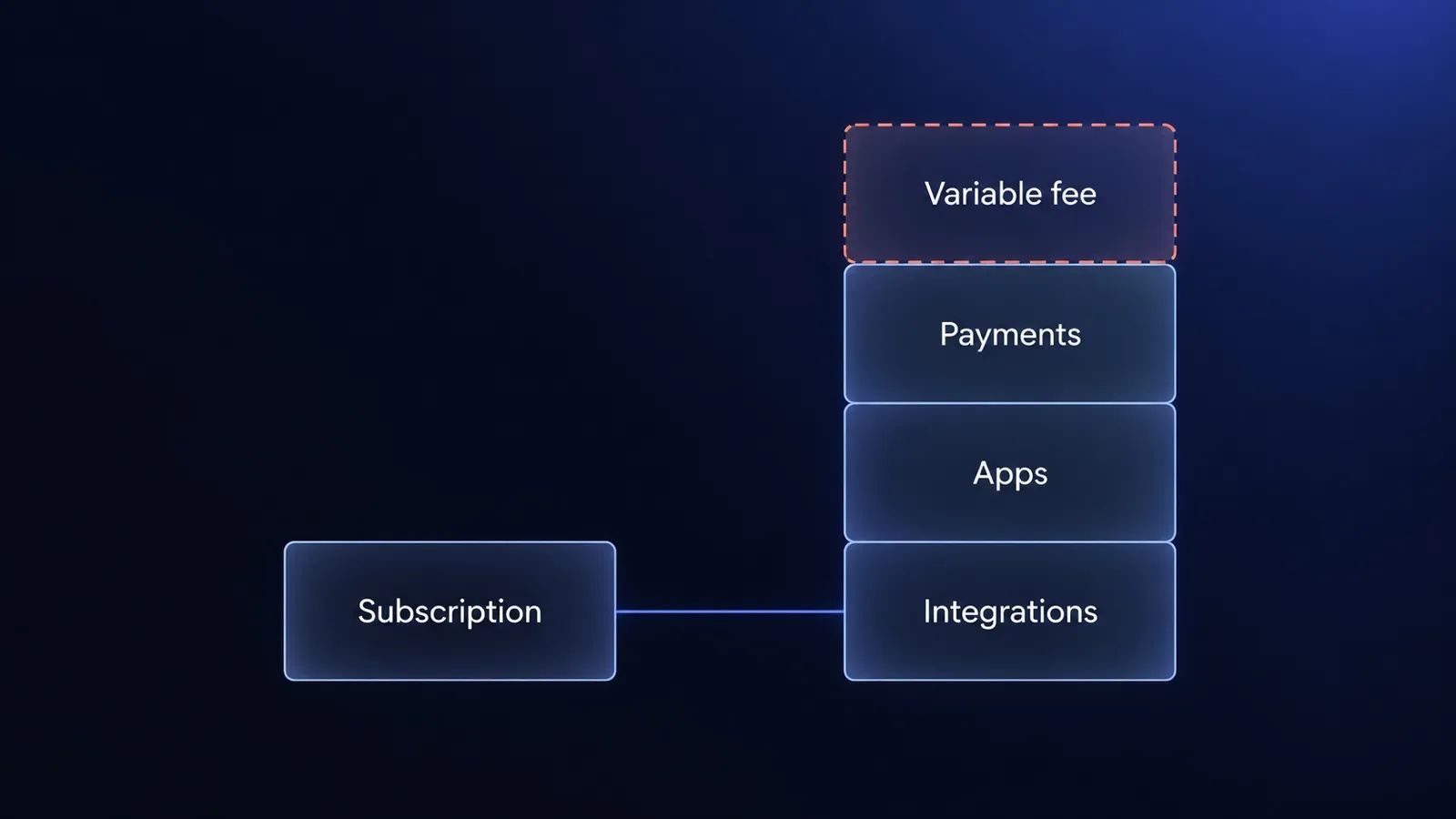
Plus removes those limits. It costs $2,300 a month (source, as of 2026-11) on a three-year term or $2,500 a month (source, as of 2026-11) on a one-year term. Shopify adds that larger or more complex businesses may pay a variable platform fee based on revenue and business model, which differs for B2B and D2C, and it does not publish the rates. The line-by-line breakdown is in Shopify Plus pricing.
Where Shopify B2B stops fitting, even on Plus
Two limits apply on every plan, Plus included.
Buyer-side approvals. A company location has two roles: a buyer who can only place orders and a location admin. The merchant can set a location to submit all orders as drafts for review (Shopify help on companies), but a manager on the buyer’s side approving a colleague’s cart, or a spending limit per employee, is not built in. That takes an app.
Prices that live in the ERP. Shopify stores prices in its own catalogs. If a customer’s price in your ERP depends on their discount tier, the product group and an annual contract, every change in the ERP has to reach the right catalog in Shopify. With a few tiers that is a simple sync. With several hundred accounts on their own terms, the integration keeps rebuilding the ERP’s pricing logic inside Shopify.
What Medusa gives you for B2B
The Medusa core has three building blocks for B2B. The B2B recipe in Medusa’s documentation lists:
- sales channels that keep the B2B assortment apart from B2C,
- customer groups, for example one group per company,
- price lists conditioned on customer groups.
Company accounts with employees are a custom module in that recipe. The official B2B starter, MIT-licensed and built on Medusa v2 with a Next.js storefront, already covers company management with employee invites and roles, spending limits per employee with reset periods, approval workflows by a company admin or sales manager, quote negotiation with messaging, order editing after placement and bulk add-to-cart.
That is a foundation, not a finished store. The ERP integration, your pricing rules, the storefront design and what happens to an order after checkout still have to be built. In exchange, there is no catalog limit, every account can have its own price list, and a price can come straight from the ERP or from your own rule. The core has no licence fee and no revenue share. Since August 2026 role-based access control and single sign-on sit in a paid Enterprise Edition, as covered in our Medusa overview.
Medusa vs Shopify Plus: side by side
| Shopify Advanced | Shopify Plus | Custom store on Medusa | |
|---|---|---|---|
| Platform cost | $299 a month billed yearly (source, as of 2026-11) | from $2,300 a month (source, as of 2026-11) plus a possible revenue-based fee | No licence on the core; you pay for the build, hosting and maintenance |
| Customer price lists | 3 active catalog assignments | Unlimited, assignable to a company | Unlimited, from the ERP or your own rules |
| Company accounts | Companies with locations | Companies with locations | From the B2B starter or a custom module |
| Order approval | By the merchant (draft for review) | By the merchant (draft for review) | By the merchant and by an admin on the buyer’s side (B2B starter) |
| Deposits and partial payments | No | Yes | To be built |
| Fee on third-party payment providers | 0.6% (source, as of 2026-10) | 0.2% (source, as of 2026-11) | None; you pay your payment provider only |
| ERP integration | App or custom integration | App or custom integration | Custom integration |
| Who owns the code | Shopify | Shopify | You |
What does each option cost over 24 months?
Compare 24 months for the same scope. The platform and build lines alone look like this:
- Shopify Advanced, billed yearly: 24 × $299 = $7,176 for the plan.
- Shopify Plus, three-year term: 24 × $2,300 = $55,200 for the plan, before any variable platform fee.
- A custom Medusa store with us: a build from €5,000 net and hosting with maintenance from €100 net a month, so from €7,400 net over 24 months.
None of these is the full cost. Shopify adds payment fees, B2B apps and theme work. Both routes need the ERP integration; in our cost articles we model it at roughly €2,500 net and give the exact figure only after mapping the data. The 24-month cost of a ready-made B2B platform, an ERP module and a custom store is broken down in B2B ecommerce platform cost.
The line that usually decides the result is not on any price list: your team’s time on workarounds. A sales rep who fixes catalog prices every week, or retypes orders that did not fit the store, is a cost that grows with every new account.
When Shopify Plus is the right choice
Shopify Plus fits B2B when:
- You need more than three catalogs, but your prices are still tiers, not a separate negotiated list per account.
- You already run B2C on Shopify and want B2B in the same admin without a team that develops the store.
- Deposits or partial payments matter, and the rest of your process fits Shopify’s model.
- Nobody in the company will own the store after launch, and you prefer a subscription to a product of your own.
If only the first point applies and you need three catalogs or fewer, try Advanced first.
When Medusa is the right choice
Medusa wins when Shopify workarounds would become daily work. Four signals:
- Every key account has its own price list in the ERP, and you do not want to rebuild it as catalogs.
- Prices follow a rule, such as product configuration, a raw material index or project size.
- Orders pass through approvals on the buyer’s side, or employees have spending limits.
- B2B and B2C run under one brand with different prices, payments and shipping, without two separate stores.
We build these stores on Medusa together with the ERP integration, and the scope, from company accounts to quick ordering, is on our B2B ecommerce development page. You can open a store our team built on Medusa.js in the Alufix case study, and a B2C and B2B store with company accounts in the ImpregnatyBC case study.
When Medusa is the wrong choice
Medusa is the wrong choice when your process fits Shopify without apps that patch a single feature, when there is no budget to maintain the store after launch, or when the only reason to switch is design. In that case Shopify gets you the same result sooner, and the money is better spent on product data and the ERP.
How to decide on one order
- Pick one real order from a regular customer, with their price list, minimums, payment terms and the person who approves it.
- Run it in a Shopify development store on the plan you are considering. Note every step that needs an app, manual work or another catalog.
- Count how many accounts have their own price list today. If it is more than three tiers, price Plus or a catalog sync.
- Ask for the full 24-month cost of both routes: platform, payment fees, apps, the ERP integration and your team’s time.
- Check where data between the ERP and the store drifts today, because every mismatch is work in both options.
If the order goes through Shopify without workarounds, choose Shopify. If workarounds appear in pricing, approvals or payment, and those decide the sale, a custom store on Medusa deserves a quote.
Frequently asked questions
Do I need Shopify Plus for B2B?
Not always. Since April 2026 Shopify B2B runs on the Basic, Grow and Advanced plans with companies, locations, net payment terms, quick order lists, quantity rules and volume pricing. Plus adds unlimited catalogs, catalogs assigned to a specific company and deposits or partial payments. If your price lists fit three catalog assignments, test Advanced before you sign a Plus contract.
Is Medusa good for B2B?
Medusa is a good base for B2B when your rules do not fit a SaaS template. The core has customer groups, price lists and sales channels, and the official MIT-licensed B2B starter adds company accounts, employee spending limits, approval workflows and quotes. It is a foundation, not a finished portal: the ERP integration, your pricing rules and the storefront still have to be built and maintained.
Is Medusa cheaper than Shopify Plus?
Over 24 months it often is for B2B, but not always. Shopify Plus starts at $2,300 a month on a three-year term, plus payment fees, apps and a possible revenue-based fee for complex businesses. A Medusa store has a higher upfront cost and no licence fee on the core, but you pay for hosting and maintenance. Price both with the same scope, including the ERP integration you need either way.
Can I migrate from Shopify Plus to Medusa later?
Yes. Products, customers and order history can be moved, and an integration that treats the ERP as the source of truth carries most of its logic over. The cost of moving grows with every app and workaround you built on Shopify, and with the remaining term of a Plus contract. If three catalogs are already tight today, price both routes now rather than after signing.
Keep reading
Shopify Plus pricing in 2026: the real total cost for B2B
Shopify Plus pricing starts at $2,300 a month. For B2B, the real cost sits in the variable fee, payments, apps and integrations. What to count before you sign.
What is Medusa.js? A guide for decision makers (v2, hosting, cost)
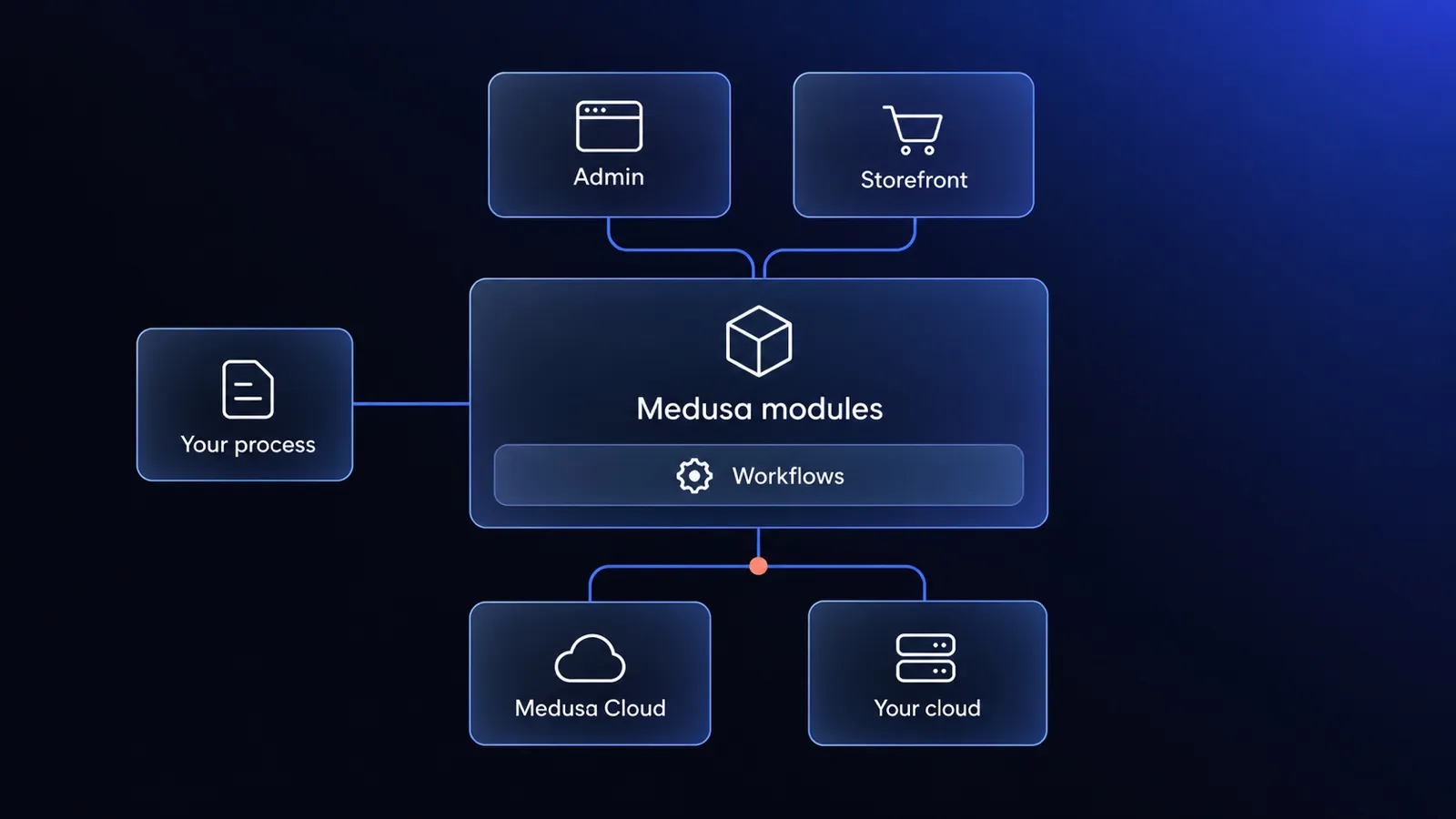
Medusa.js is an open-source commerce engine you build your store on. What v2 is, Medusa Cloud vs your own hosting, what it costs and when to skip it.
B2B ecommerce platform cost in 2026: SaaS, ERP module or your own store over 24 months
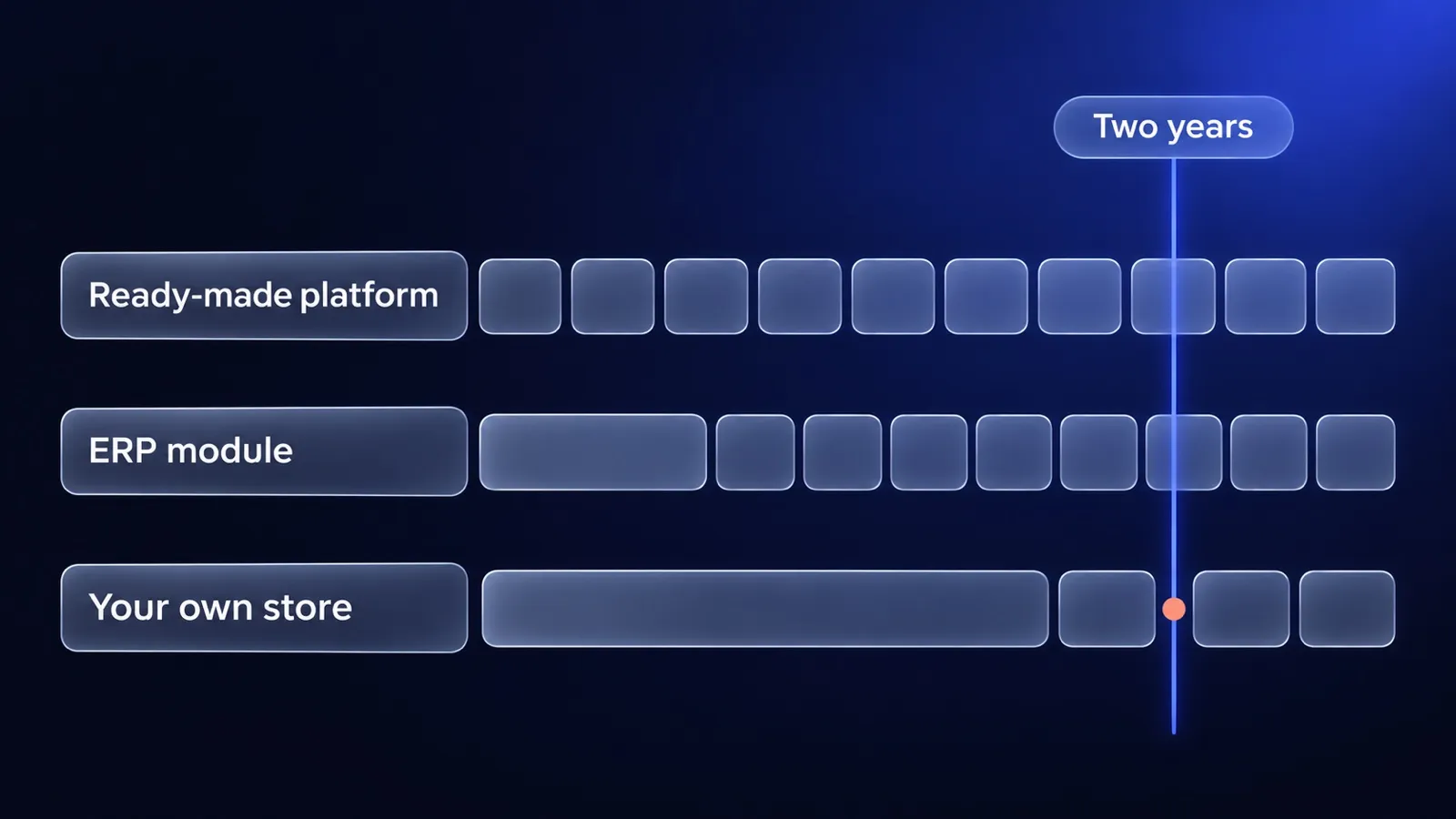
B2B ecommerce platform cost in 2026: Shopify Plus, BigCommerce B2B Edition, an ERP vendor's module and your own store compared over 24 months, with sources.


Questions after reading?
Tell us what the article leaves open for your company. We reply within one working day and prepare a hypothesis before any call.
A question about the article Something does not match your situation, or you want to check an assumption behind a number.
Your own problem Describe the sales process and where your current platform stops being enough.
The next step You are weighing custom, off-the-shelf or a migration and want a second opinion before you commit.